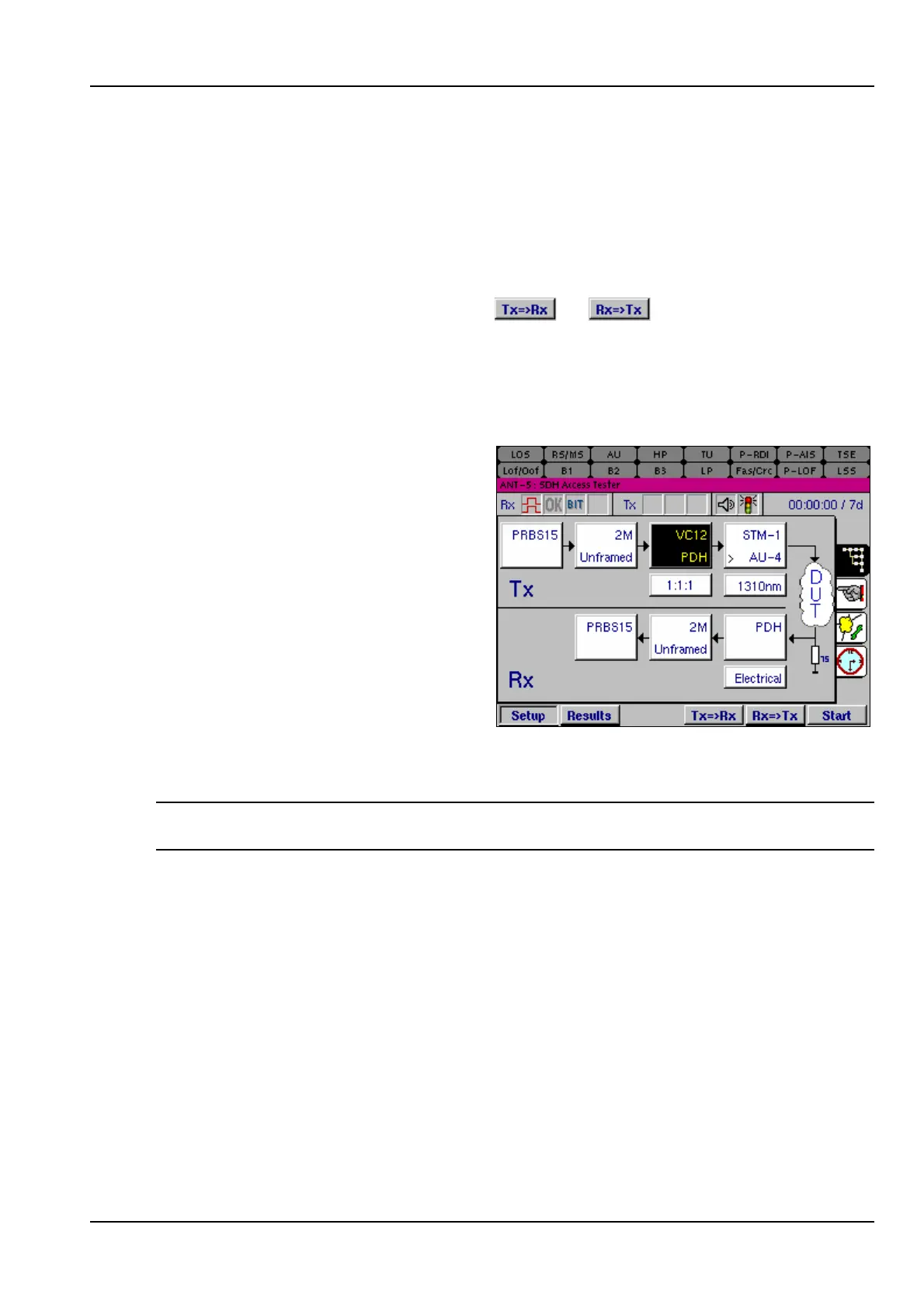
The SDH Access Tester application
Acterna ANT-5 Page 57
The Traffic pattern should be selected if the incoming signal is expected to contain
network traffic. Selecting this option effectively disables the pattern detection process
and the reporting of LSS defects.
4.4.13 Symmetrical Tx and Rx Settings
Where the system under test is symmetrical, and the Tx and Rx structures are
required to be identical, time can be saved by setting up either the Tx or the Rx
structure, and then pressing either the or keys as appropriate. The
structure will be copied from Tx to Rx, or vice versa, as selected.
The Tx and Rx structure can also be set up independently, so that, for example, the
Tx can be sending a PRBS of 2
15
-1 in a VC-12 carried within an optical STM-1, whilst
the Rx can be expecting to receive a PRBS of 2
15
-1 in a 2Mbit/s PDH signal.
If the structure has been set up
independently, as in this example; the
mappings and bit rates are
automatically copied. This feature has
been designed to ensure the user has
selected the appropriate mapping or
rate for SDH/SONET/PDH operation.
Generally, always edit the highest
configuration, in this example STM-1
on the Tx takes priority over PDH on
the Rx. Therefore, to change the PDH
rate to 140M select the Virtual
Container Setup Tx panel as
highlighted in the graphic. Edit the VC Mapping to VC4, you will then notice the
associated rate for the PDH Rx has changed to 140M.
Note: Previous mixed mode configurations saved prior to software version 08.00 will
no longer be valid.
4.5 Overhead Setup
The Overhead Setup page has five separate sub-pages which can be viewed by
selecting the appropriate entry in the View menu at the top of each page.



 To Next Page