The SDH Access Tester application
Acterna ANT-5 Page 77
The Switch time limit (t1) can be set within the range of 10 to 2000ms. The Gate
Time (t2) is used to monitor multiple switches and is achieved by continuing the
detection process for an extended period, with a range from 100 to 5000ms.
By checking the Repetitive box the test will repeat automatically once the switch has
been detected. A green tick shows that the test has passed. A test will fail (shown by a
red cross) if the switch time has not been fast enough or there has been any defect).
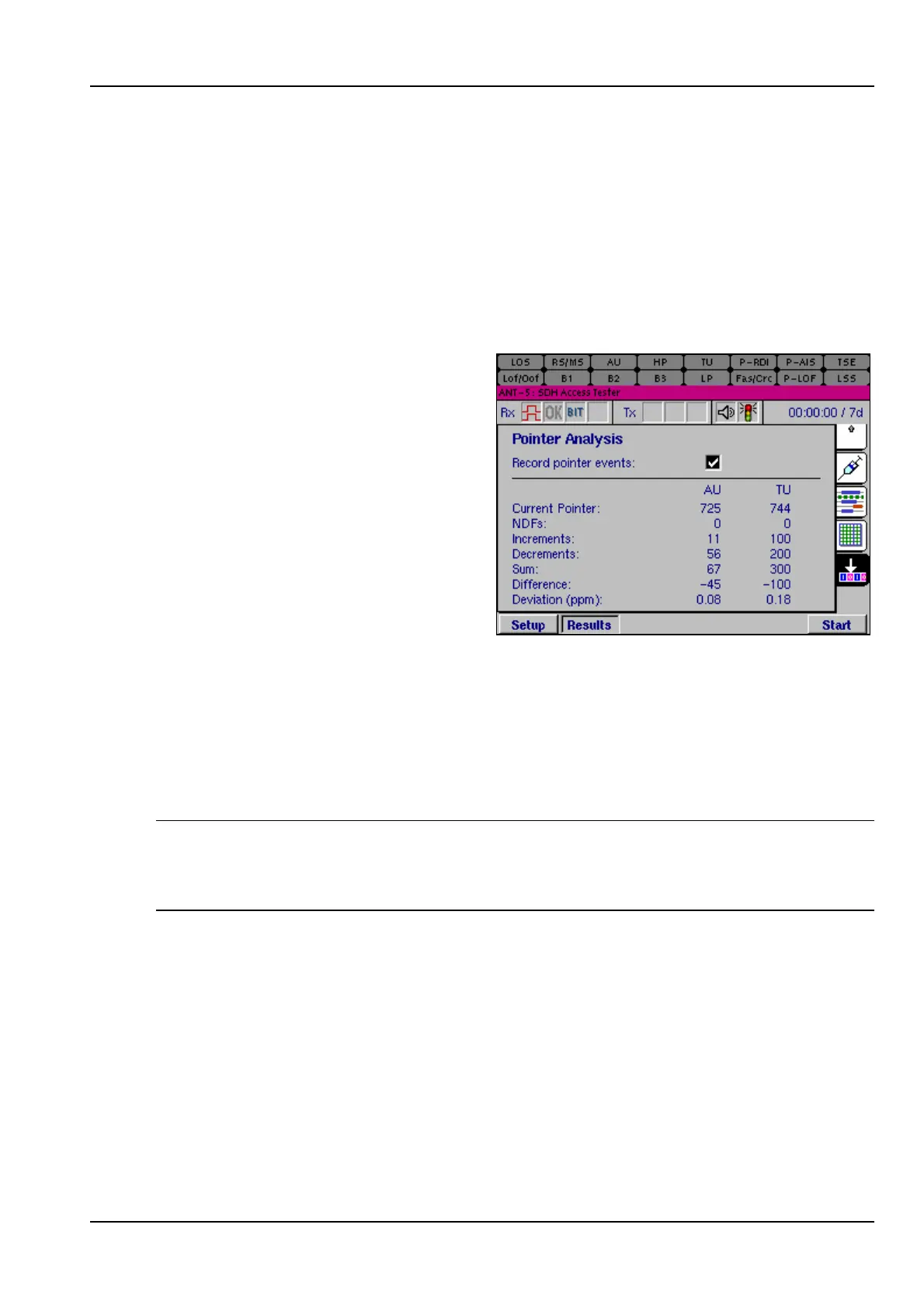
4.19 Pointer Analysis
Differences in the phase and
frequency of the Virtual Containers
with respect to the STM-N frame is
compensated for via pointer
movements. Healthy systems should
exhibit low numbers of pointer events
typically operators look for less than
70 pointer events in a 24hour period.
Large numbers of pointer events can
indicate network synchronisation
issues such as tributary signals
operating at large offsets or network
elements not operating from the
correct reference clock. ANT-5
displays the current pointer value together with counts of the numbers of Increments
(+PJE), Decrements (-PJE) and New Data Flags (NDFs). The Sum is the number of
increments and decrements, the Difference is the number of increments less the
number of decrements. The Deviation (in ppm) is the number of times the pointer has
moved in relation to the number of bits received. By checking the Record pointer
events box these events are also timestamped and recorded in the event log and
displayed in the results summary page.
Note: The pointer analysis page will only be available when there is an SDH signal on
the Rx. The TU column will only be visible if there is a tributary path set within the
signal structure. It is advisable that From Rx is set as the Clock Source in the
Interface Setup Tx panel.



 To Next Page