Getting started
Acterna ANT-5 Page 33
Note1: The Comms menu contains a baud rate setting which should not be confused
with the baud rate setting of the serial port. This should be set up in the Serial Port
section of the System menu.
Note 2: When typing in the ANT-5 IP address into a PC environment care should be
taken to avoid any leading zeros. For example 141.169.126.076 would be replaced
with 141.169.126.76. However, all twelve characters are needed for the ANT-5.
Note 3: Edited IP addresses will be available after the ANT-5 has been re-booted.
2.9 Card slot
The ANT-5 is fitted with either a single, standard PC Card slot (BN4565/01) which is
on the left side, adjacent to the screen, or a CompactFlash card slot (BN 4565/02
onwards) situated on the right side. These are used for storing set-ups and results. PC
Cards can be formatted in the ANT-5. See Section 3.2.6 for further details.
The cards should be inserted with the label side uppermost. Press into the slot until
firmly located. The ANT-5 will beep to indicate it has recognised the card. If no beep is
heard refer to section 7.3.
Ethernet cards can be used in the PC Card slot to enable remote access. See Section
2.8.1 for further details.
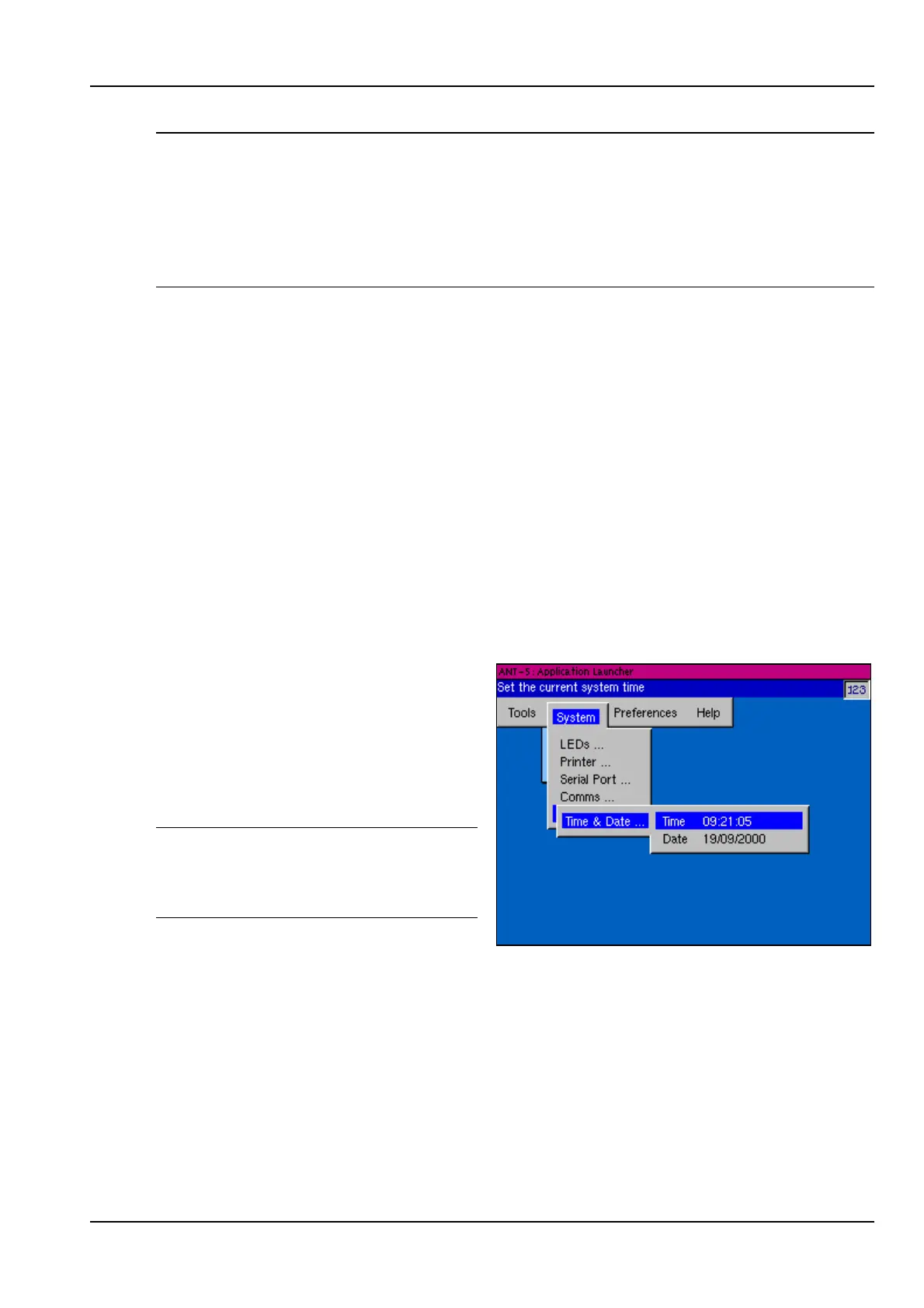
2.10 Setting the time and date
The current time and date can be set
in the Time & Date section of the
System menu.
After setting the time or date, power
off and on the instrument. Verify that
the time and date have changed.
Note: The time or date should not be
changed when a measurement is
running, since this will invalidate the
results.



 To Next Page