Getting started
Page 30 Acterna ANT-5
The and
#
keys on either side of the 0 key are used for entering non-
alphanumeric characters. The sequence for the
#
key includes the following
characters: - # + ! , : ” ’ & ( ). The 0 key can be used to enter space characters.
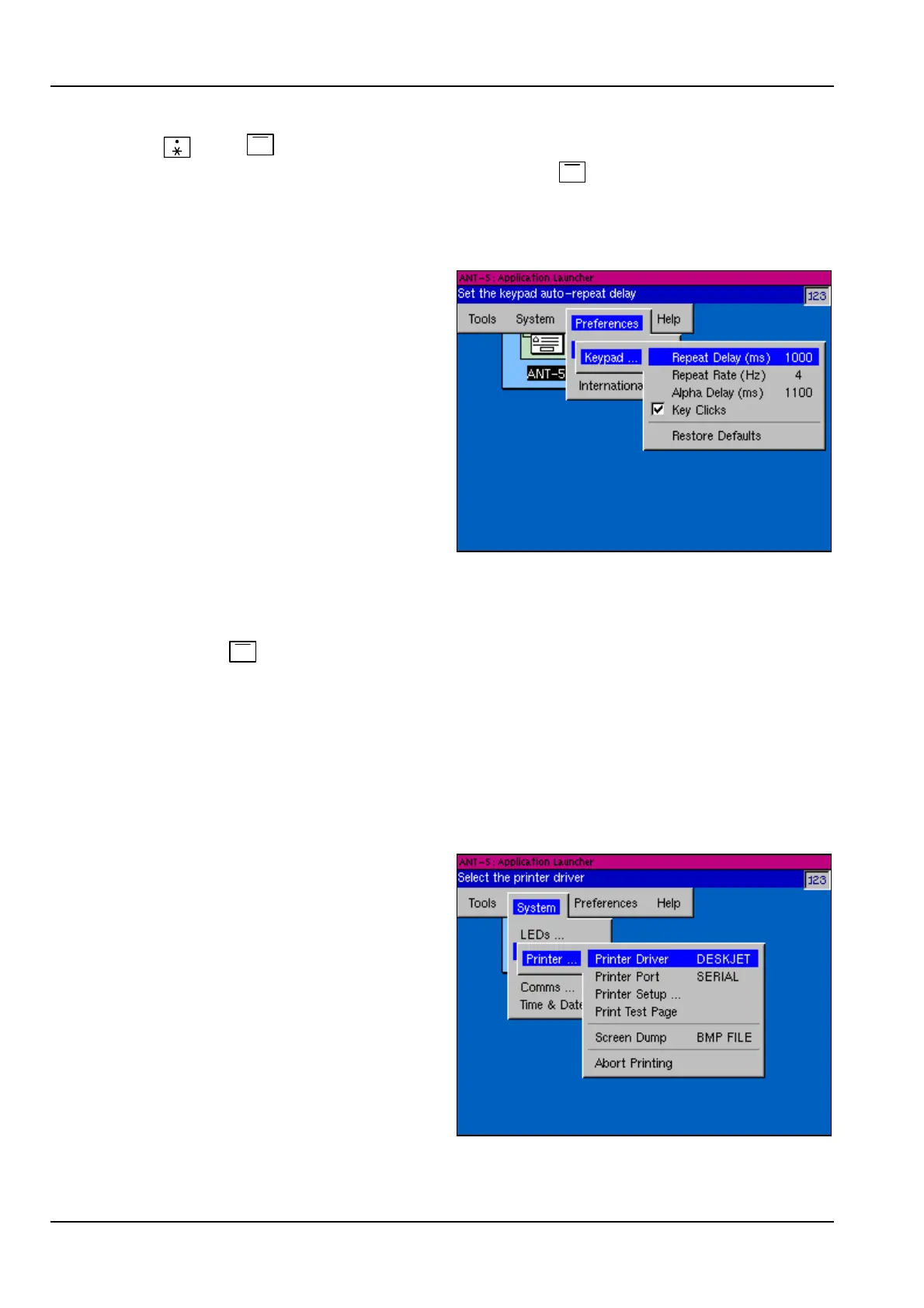
2.6.5 Changing the keypad settings
Keypad settings such as the length of
the Alpha Delay pause can be
changed in the Keypad section of the
Preferences menu.
2.7 Printing the current screen
The current screen can be saved in a file or sent to a printer on the serial port by
pressing the
#
key whilst holding down the Alt key. The Screen Dump feature can
be turned off or directed to either a file or the printer in the Printer section of the
System menu.
The ANT-5 will sound a series of beeps when the screen has been saved or printed. If
the screen is being saved in a file, it is particularly important not to remove the card
before these beeps have indicated the end of the process.
2.7.1 Printer configuration
The Printer section of the System
menu allows the selection of the
current printer driver and the current
printer port, which can be set up for
printing to the serial port or to a file.
The parameters for each printer
driver, such as paper size, custom
paper dimensions and unprintable
area, can also be set.
A test page facility is provided to
ensure that a printer is correctly set
up. The test page contains
information about the current printer
set up such as the driver name, printer port settings and paper dimensions. The test



 To Next Page