The SDH Access Tester application
Page 74 Acterna ANT-5
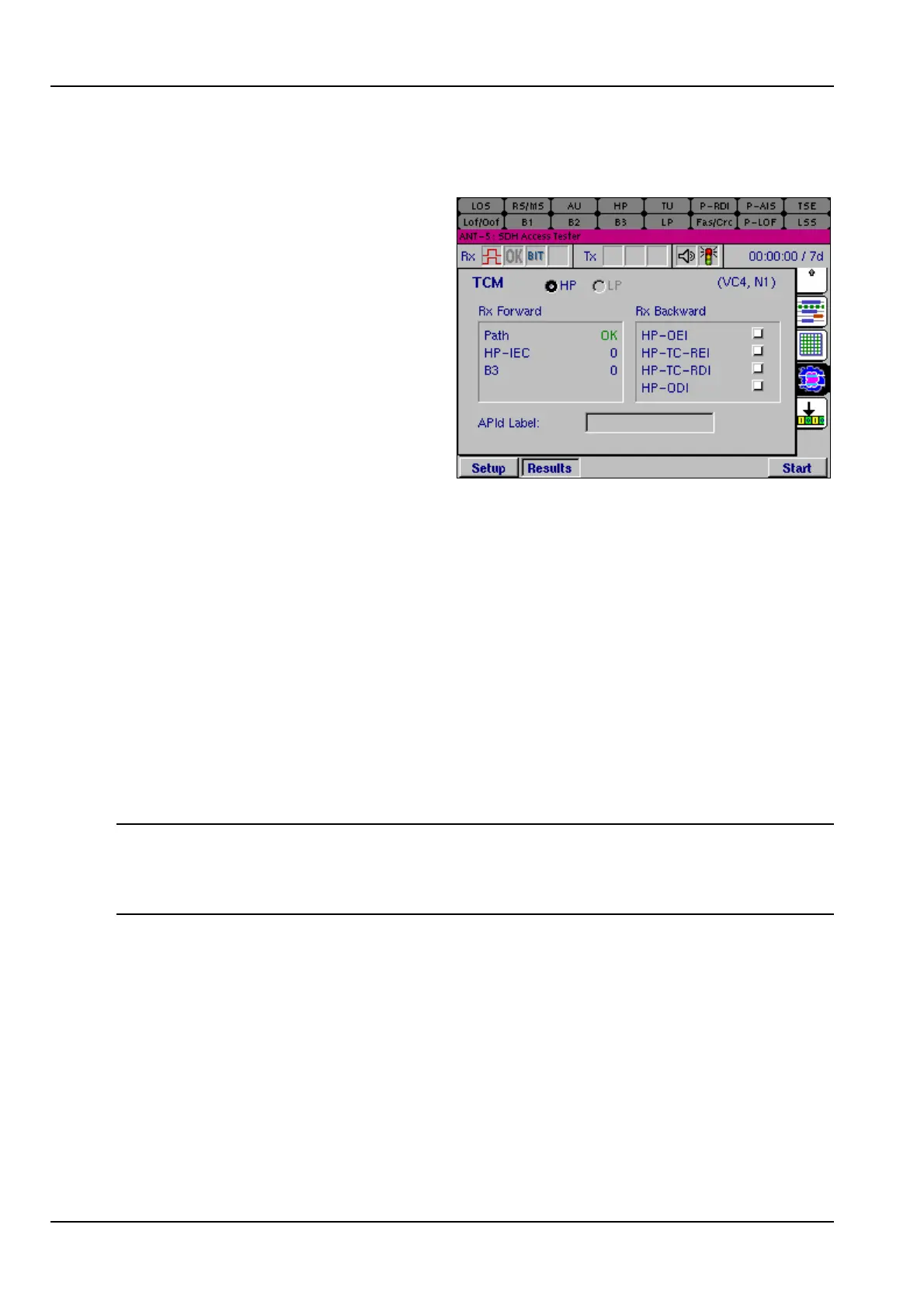
4.15 TCM results summary
Tandem connection monitoring (TCM)
allows the comparative performance
of path segments to be monitored with
the aid of the N bytes in the path
overhead. The TCM results summary
page is used for monitoring results for
the forward and backward directions
in a tandem connection. The APId
Label (application ID path label) is
also shown.
The received HP or LP path can be
viewed by selecting the HP or LP
radio button at the top of the page.
The current path and its associated network operator byte will be shown in the top
right corner of the page.
Rx Forward The Path is shown as OK (green) if it is clear or LOST (red) if a
path is not identified. The results for the error monitoring
counters are shown beneath this for comparison.
Rx Backward The Rx Backward results are shown as non-latching red
indicators which are turned on when a condition is true. Counters
for these results can be found on the Results Summary page,
as described in Section 4.10. More detailed results can be found
in the Event Log, as described in Section 4.13.2.
For an application note on this topic, visit our Web Site, www.acterna.com, or contact
the nearest Regional Sales Office as listed on the back of the manual.
Note: The received HP and/or LP paths should be activated before starting the test.
This can be done by selecting the HP and LP check boxes as required in the TCM
view of the SOH Setup page. If neither box is selected, the TCM results page will not
be available. For details See Section 4.5.4, Tandem Connection Monitoring.



 To Next Page