The SDH Access Tester application
Acterna ANT-5 Page 73
Byte values are shown as follows:
Hex value The hexadecimal value of the received or transmitted byte.
‘—’ ‘—’ appears in Analysis mode to indicate bytes for which a value
cannot be determined.
‘TI’ ‘TI’ appears in Analysis mode to indicate bytes for which a correct trace
identifier value has been recognised.
‘xx’ ‘xx’ appears in Injection mode to indicate bytes which may not be
injected.
The POH table is displayed on the right of the window, and its contents will depend
upon the signal structure that has been selected.
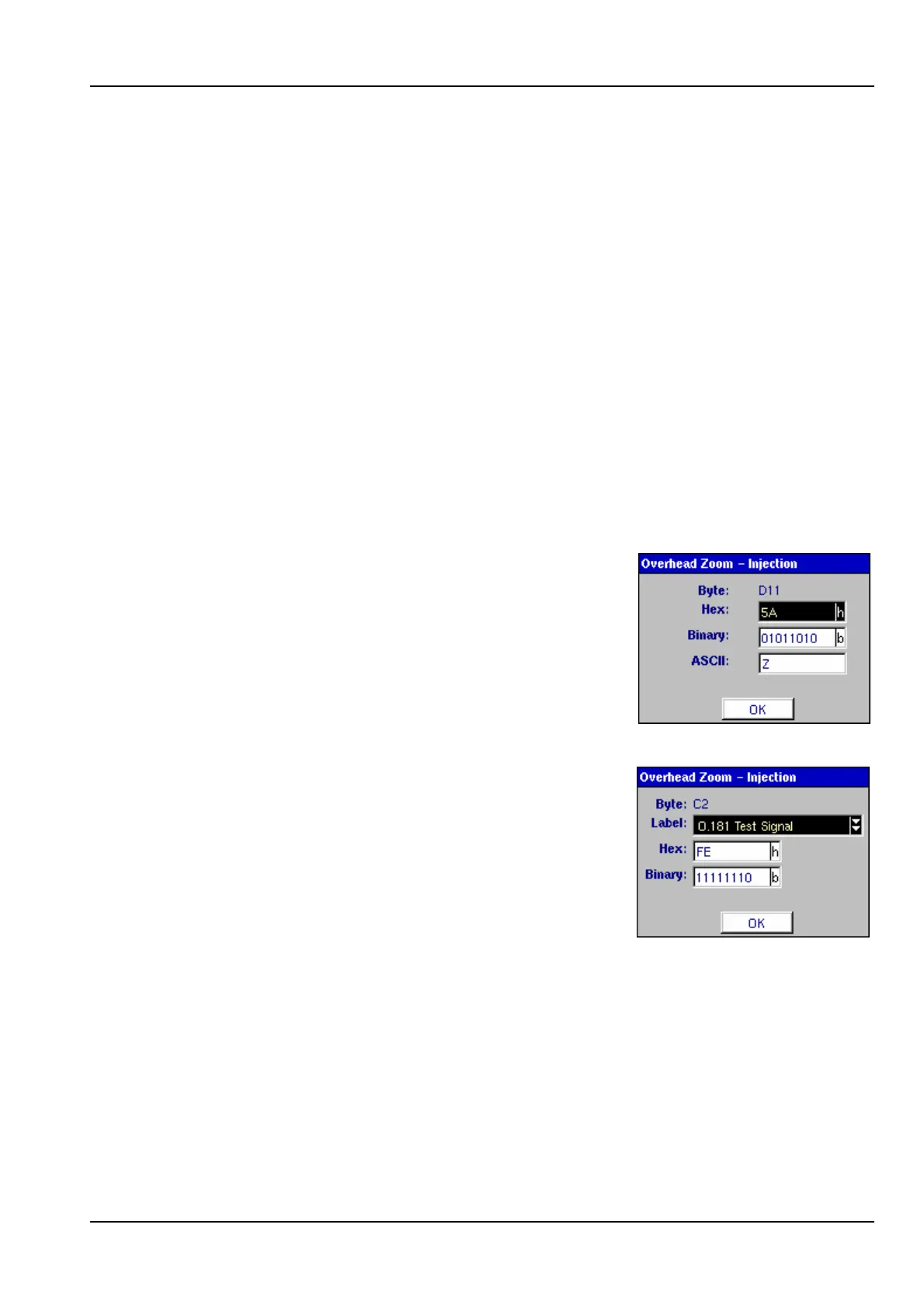
In Analysis mode, the value of individual received overhead bytes may be examined
in detail using the Overhead Zoom feature. In Injection mode, the same feature can
be used to edit the value of individual transmitted overhead bytes in hexadecimal,
binary or ASCII format.
To zoom in on a particular overhead byte, select the
appropriate table using the directional keys and press
the Enter key; individual bytes can then be selected
using the directional keys. When a byte is selected and
the Enter key is pressed, the Overhead Zoom window
will appear with the details of that byte.
Where an overhead byte is used for a special purpose,
such as carrying status messages (S1) or labels (C2),
these values will also be displayed and alternative
values may be selected from a list.
To conclude the examination or editing of individual
bytes, press the Esc key to deselect the table and
return to the page tabs.



 To Next Page