The Acterna ANT-5 operating system
Page 40 Acterna ANT-5
3.2.6 Formatting a card
WARNING: Formatting the card will erase all data stored on it.
To format a card, insert an appropriate card and run the File Manager utility. If the
card has already been formatted it should appear as a device named “card:”. To
examine the contents of the card prior to formatting, move the highlight to this device
and press the Enter key or right directional key.
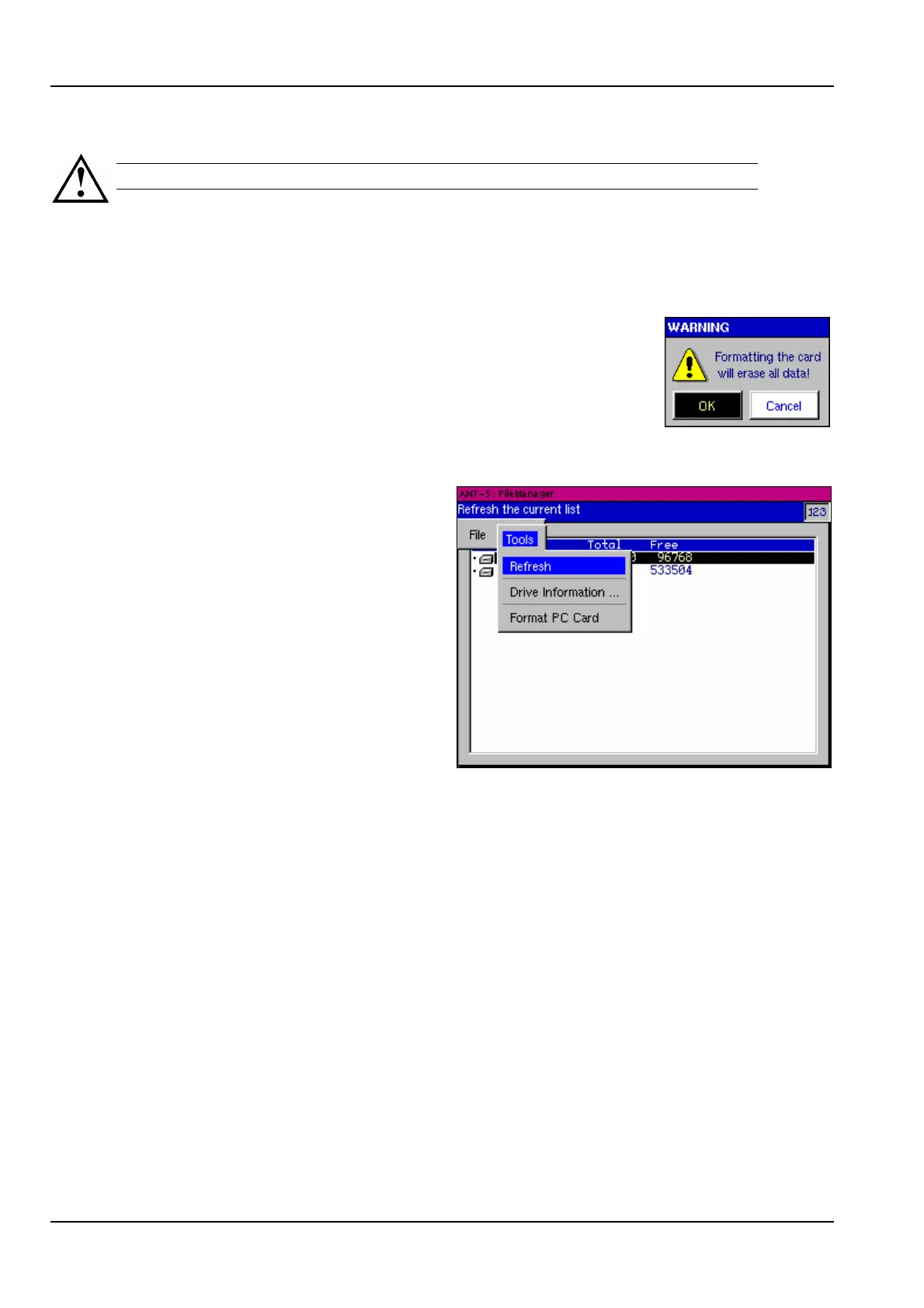
Use the Menu key to display the File Manager menu, then
select Format (PC) Card from the Tools section. A warning
message will be displayed to request confirmation before the
data stored on the card is erased. ‘Press’ the OK button to
proceed.
3.2.7 Refreshing the displayed file list
The File Manager automatically
updates the displayed file list when a
card is inserted or removed.
The ANT-5 can be forced to re-read
the card contents by selecting
Refresh from the File Manager Tools
menu. This can be useful, for
example, if the contents of the card
have been changed by another
application.
3.2.8 CompactFlash Cards
CompactFlash Cards can be read using a compatible CompactFlash card reader.
Alternatively, (where the PC’s IDE Controllers allow) files can be transferred from the
ANT-5 to a PC, by placing the CompactFlash card into a CompactFlash card adapter,
for example. The contents of the card can then be read using a PCMCIA (PC Card)
compatible device.
3.3 Transferring files to a PC environment
3.3.1 Transferring files from the ANT-5 to a PC using the serial port
(See also 4.23.1, Exporting data to a spreadsheet).
The File Manager can be used to transfer data files from the ANT-5 to a PC using the
serial port. The following example assumes that Windows HyperTerminal and the
COM1 port are available for use on the PC:



 To Next Page