The SDH Access Tester application
Acterna ANT-5 Page 49
4.4 Signal Structure setup page
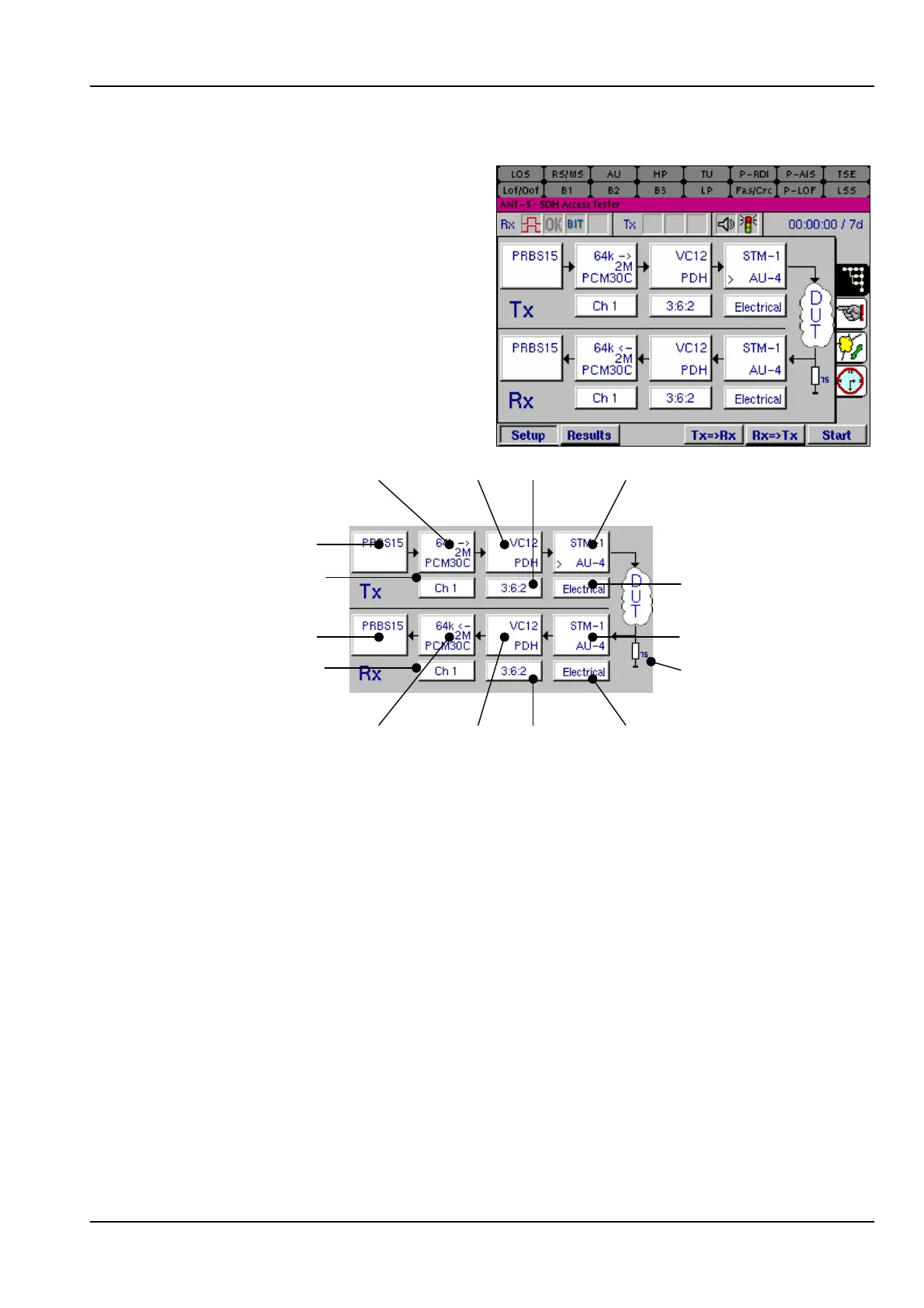
The Signal Structure setup page
allows the configuration of both the Tx
and Rx to be set up for the particular
device or system under test (DUT).
The settings for each element of the
signal structure can be changed by
moving around the structure diagram
using the directional keys and
selecting items with the Enter key. A
window showing the available
parameters for that element will then
be displayed.
Hierarchy
Interface
Interface
Hierarchy
Virtual
Container
Pattern
PDH
PDH
Channel
Pattern
Virtual
Container
Channel
Timeslot
Timeslot
Termination
75ohm
The procedure for setting the Rx elements of the test structure is very similar to the
setting of the Tx elements except for the Interface Setup Rx window, which has a
different set of parameters.
The list of available parameters for each part of the structure may vary depending
upon the configuration selected in the other elements. For example, if a PDH interface
is selected, the Virtual Container setup dialog box will not appear, since this box is
only applicable to SDH.
The signal structure always appears with a test pattern source and test pattern
detector. If the incoming signal is expected to contain network traffic, the Traffic
pattern may be selected to disable the receiver’s pattern detection process and the
reporting of LSS defects.
When setting up the various parts of the signal structure for the ANT-5, it is advisable
to make changes to each element of the structure in the order that they are referred to
in this chapter.



 To Next Page