Appendix F - Remote Access
Page 144 Acterna ANT-5
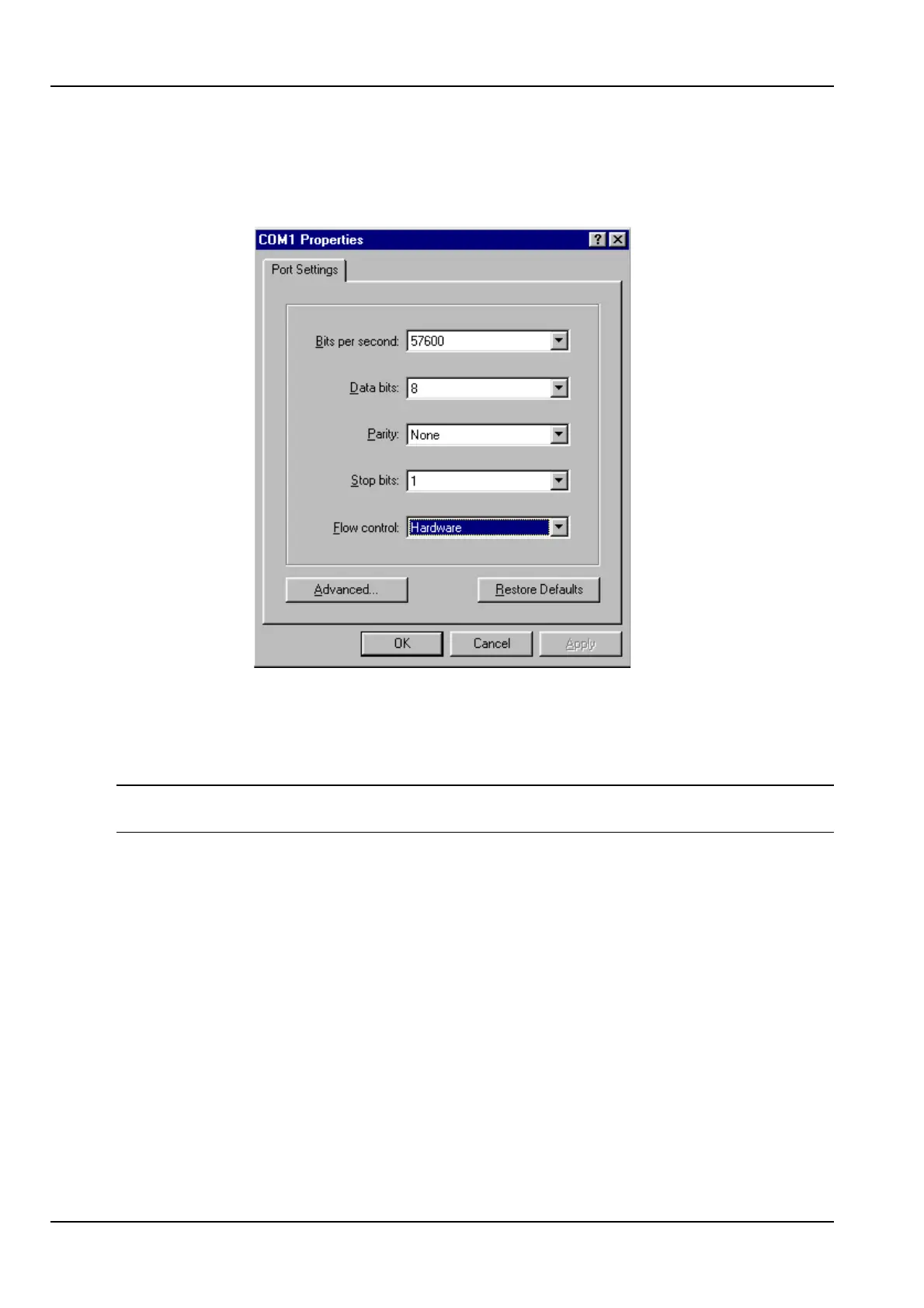
3. Run a serial terminal program (e.g. Windows HyperTerminal) and set the
communication parameters in File > Properties to the values shown, assuming
the designated com port is selected (e.g.COM1) and connected to the modem via
the serial cable.
From the terminal program, AT commands can by typed to ensure that the modem has
the correct settings. The modem needs to be configured for hardware flow control, (e.g.
AT&F) to ignore DTR, (e.g. AT&D0) and automatically answer on the second ring (e.g.
ATS0=2).
Note: Not all modems are Hayes AT command compatible. Refer to the modem’s user
guide for the relevant command set.
Once the modem is successfully configured, remove the serial cable from the PC and
connect this to the ANT-5 without disconnecting the power to the modem or switching it
off, so ensuring that the modem indicator lights remain on.
14.1.2 Setting up a PC using Windows 98
The following is required and assumed to be working:
• Windows networking for TCP/IP.
• Dial-up networking.
• A correctly installed and configured modem.
• Phone number of the remote ANT-5 (including country/area codes).



 To Next Page