The SDH Access Tester application
Acterna ANT-5 Page 47
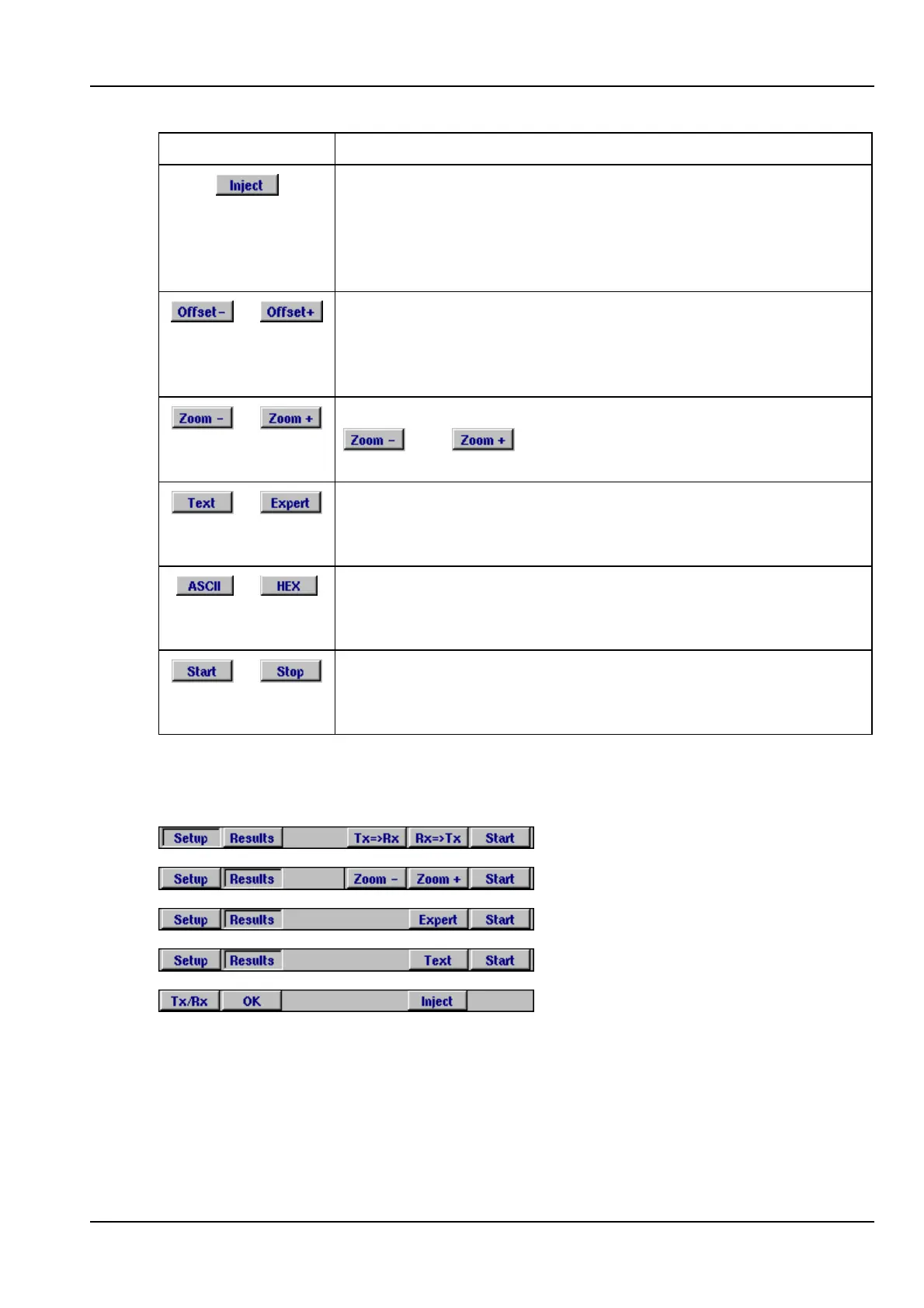
Firm key Function
Depress the inject key injects a range of anomalies and
defects into the transmission signal. See Section 4.11 for more
details. The inject firm key appears automatically in the
Injection page. Alternatively, users can select this firm key by
pressing the Alt button from any other page.
or
These keys are used from the results page when clock offset is
enabled. The transmitter offset can be adjusted in steps of
0.1ppm by pressing the required offset firm key, or offset in
increments of 1.0 by pressing and holding down the firm key.
or
When anomalies or defects are displayed as graphs, the
and keys can be used to adjust the units of
time along the x-axis of the graph.
or
When overhead analysis/injection results are displayed, the
Text and Expert keys can be used to switch between the
summary and detailed views.
or
When overhead analysis/injection results are displayed, the
ASCII and HEX keys can be used to switch between the alpha
and numeric views.
or
Start a test, or Stop the test if one is running. (Once a test has
been stopped, up to three files are automatically saved on the
internal device, see 3.2.5 for further details).
Table 2 – Function key.
Some examples of function key positions are shown below:
(Press Alt to display these keys.)
4.2 Setup pages
The SDH Access Tester application uses a range of tabbed setup pages to set the
interface and test parameters before running a test. The settings can be easily
changed by moving around the screen with the directional keys and selecting items



 To Next Page