The SDH Access Tester application
Acterna ANT-5 Page 51
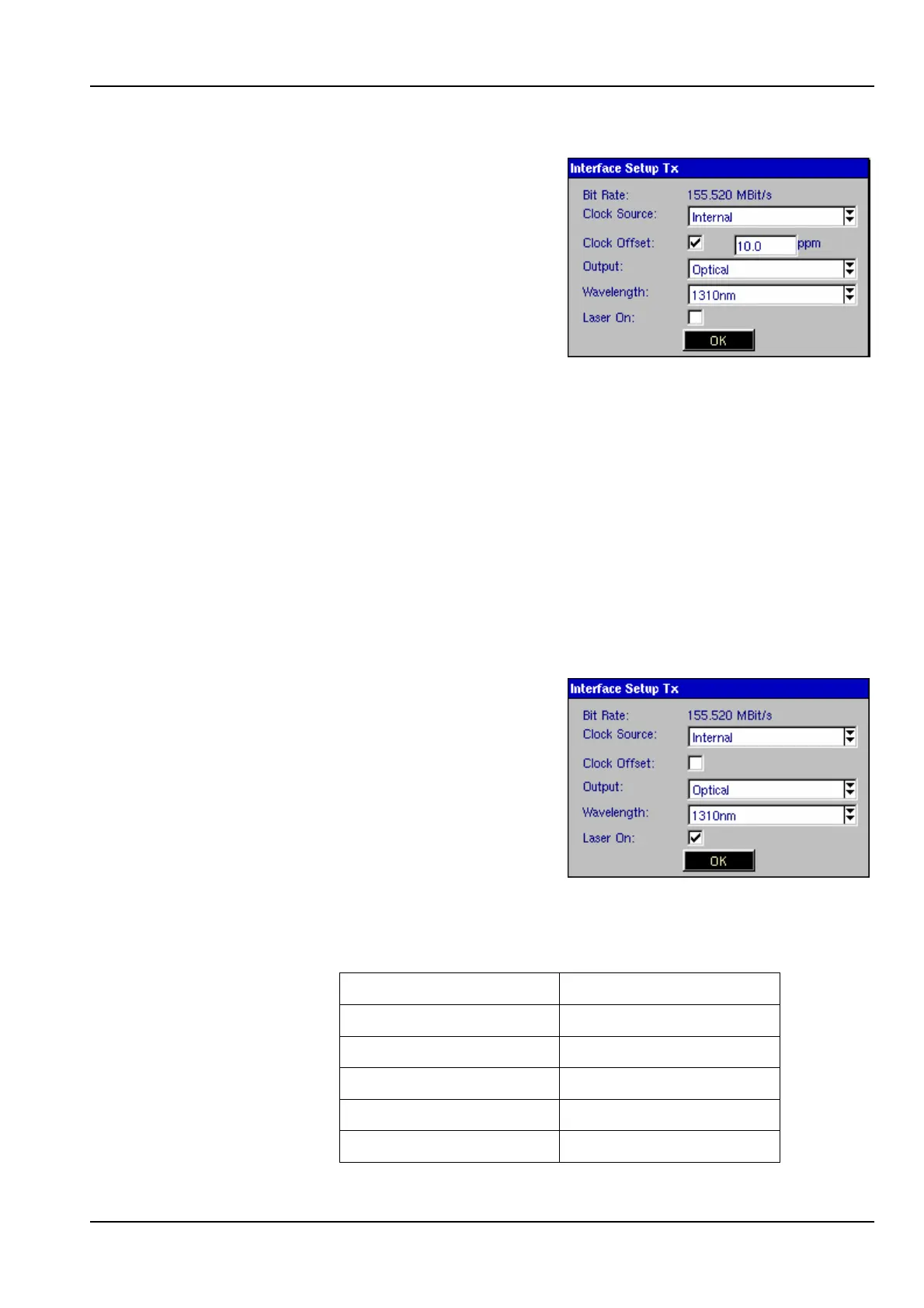
The Clock Offset is only
available when the Clock
Source is set to Internal.
With the Clock Offset box
checked a value can be
entered for the offset,
from –100 to +100. How-
ever, once a test has
started the clock offset
can only be changed
using the associated firm keys from the Results page. See
Section 4.10 for further details.
Note: If the signal structure is changed the parameters for clock
offset will need to re-established.
Output The output interface can be set to either Optical or Electrical. If
the ANT-5 is equipped with an optical interface, both electrical
and optical options will be available.
If a PDH structure has been selected in the Hierarchy setup, the
optical options will be disabled. If an SDH structure has been
selected and the ANT-5 is equipped with an optical interface,
both electrical and optical options will be available.
If the Optical interface is
selected, the state of the
Laser On checkbox can
be toggled, and the
Wavelength can be set
to either 1310nm or
1550nm, depending on
which optical options
have been fitted to the
instrument.
Line Code The Line Code setting automatically defaults to the setting
appropriate to the interface type:
Interface Line Code
SDH Optical NRZ
SDH Electrical CMI
E4 CMI
E1 & E3 HDB3
DS3 B3ZS



 To Next Page