The SDH Access Tester application
Page 70 Acterna ANT-5
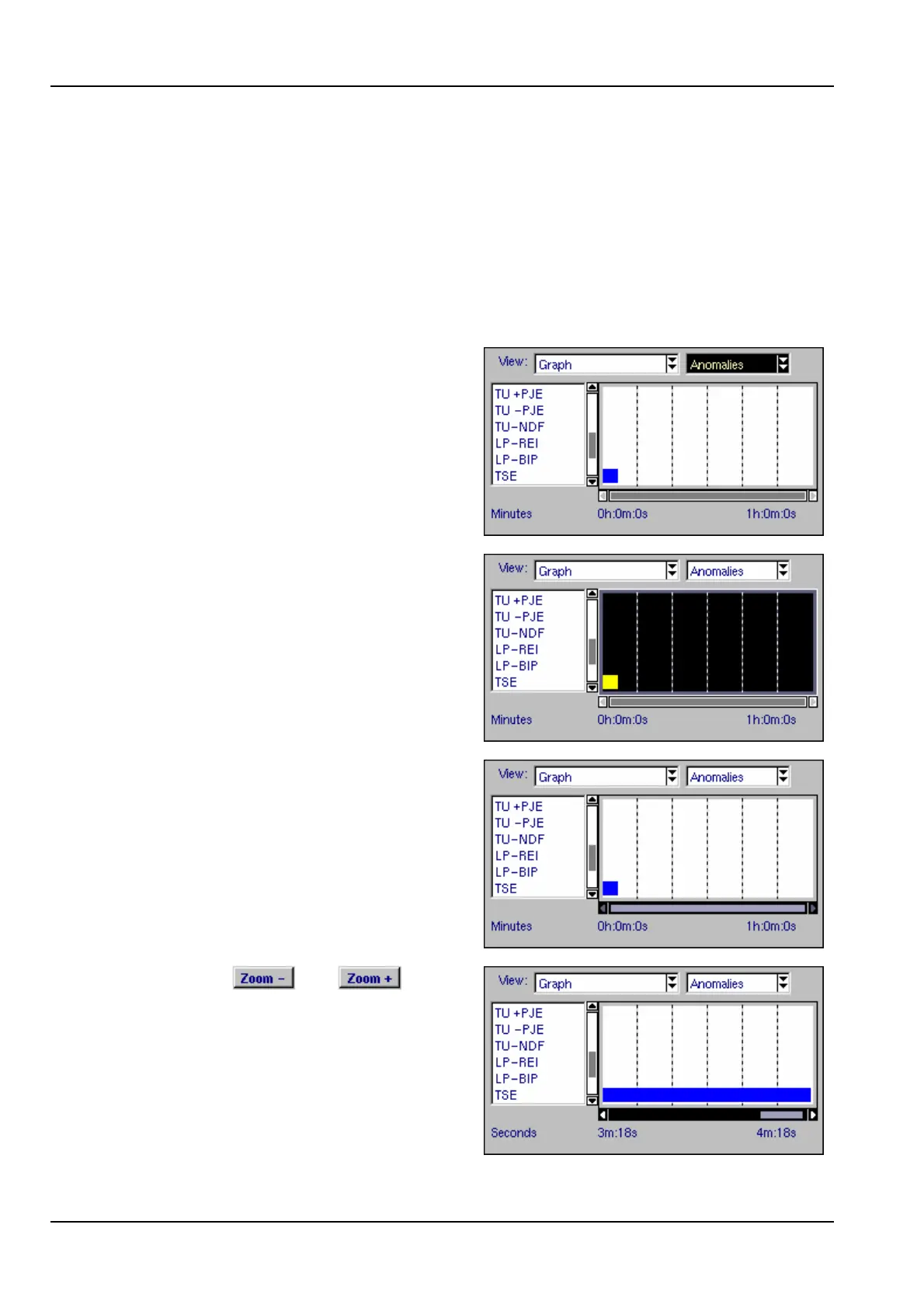
time units. The horizontal scroll bar can be used to scroll in steps of 10 or 60 time
units, as described in the example below.
The list of anomalies or defects is shown to the left of the chart and can also be
scrolled vertically if required.
A detailed zoom feature is also available in the Anomalies Graph. This allows error
rates to be shown down to one-second resolution, as shown in the example below.
Example: Using the detailed zoom feature in the Anomalies Graph
1. Select the Anomalies graph.
2. Use the directional keys to highlight
the timeline section.
3. Press the Enter key to activate the
timeline section; in this state the scroll
bar will be highlighted.
4. Press the and keys to
select an appropriate time scale.
5. Use the left/right directional keys to
scroll the graph horizontally in steps of
10 time units. For faster scrolling hold
the Alt key down to increase the step
size to 60 time units.



 To Next Page