Optional software for the ANT-5
Acterna ANT-5 Page 91
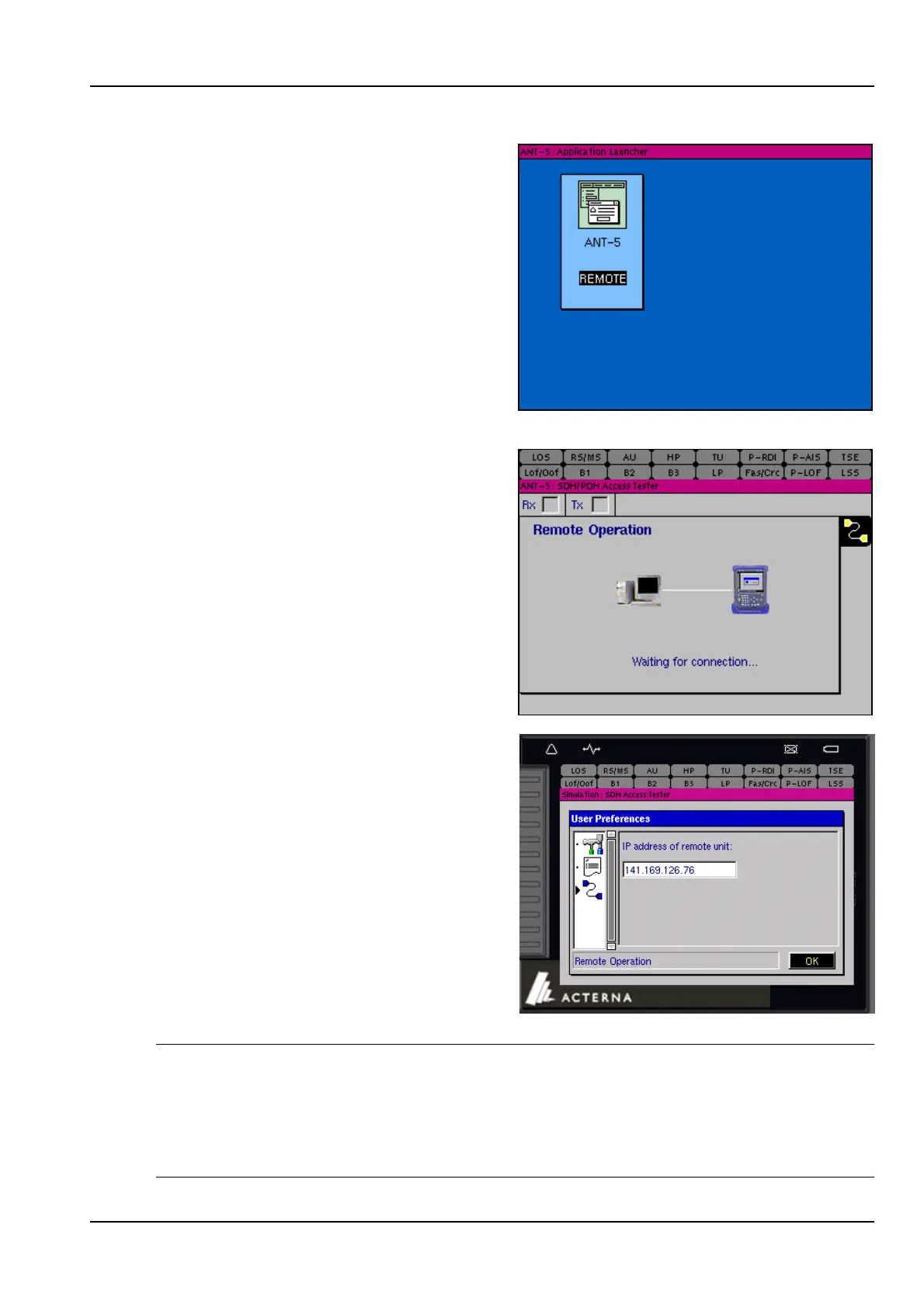
4. Highlight REMOTE and press enter.
5. The ANT-5 unit will then display
Waiting for connection… to alert
other users of the units purpose.
6. From the PC launch the application by
clicking on Start > Programs > ANT-5
Remote Operation Client.
7. When the application is launched you
will be prompted for the IP address of
remote unit which is either the
Ethernet > IP Address or the PPP >
Local IP Address of the remote
ANT-5 depending on the type of
connection made. (Refer to section
2.8.1 for further information).
Note 1: The next time the application is launched, the previous IP address will be
shown as default, click on OK to proceed. If required, the IP address can be edited.
Note 2: When typing in the ANT-5 IP address into a PC environment care should be
taken to avoid any leading zeros. For example 141.169.126.076 would be replaced
with 141.169.126.76. However, all twelve characters are needed for the ANT-5.
Note 3: Edited IP addresses will be available after the ANT-5 has been re-booted.



 To Next Page