Chapter 4 - Commissioning the System
86 AdeptModules Instruction Handbook, Volume 1: Adept MV Controller Interface, Rev. A
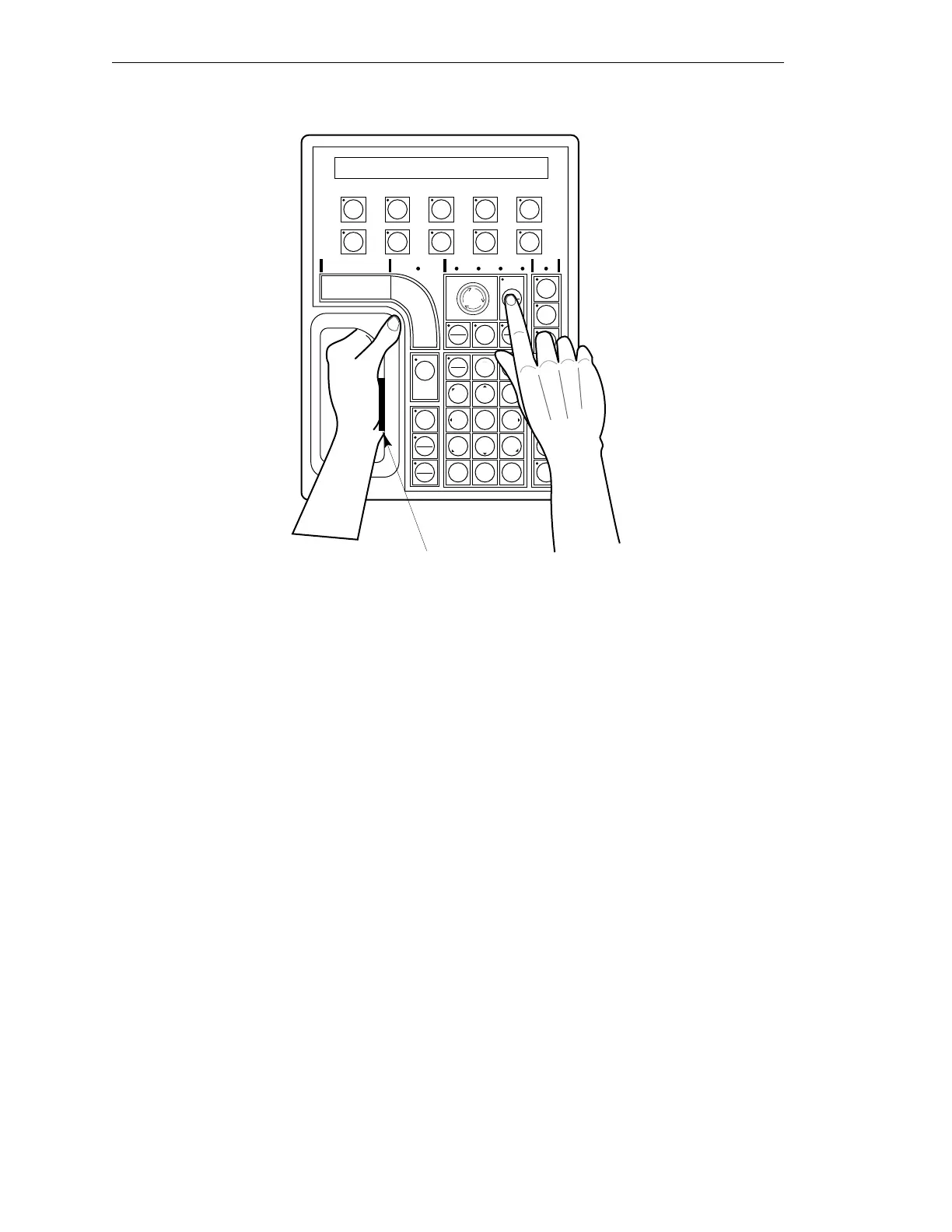
Figure 4-1. Holding the MCP
NOTE: The MCP must be stored in the MCP cradle to close the enabling
switch when it is not being held.
EDIT DISP
CLR
ERR
CMD
PROG
SET
F
1
+-
0 ¥ DEL STEP
123
456
789
T
1
Z
3
Y
2
X
1
COMP
PWR
RUN
HOLD
MAIN
HALT
DIS
PWR
REC
DONE
YESNO
WORLD TOOL JOINT FREE DEV
USER
SLOW
Depress the palm-activated
enabling switch
F
2
F
3
J
7
J
12
DEV
–
Artisan Technology Group - Quality Instrumentation ... Guaranteed | (888) 88-SOURCE | www.artisantg.com


 To Next Page