Need help?
Do you have a question about the adept technology MV and is the answer not in the manual?
Guidance on navigating and utilizing the manual effectively.
Step-by-step instructions for setting up the Adept controller.
Highlights critical safety information and special notations.
Essential safety guidelines for operating Adept systems.
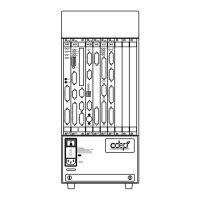
Details on the Adept MV-5 controller model.
Information on the Adept Compact Controller model.
Explains the two primary interface options for the controller.
Overview of Adept's hardware and software product offerings.
Procedures for handling and inspecting the controller upon receipt.
Environmental and electrical specifications for controller installation.
Guidance on physically installing MV-5 and MV-10 controller units.
Instructions for safely adding or replacing controller boards.
Identifies and explains the connectors and status LEDs on the AWC board.
Technical details and capabilities of the AWC board.
Instructions for setting up and configuring the AWC module.
Overview of the Controller Interface Panel's function.
Details of the switches and indicators on the CIP.
Procedures for installing the Controller Interface Panel.
Wiring instructions for connecting the CIP to the AWC board.
Overview of the VGB board's graphics capabilities.
Describes VGB board connectors and status indicators.
Configuration settings for the VGB board's DIP switches.
Details on connecting and configuring monitors with the VGB board.
Overview of the EVI board for vision processing.
Explains EVI board connectors and status indicators.
Settings for VME bus address and EVI board configuration.
Information on cables used for connecting cameras to the EVI board.
Overview of the SIO board for system I/O functions.
Details SIO board connectors and status indicators.
Information on floppy and hard drive capabilities of the SIO board.
Describes the RS-232 serial ports on the SIO board.
Overview of MI3/MI6 boards for motion control.
Details MI3/MI6 board connectors and status indicators.
Settings for the VME bus address for MI3/MI6 boards.
Overview of the EJI board for robot motion axis control.
Details EJI board connectors and status indicators.
Settings for the VME bus address for EJI boards.
Information on connecting belt encoders to the EJI board.
Overview of the VFI board for force-sensing control.
Details VFI board connectors and status indicators.
Settings for the VME bus address for VFI boards.
Overview of the DIO board for digital I/O.
Details DIO board connectors and status indicators.
Specifications and configuration for digital inputs.
Specifications and configuration for digital outputs.
Information on ordering and using DIO cables.
General information on maintaining the Adept controller.
Procedures for inspecting and cleaning the controller's fan filter.
List of available spare parts for MV-5/MV-10 controllers.
Physical dimensions for stand-alone MV-5/MV-10 controllers.
Physical dimensions for robot controller versions of MV-5/MV-10.
Physical dimensions for the Adept Compact Controller.
Details external trigger inputs for position latch and vision.
Information on hardware-based position latching.
Details on using external signals for vision trigger events.
Lists organizations that provide various technical standards.
Details the IEC test conditions passed by the MV controller.
Summarizes the test results for EMC Directive compliance.
Fundamentals of operating the manual control pendant.
Diagram and explanation of the MCP button layout.
Details system-wide and custom functions of MCP buttons.
Explanation of specific functions available through MCP buttons.
Explanation of how V+ system errors and messages are handled.
An alphabetical list of V+ error and informational messages.
A list of V+ messages sorted by their numeric codes.
Overview of diagnostic tests performed by the controller.
Details self-tests conducted upon controller power-up.
Tests performed when enabling high power to the system.
Describes ongoing diagnostic tests performed by the controller.
Overview of DeviceNet technology and its use with Adept systems.
Summarizes the supported features of Adept's DeviceNet implementation.
Details the DeviceNet hardware components supplied by Adept.
Describes the physical characteristics and specifications of DeviceNet cables.
 General
| Brand | adept technology |
|---|---|
| Model | MV |
| Category | Controller |
| Language | English |

 To Next Page