Tables 35
PageMaker 6.5 Advanced 2002 Cheltenham Computer Training
FOR USE AT THE LICENSED SITE(S) ONLY
Cheltenham Computer Training 1995-2002 - www.cctglobal.com
Setting up
Table
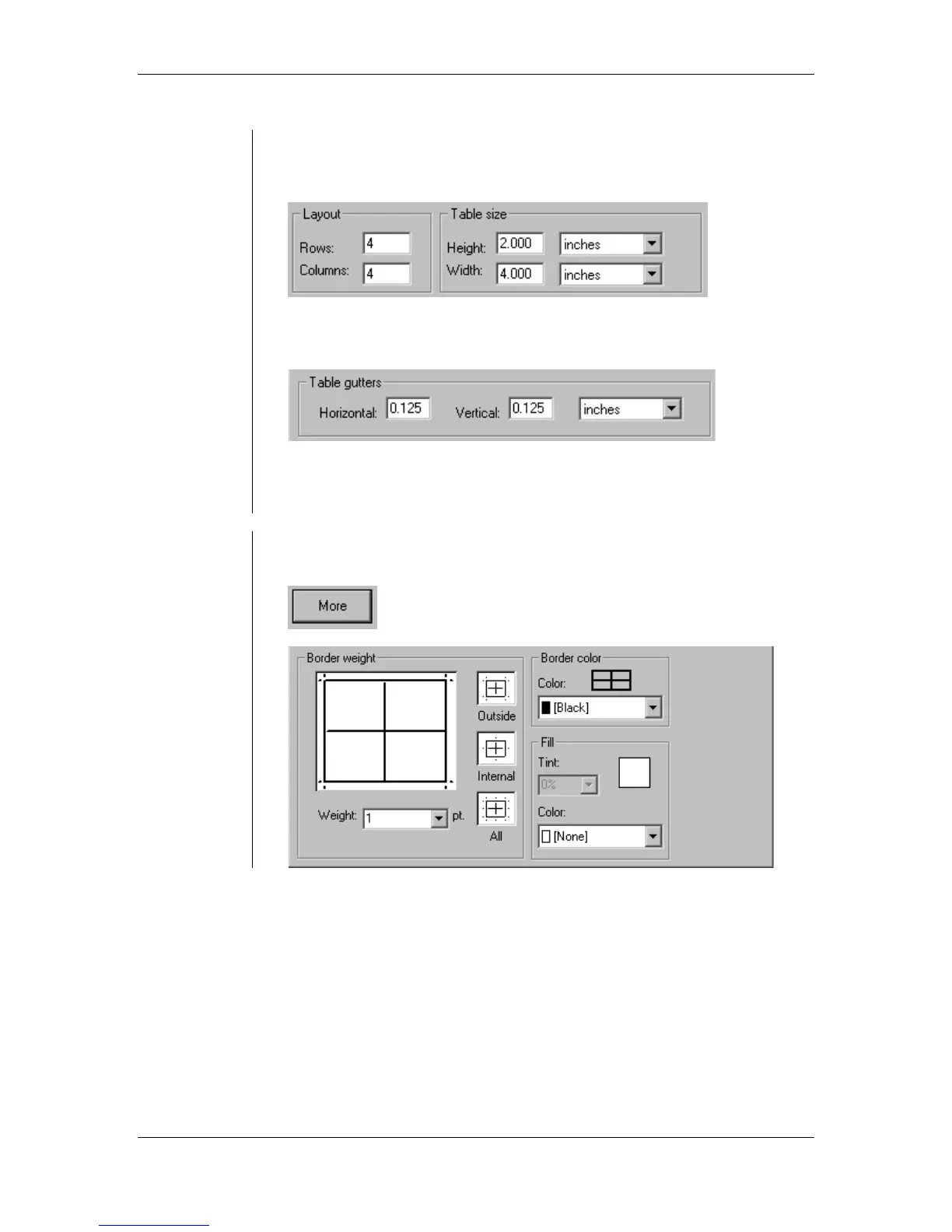
• The number of rows and columns can be set up to a maximum of
100 each. The height and width of the table can be set up to 40
inches by 40 inches:
• The space between the text in the adjacent rows and columns
(known as the "gutter") can be formatted as well:
• You can change any of the formatting by simply choosing Format >
Format Cells from the main menu to bring up the Format Cells dialog
box again.
Choosing the
More button
• By clicking the More button, the New Table dialog box will expand so
you can specify the weight and color of the borders of the table:



 To Next Page