Radio Test Instruments
Subject to Export Control, see Cover Page for details.
7-12
[Mkr 1 (or 2) Sets CF] Soft Key
Sets the Center frequency to the reading at Marker 1 or Marker 2. This soft key is accessed by
pressing the [Mkr 1 / Mkr 2] Soft Key
.
[Mkr 1 (or 2) Sets Ref] Soft Key
Sets the Ref Level to the value of Marker 1 or 2 level measurement, with no headroom or offset
value. This soft key is accessed by pressing the [Mkr 1 / Mkr 2] Soft Key
.
[Mkr 1 (or 2) to Next Left Peak]
Moves Marker 1 or 2 to the next peak to the left of the present Marker 1 or 2 position. This soft
key is accessed by pressing the [Mkr 1 / Mkr 2] Soft Key
.
[Mkr 1 (or 2) to Next Right Peak]
Moves Marker 1 or 2 to the next peak to the right of the present Marker 1 or 2 position. This soft
key is accessed by pressing the [Mkr 1 / Mkr 2] Soft Key
.
[Mkrs Set Start-Stop] Soft Key
Sets the left edge of the trace to the frequency value of Marker 1 and the right edge of the trace
to the frequency value of Marker 2. This soft key is accessed by pressing the [Mkr 1 / Mkr 2] Soft
Key.
[Trace] Soft Key
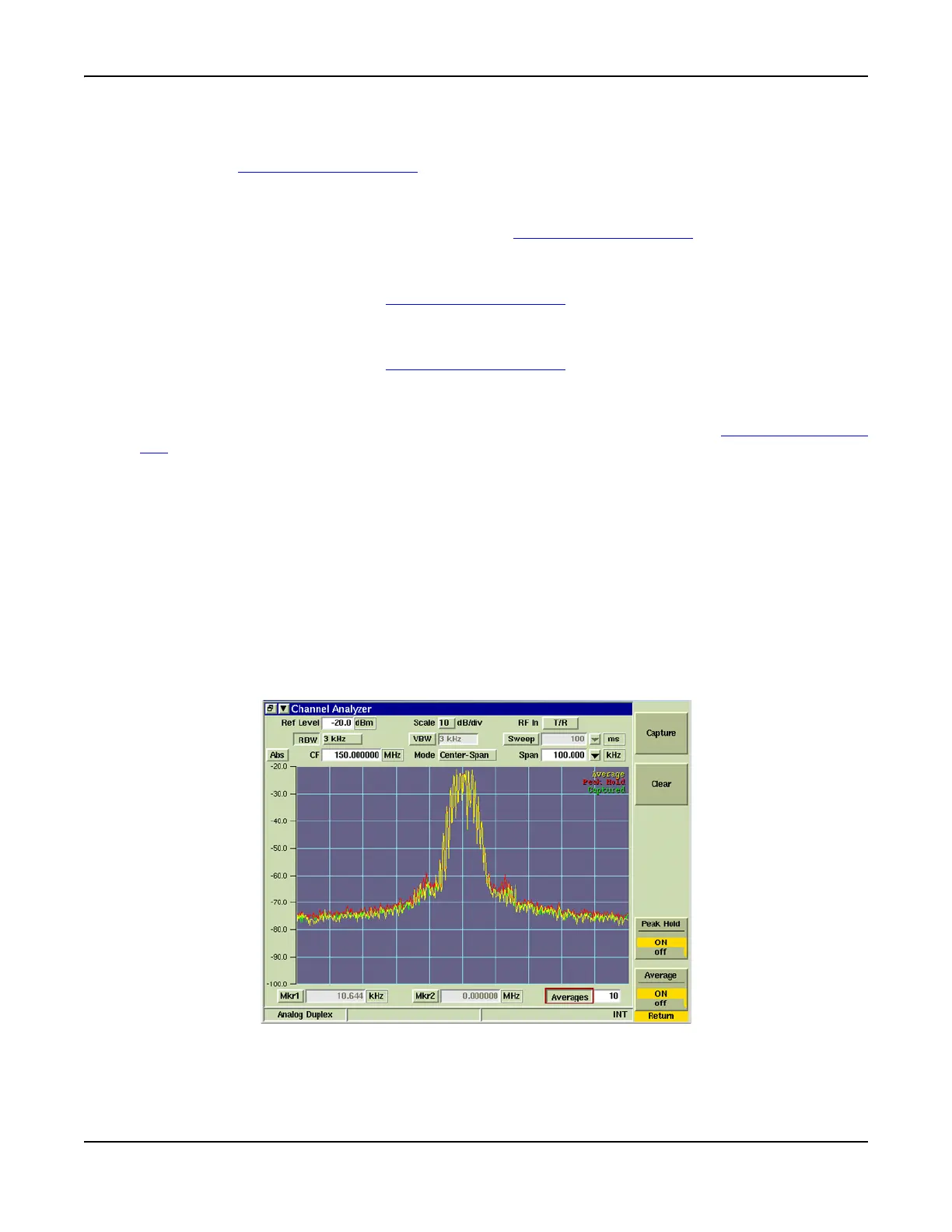
The [Trace] Soft Key accesses trace display control functions to allow users to obtain average
and peak measurements and to capture traces being displayed on the Channel Analyzer Tile.
Trace Color
Trace types being displayed on the graph are listed in the upper right corner of the graph field.
The traces are color-coded to identify trace types. Fig. 7-13 shows Average, Peak Hold and
Captured traces displayed on the Channel Analyzer.
● Live traces are White.
● Peak hold traces are Red.
● Averaged traces are Yellow.
● Captured traces are Green.
Fig. 7-13 Channel Analyzer Trace Soft Key













 To Next Page