Test Set Operation
Subject to Export Control, see Cover Page for details.
3-34
Field / Soft Key Definitions
Drive Directory
The information bar located under the Internal and External Drive drop-down menu fields display
the directory heading of the file currently selected.
Internal / External Data Field
The Internal and External Data Fields display contents of the selected drive. Periods(.) are used
to indicate the directory level of the selected file. The top level directory is indicated by one
period. Press the CANCEL Key to exit a selected Data Field.
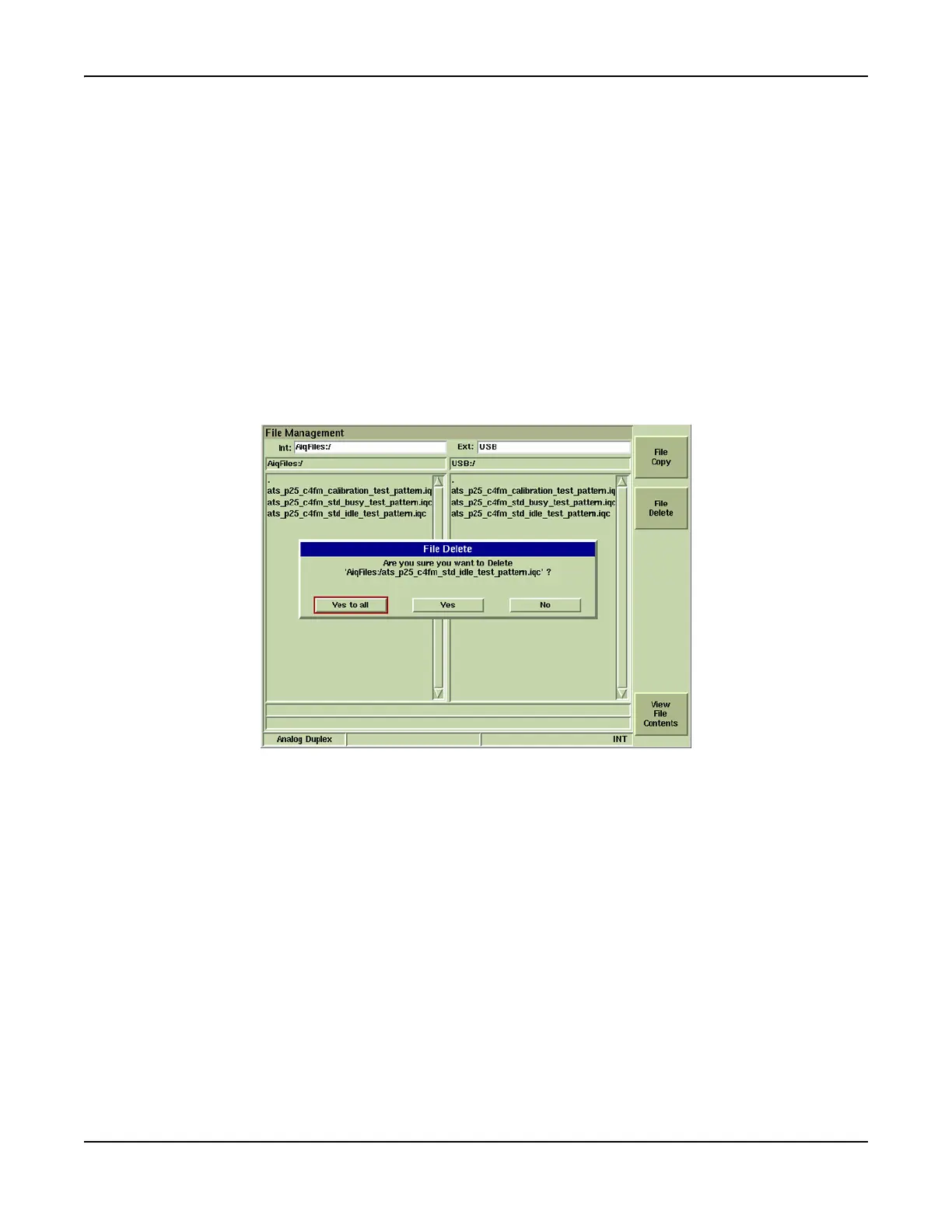
[File Delete] Soft Key
Pressing this key deletes selected file(s). A prompt dialog box as shown in Fig. 3-30 requests
user confirm file deletion.
[Make Directory) Soft Key
Creates a directory on USB device. Soft key is only visible when USB device is attached to Test
Set.
Fig. 3-30 File Management - File Delete Confirmation Prompt
[File Copy] Soft Key
Copies selected file(s) from USB device to Test Set and vice versa.
[View File Contents] Soft Key
Displays contents of selected file. Only one file can be selected for viewing. Valid file types are:
● Autotest and AutoTest 2 script files and test results
● Stored Screen captures
● IQCreator® waveform files













 To Next Page