Fast (100 Mbps) Ethernet Modules
Page 3-21
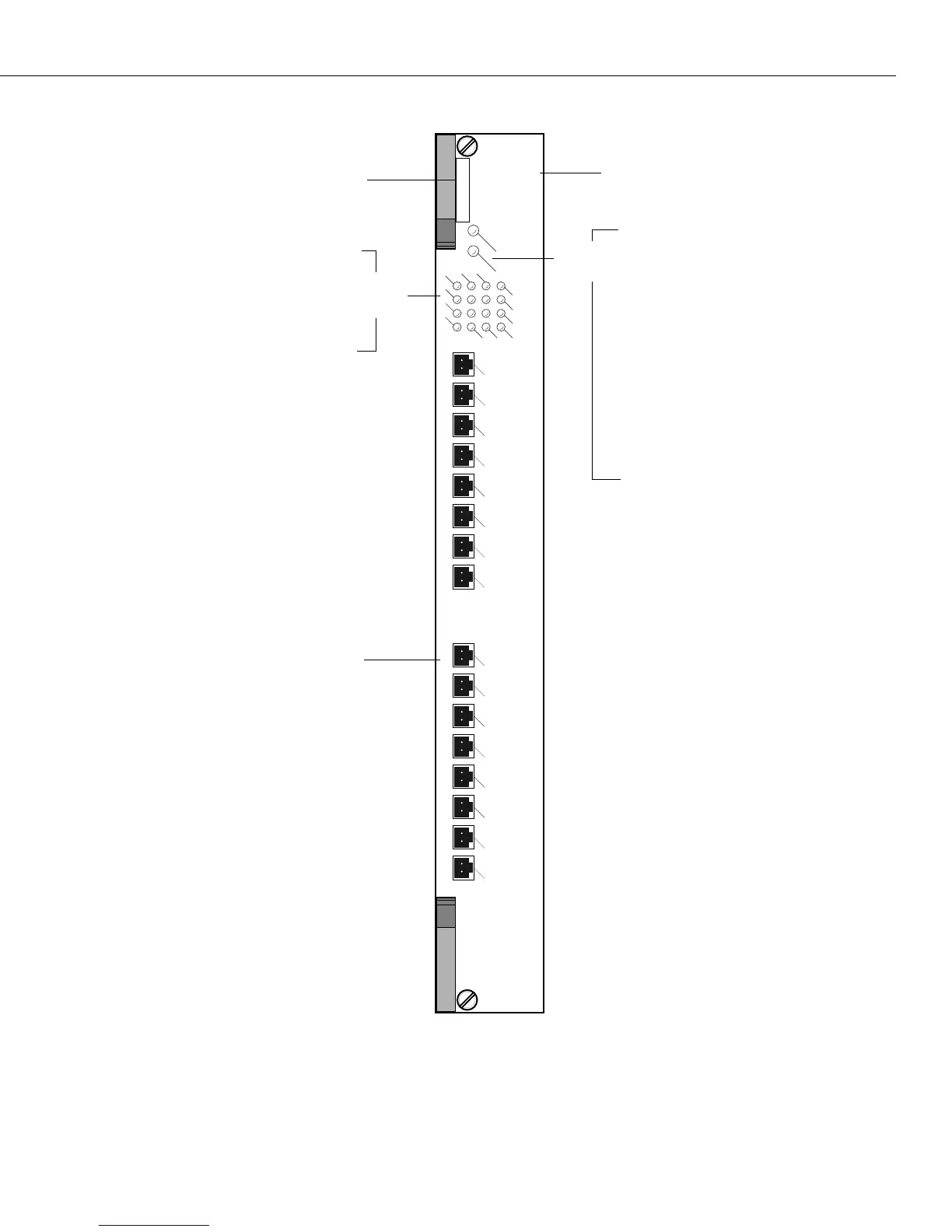
16-Port Advanced Fast Ethernet Switching Module
1
2
3
4
OK1
OK2
Port
LEDs
8
5
6
7
4
1
2
3
MT-RJ connectors will be color
coded to indicate multimode
(Black) or single mode (Blue).
ESX-K 100 sm
Warning Label. This label indicates
that the module contains an optical
transceiver).
Module Label. This label will indicate
the ESX-100FM/FS-16W type. It will
read either ESX-K 100 mm (multimode
cable) or ESX-K 100 sm (single mode
cable).
CLASS 1 LASER PRODUCT
16
13
14
15
12
9
10
11
8
12
16
15
14
13
5
9
Each LED corresponds to a port on
the module. When an LED is on
Green continuously, a good cable
connection exists. The LED will
blink Green when traffic is trans-
mitted or received on the port.
OK1 (Hardware Status). On
Green when the module has
passed diagnostic tests success-
fully. On Red when the hardware
has failed diagnostics.
OK2 (Software Status). Blinking
Green when the module soft-
ware was downloaded success-
fully and the module is
communicating with the MPX.
Blinking Red when the module is
in a transitional state. On solid
Red if the module failed to
download software from the
MPX.
Module
LEDs


 To Next Page
 Loading...








