B13 BETTER (B13 BEST APPEARANCE) WASHING MACHINE SERVICE HANDBOOK
31
• Rinse
Use when you want to rinse or starch separately.
• Spin + Pump
Use this programme to discharge the water in the machine.
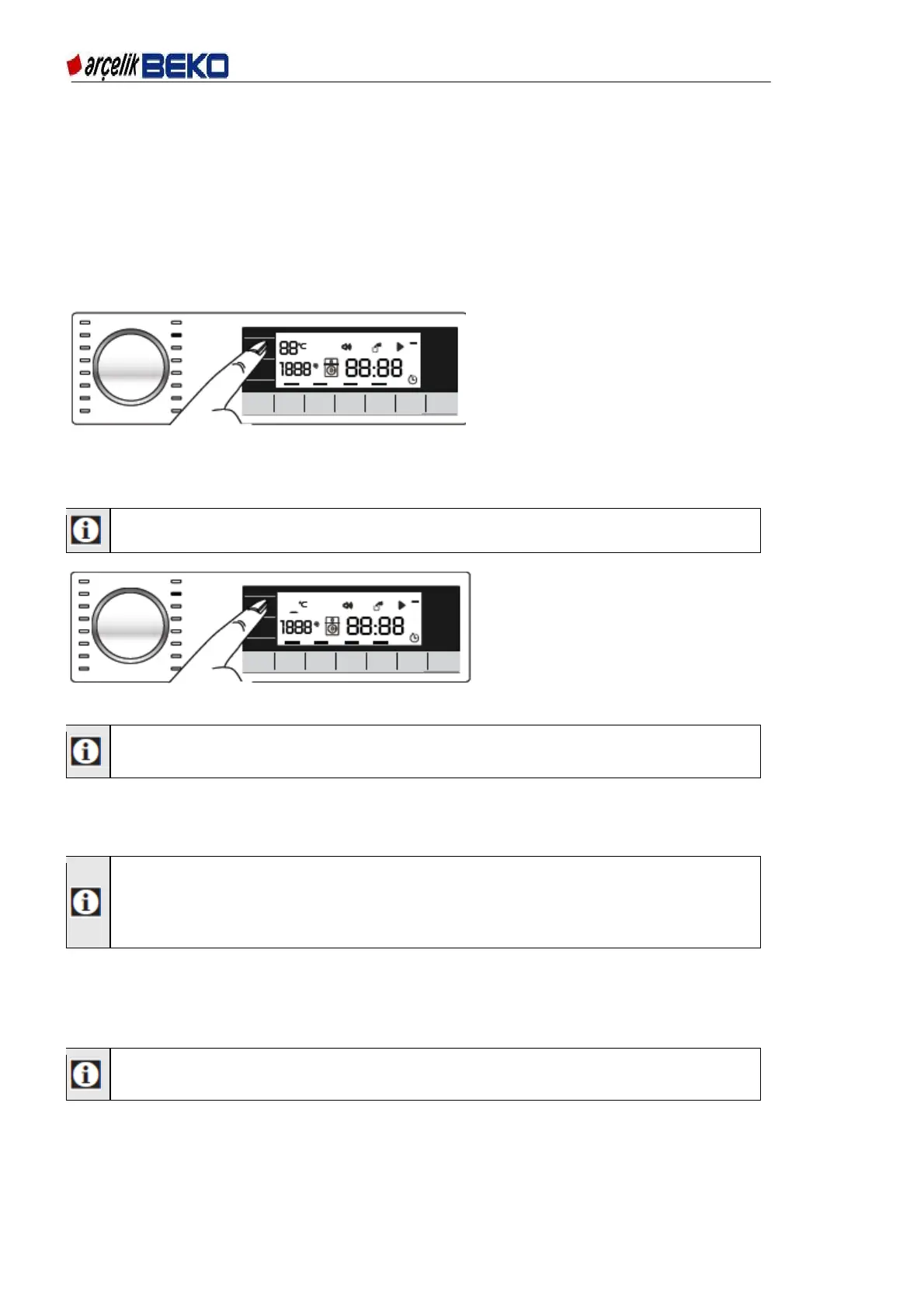
6.9. Temperature selection
When a new programme is selected, the temperature value recommended for the selected
programme in the temperature indicator appears. It is possible that the recommended temperature
value is not the maximum temperature that can be selected for the current programme.
Figure 6.10
Press the Temperature Adjustment button to change the temperature. Temperature will fall by
decrements of 10 °C.
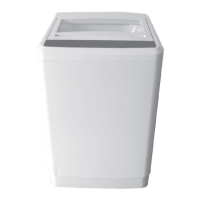
Temperature Adjustment button only serves for decreasing the temperature.
Finally, the "-" symbol which indicates cold option is displayed.
Figure 6.11
No change can be made in programmes where temperature adjustment is not
allowed.
You can also change the temperature after the washing starts. If washing steps are
suitable,change can be made.
Changes cannot be made if the steps do not allow it.
After scrolling to cold wash option, if you press Temperature Adjustment button
again, the maximum temperature determined for the selected programme appears
on the display. Press the Temperature Adjustment button again to decrease the
temperature.
6.10. Spin speed selection
Whenever a new programme is selected, the recommended spin speed of the selected programme
is displayed on the Spin Speed indicator.
It is possible that the recommended spin speed value is not the maximum spin
speed that can be selected for the current programme.


 To Next Page