Chapter 8: GSLogic Introduction
Page 8–15
DuRApulse GS4 AC Drive User Manual – 1st Ed, Rev A - 10/20/2017
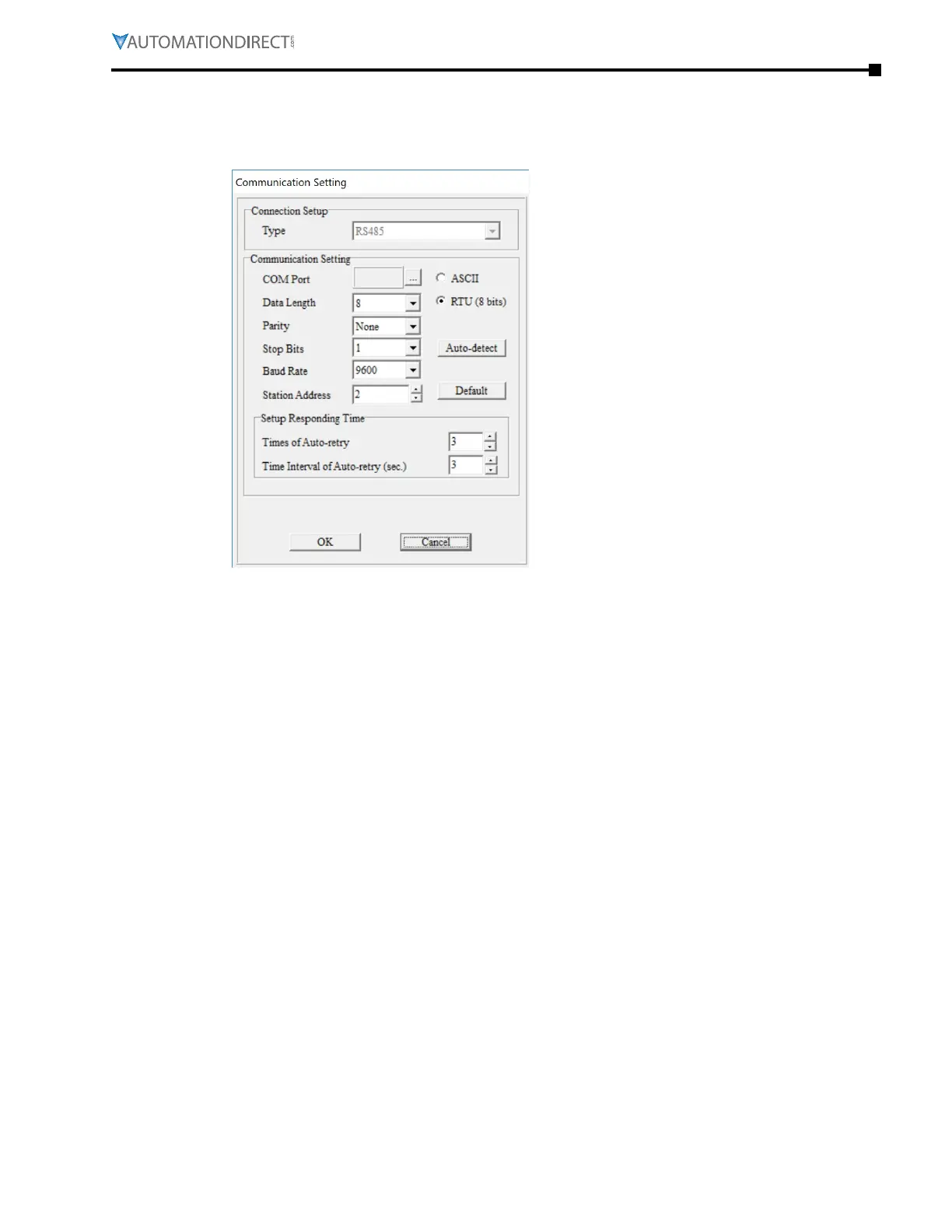
Select “Setting” to choose the communication settings to be used. To adjust communication
settings on an existing project, go to the Communication menu and select “Communication
Settings.” These PLC communication settings must be the same as the Drive’s Modbus settings
found in P9.01 and P9.02.
Communication Setting: Perform settings in accordance with the desired communications
method. The Default Station Address for the PLC is 2. (The Modbus station address must be
different from the GS4 Drive’s station address. The Drive’s default address =1.)
Click “OK” after completing settings to return to program editing in ladder diagram mode.



 To Next Page
 Loading...

