Chapter 1: Getting Started
Page 1–19
DuRApulse GS4 AC Drive User Manual – 1st Ed, Rev A - 10/20/2017
unpaCking The drive
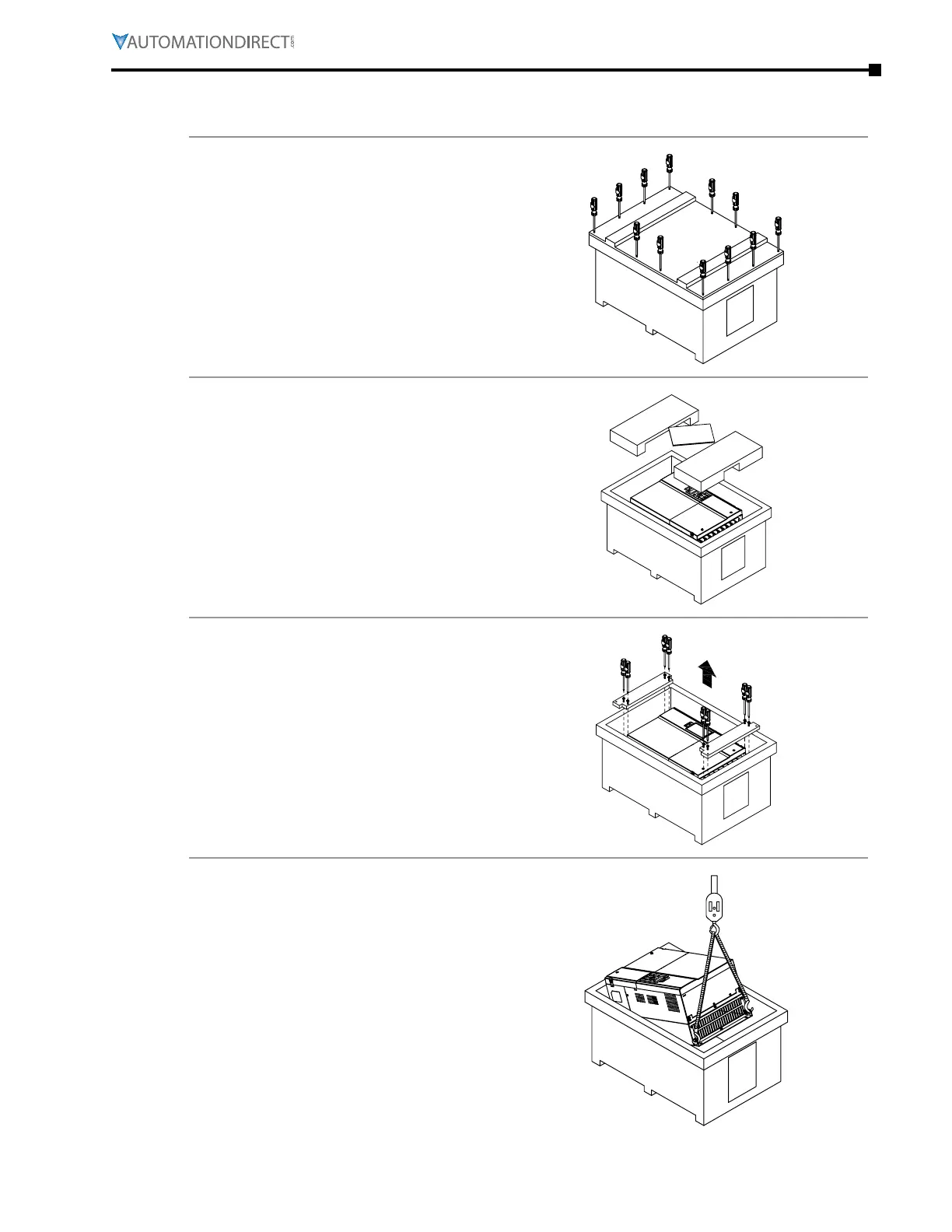
unpaCking frame size d(0) drives
1)
Remove the 12 cover screws to open
the crate.
2)
Remove the packing filler and
Quick-Start Guide.
3)
Remove the 8 screws that are fastened
on the pallet, and remove the wooden
plate.
4)
Lift the drive by hooking the lifting
eyes. The drive is now ready for
installation.



 To Next Page
 Loading...

