Add IP Solutions
Task list: Upgrade a TN802 to a TN802B
SI Installation and Upgrades 645
June 2004
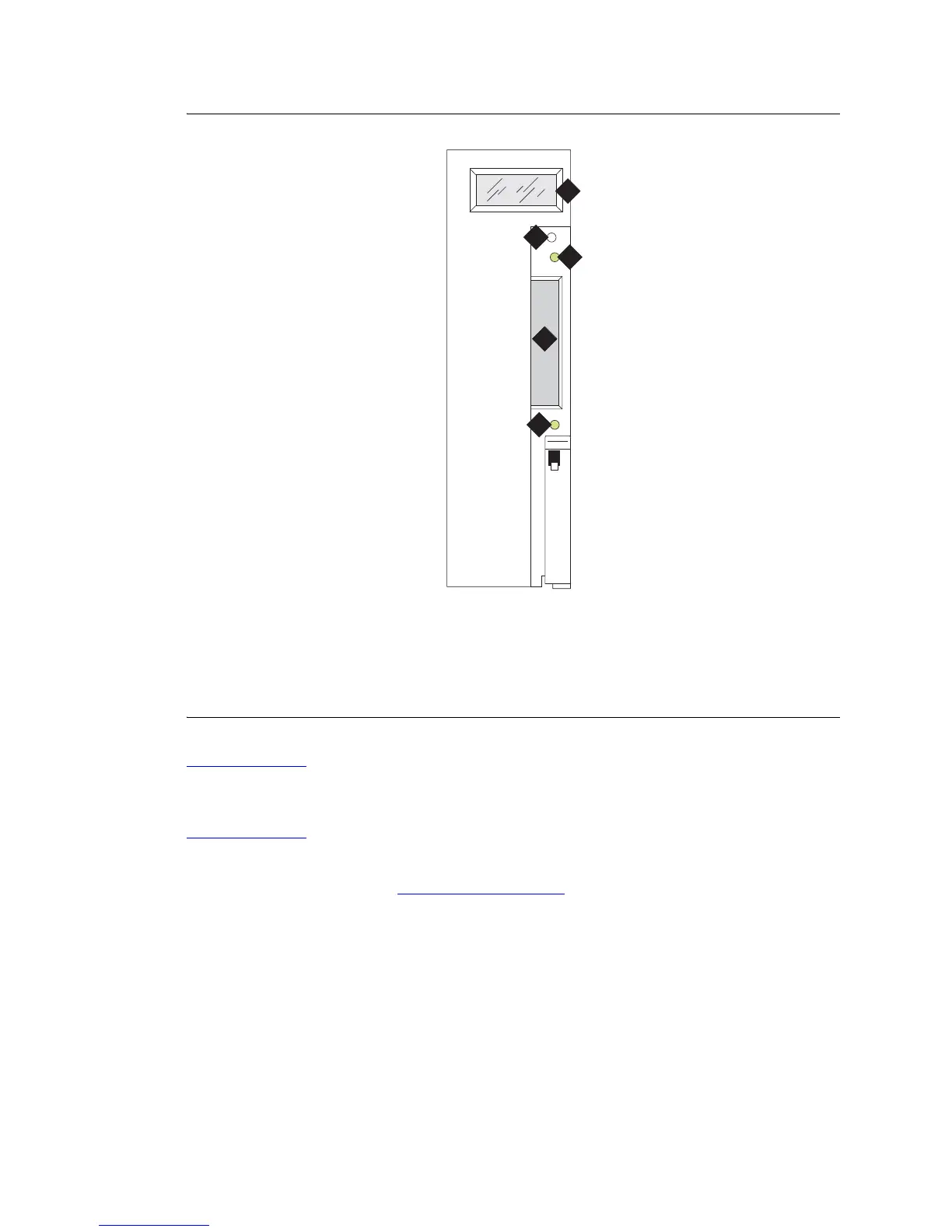
Figure 256: TN802B IP Interface faceplate
Return to Task List
Upgrade IP trunks (R7) to H.323 trunks
Return to Task List
If there are existing IP trunk connections that you want to upgrade to H.323 trunk connections, do the
following steps. Otherwise, go to Upgrade to TN802B (R10)
on page 647
To upgrade an existing IP trunk (R7) to an H.323 trunk (R10) requires first getting IP information from
the existing TN802 before upgrading the TN802 to TN802B.
1 Click on My Computer > Control Panel > Network.
2 Click the Protocols tab.
3 Select TCP/IP Protocol from the list.
Figure notes
1 LCD display
2 Reset button (recessed)
3 Red board status LED
4 PCMCIA card slot
5 Yellow PCMCIA disk-in-use LED
1
2
3
4
5
fpdfmapd KLC 030899



 To Next Page