Add IP Solutions
Task list: Upgrade a TN802 to a TN802B
646 SI Installation and Upgrades
June 2004
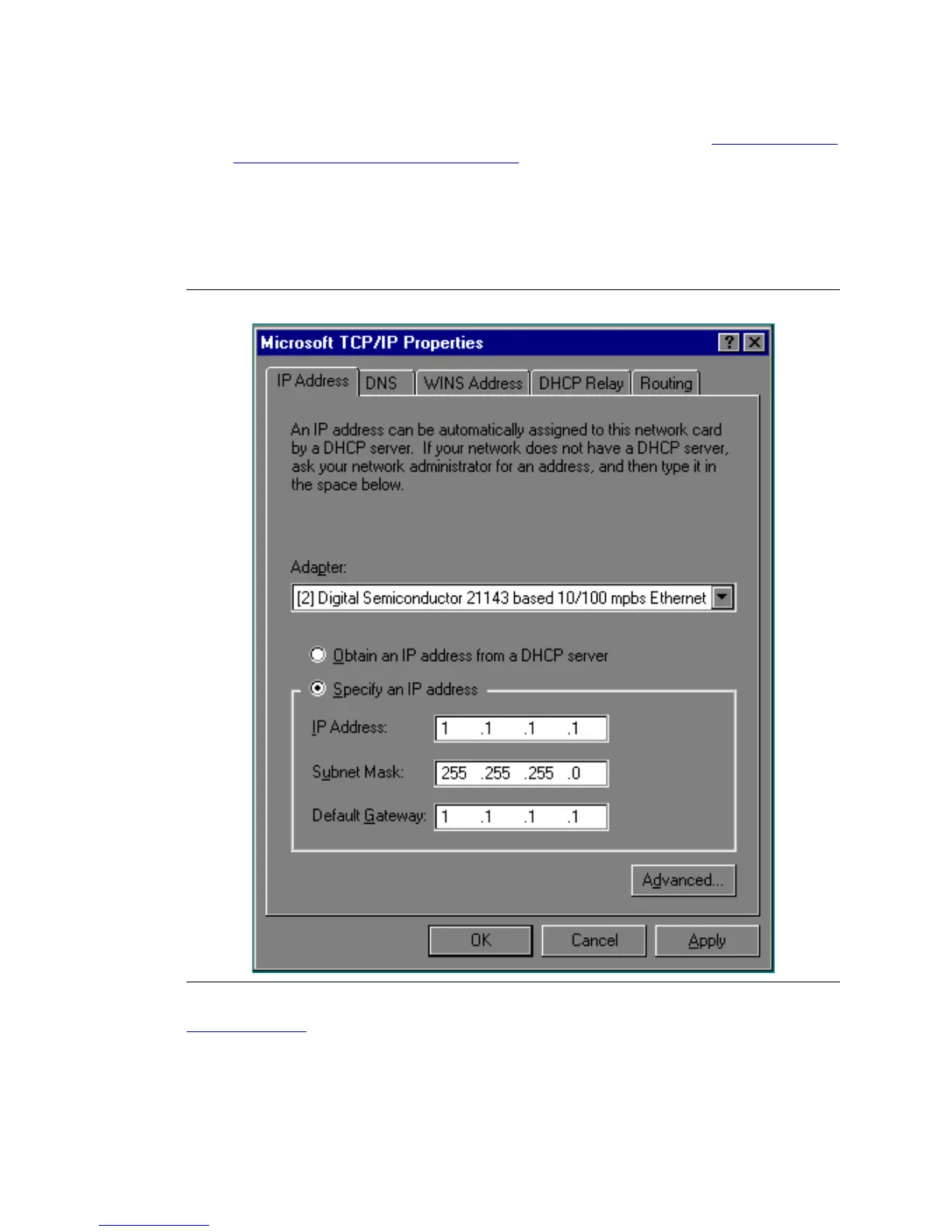
4 Click the Properties option in the Network window. Write down the IP address, subnet
address, and gateway address shown for
adaptor [2] For an example, see Figure 257, TCP/IP
Properties Window - IP Address, Adapter [2], on page 646.
NOTE:
Do not use the addresses for adapter [1].
5 When done, click OK, OK.
Figure 257: TCP/IP Properties Window - IP Address, Adapter [2]
Return to Task List



 To Next Page