20. Scheduled operations
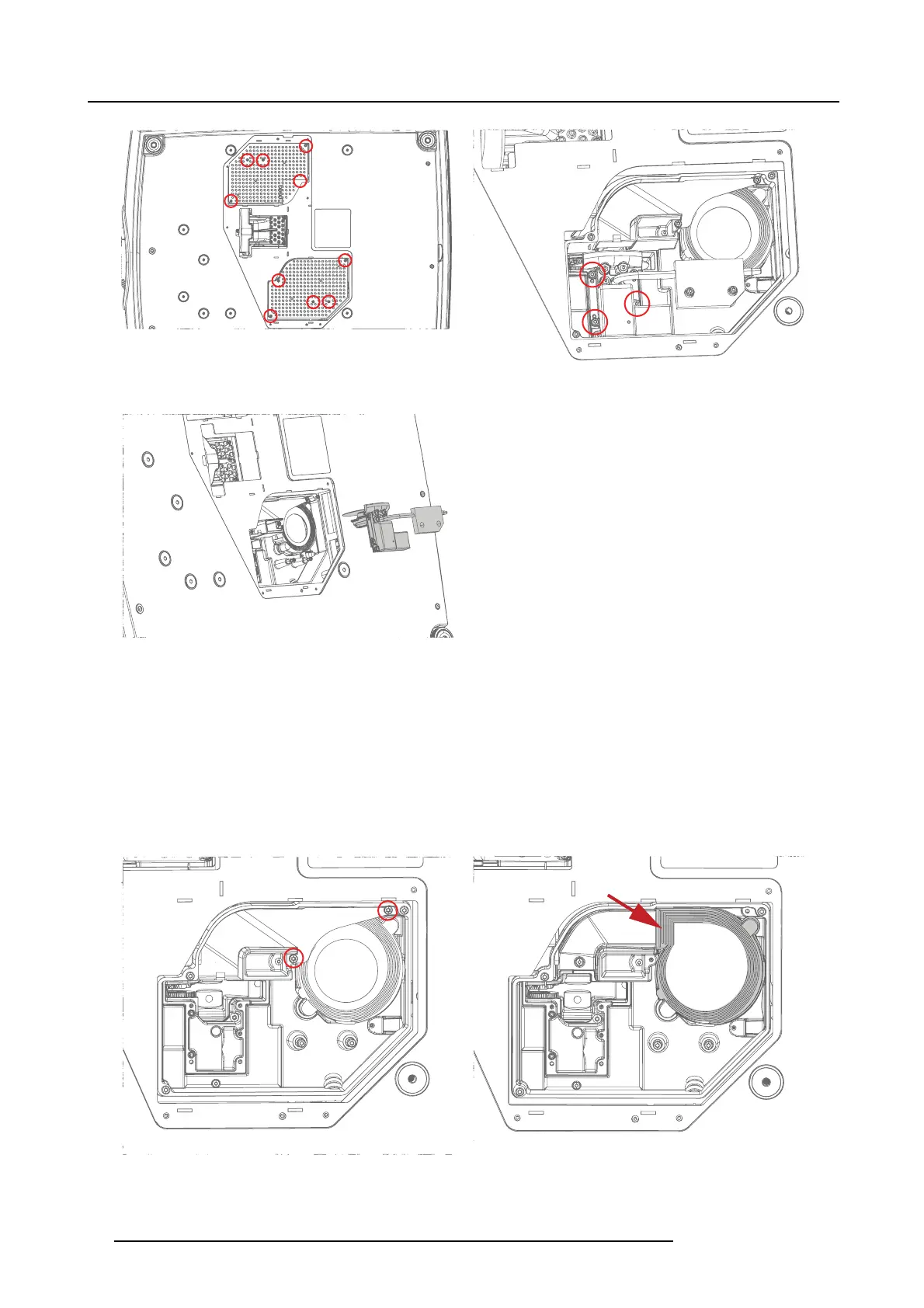
Image 20-2
Image 20-3
5. Carefully lift out the Phosphor W heel Assembly, and disc onnect the HDMI connector and the power cable.
Image 20-4
6. Fine tune the phosphor wheel index ac cording to the procedure desc ribed in chapter "Entering Prospector diagno stic tool", page
49.
20.2.2 Fan Phosphor wheels (2 pcs)
1. Remove the 2 screws holding the PW duct bracket in place (Tx10 M3X 6).
2. Lift fan from PW compartment.
3. Carefully pull the fan free from the rubber holder.
4. Install the new fan, ensuring that the rubber holder is firmly in place.
Image 20-5
Rubber holder
Image 20-6
88 723–0016 F90 01/12/2017



 To Next Page