20. Scheduled operations
20.3.3 Remove Frame Radiator Left Module
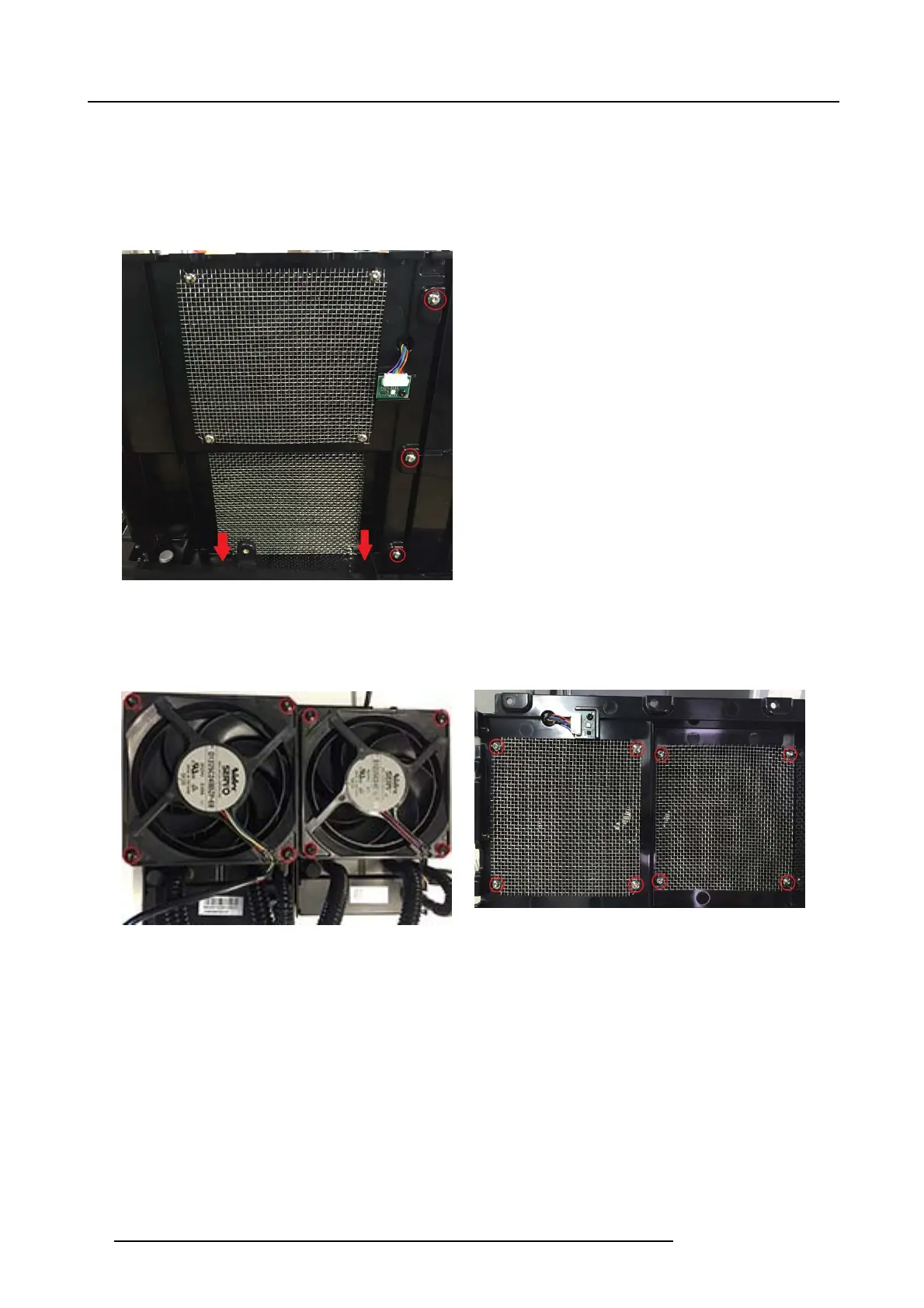
1. Remove 3 screws (Tx10 M4x8) s ecuring frame radiator left to frame radiator center.
2. Remove 2 screws (Tx10 M3x8) securing left radiator frame to the housing bottom.
3. Remov e 2 c ooling pumps from the laser cluster carefully following the instructions in section 1
4. Lift out the complete Frame Radiator left including the 2 laser cluster pumps.
Image 20-34
5. Remove 8 screws (M40x41-7hex) to release the fans from the frame
6. Remov e 8 scres securing eac h m etallic grid.
7. Remove 8 screws (Tx10 M4x8) and swap the 2 radiators & cooling pumps.
Image 20-35
Image 20-36
8. The new liquid cooling pumps are equipped with thermal heat paste from manufacturer.
Remove the protective plastic shield f rom the heat sink pa ste before reassemble.
Note: If pumps aren’t replaced, but temporarily releas ed from cluster or DMD heatsink, new heat phase pads m ust be added
following ins tructions in section " Laser Clusters Blue (2pcs)", page 91.
9. Reassem ble in reverse order.
20.3.4 Remove Frame radiator center module
1. Remove 3 screws (Tx10 M4x8) securing frame radiator center.
98
723–0016 F90 01/12/2017



 To Next Page