127
Mail messages
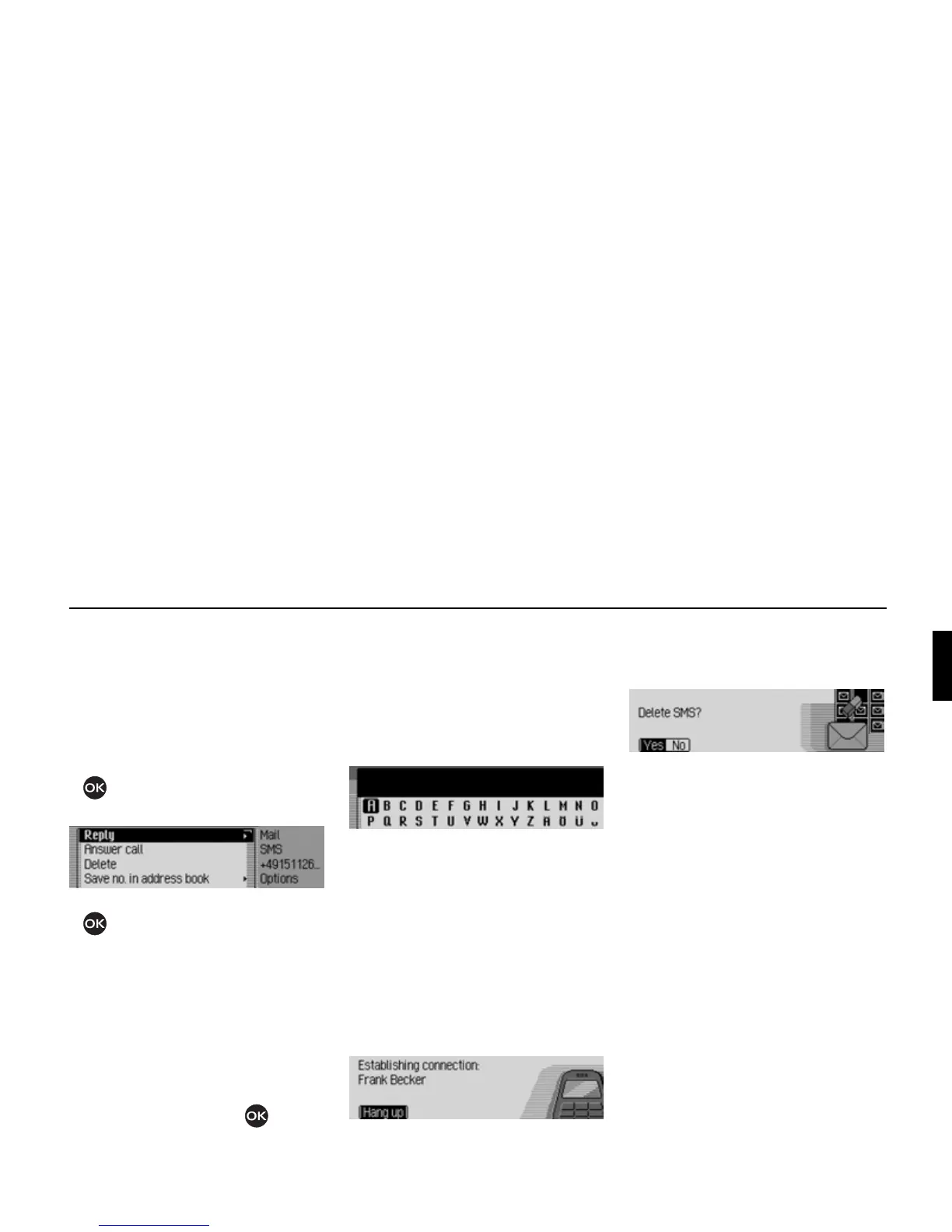
Options for SMS read aloud
! In one of the SMS messages that has
been opened for reading, select the
Op-
tions
entry.
or
! Select the SMS in the SMS fast access
list.
! Press the rotary control/ push button
and hold until the SMS Options
menu appears.
! Turn the rotary control/push button
to select one of the following op-
tions:
Reply,
Answer call,
Delete,
Save no. in address book,
Save no. on SIM card,
Edit or
Delete all SMS.
Confirm your selection by pressing the
rotary control/ push button .
Replying
You can immediately write a reply to the
SMS received and send this back to the
sender.
! In the SMS Options menu, select the
Reply entry.
! You can then enter and send the mes-
sage as described below. However, the
phone number is not requested when
you send the message.
Returning call
You can establish a telephone connec-
tion to the sender’s phone number.
! In the SMS Options menu, select the
Answer call entry.
Proceed as described in the Telephone
section.
Deleting
! In the SMS Options menu, select the
Delete entry.
! When the prompt appears, select Yes
to delete the SMS or No to retain it.
Storing number in address book
You can save the sender’s phone number
in the address book.
! In the SMS Options menu, select the
Save no. in address book entry.
Proceed as described in “Saving a number
in the address book” on page 122.
5106
5107
5108
5109















 To Next Page