137
Internet (WAP) function
Operation in WAP pages
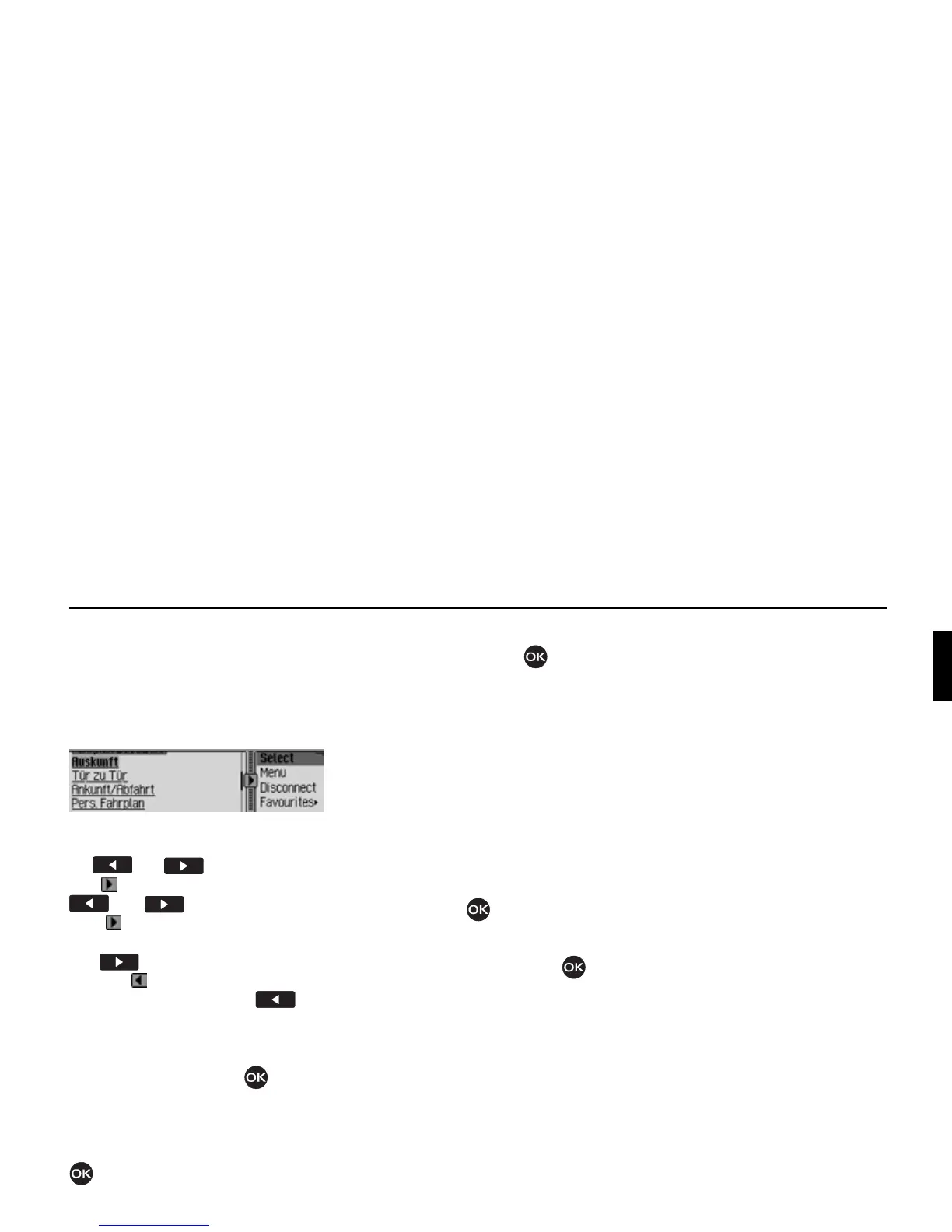
The display of WAP pages is split into
two areas. The left-hand part contains
the text of the WAP page (browser area).
The right-hand part displays the browser
menu.
You can switch between the browser
area and the browser menu by pressing
the and buttons.
The symbol indicates which of the
and buttons can be used.
With you are in the browser area and
can switch to the browser menu using
the button. The symbol then
changes ( ) and indicates that you can
switch back again using the but-
ton.
If you are in the browser area, turn the
rotary control/push button to scroll
through the page.
Any links (links to other WAP pages)
are underlined and can be activated by
pressing the rotary control/pushbutton
.
If you are in the browser menu, turn the
rotary control/push button to select
from the menu items.
The first two menu items depend on the
WAP page. In other words, the program-
mer of the WAP page has specified the
functions that are to be displayed here.
The entries may therefore differ from
page to page. If more than two functions
have been provided by the programmer,
when you select the second entry you
will be provided with a further submenu.
! Otherwise you can turn the rotary con-
trol/pushbutton to choose
Discon-
nect
, Favourites, History, URL or Menu.
! Confirm your selection by pressing
the rotary control/ push button .
•
Disconnect
Using this function you can discon-
nect the WAP connection.
• Favourites
Using this function you can save the
current page to the list of favourites or
open a page that has already been
saved to this list of favourites.
•
History
Using this function you can display
the pages opened most recently. How-
ever, pages that you opened via a link
on another page are not displayed.
•
URL
Using this function you can enter
a URL and open the corresponding
WAP page.
•
Menu
Using this function you can open the
browser-dependent menu.
5202















 To Next Page