174
Settings
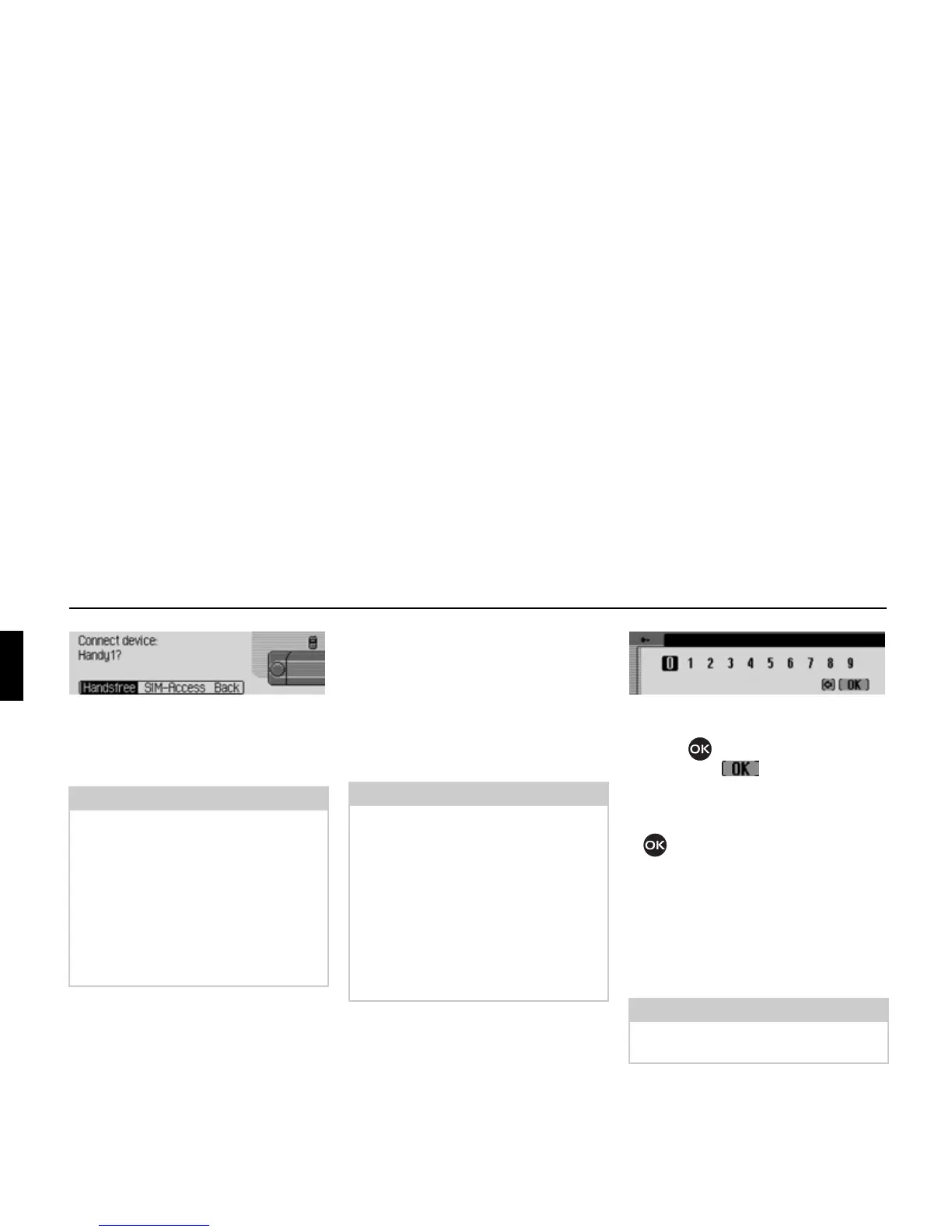
! Select Handsfree to connect the mobile
phone via the hands-free profile or
SIM-Access to connect via the SIM-Ac-
cess profile.
Further operation differs depending on
the selection.
Hands-free profile
If
Handsfree is selected, the Cascade
attempts to establish a hands-free profile
connection to the desired device.
You may be required to enter a password
depending on which device you are
trying to connect.
! Enter the password by rotating/
pressing the rotary control/push
button .
! Select the symbol from the
input menu.
or
! press the rotary control/push button
and hold for at least 2 seconds.
A connection will be established to the
required device. The device has now
been now authenticated.
If it was not possible to establish a
connection, the Cascade will notify you
of this on the display.
Note:
The device to be connected is addressed
by Cascade and signals which profiles
are supported by the device. Depending
on the message received back, the
SIM-
Access
option may not be available. In
some devices, no message is sent back
but the
SIM-Access option is still availa-
ble. It may be the case, however, that a
connection cannot be established.
7037
Note:
You will find further information on
this in the instructions for the device
which you are trying to connect.
For some devices a fixed password has
been specified by the manufacturer.
Enter this password. With other devices
you can choose a number code with 1 -
16 digits. This code must be entered in
the Cascade and the device to be
connected.
Note:
If a different device was already
connected, this will be disconnected.
7038















 To Next Page