BMP
®
61 Label Printer
User’s Manual
1-15
Ribbon
Load Ribbon
Note: Load the ribbon BEFORE loading media (labels). Loading the ribbon after
loading the media can cause damage to the ribbon.
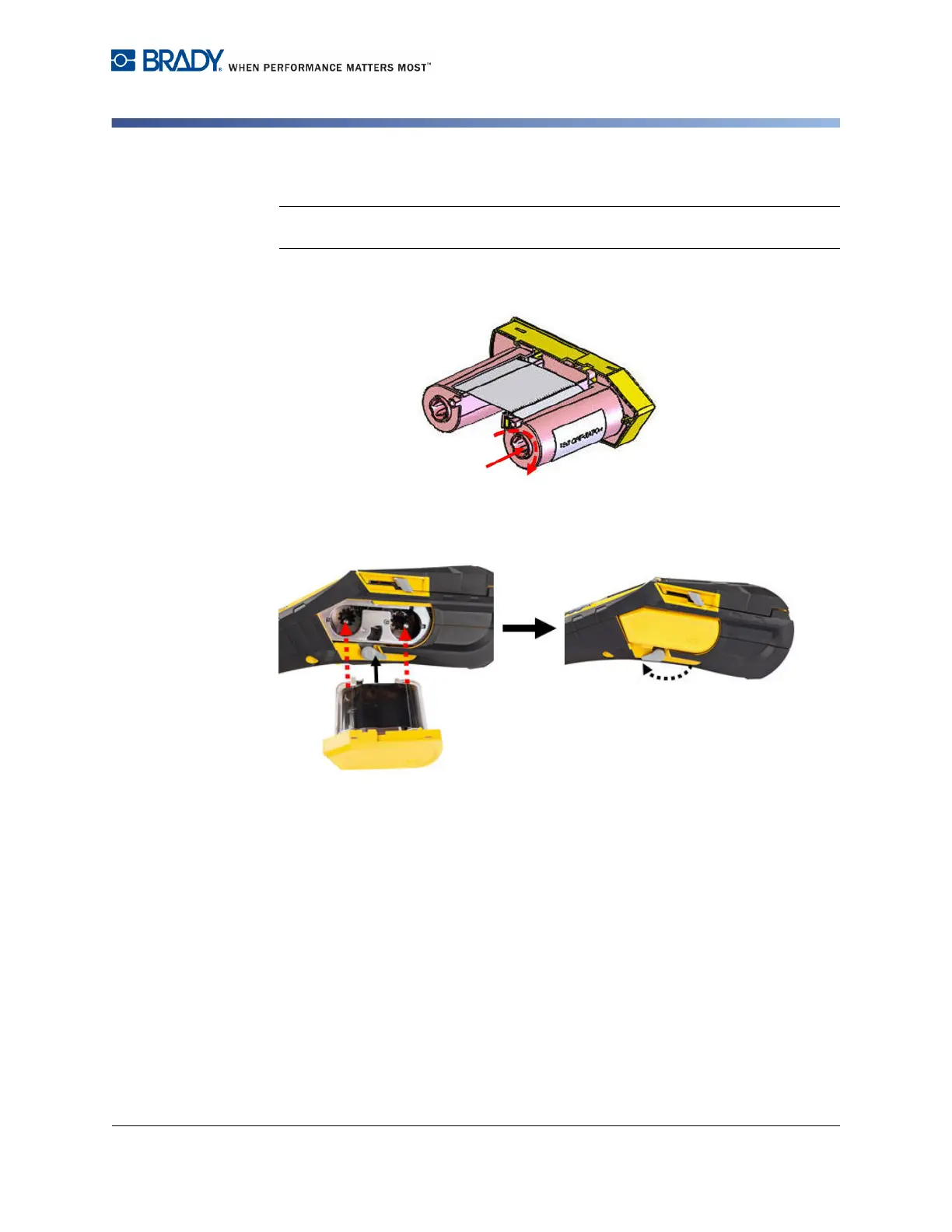
1. Before inserting, remove any ribbon slack by rotating the take-up spool end
clockwise.
2. Carefully slide the ribbon cartridge into the printer until it seats firmly against the
metal frame, then flip the printhead lock lever forward (to the left) to re-engage the
printhead.



 To Next Page