BMP
®
61 Label Printer
User’s Manual
7-3
Replacing the Cutter Blade Cover
Internal Components
Replacing the Cutter Blade Cover
If the printer is accidently dropped, the cutter blade cover may come lose or fall
out. If the blade cover is not dented or damaged in some other way, you can
easily re-insert the blade cover into the printer.
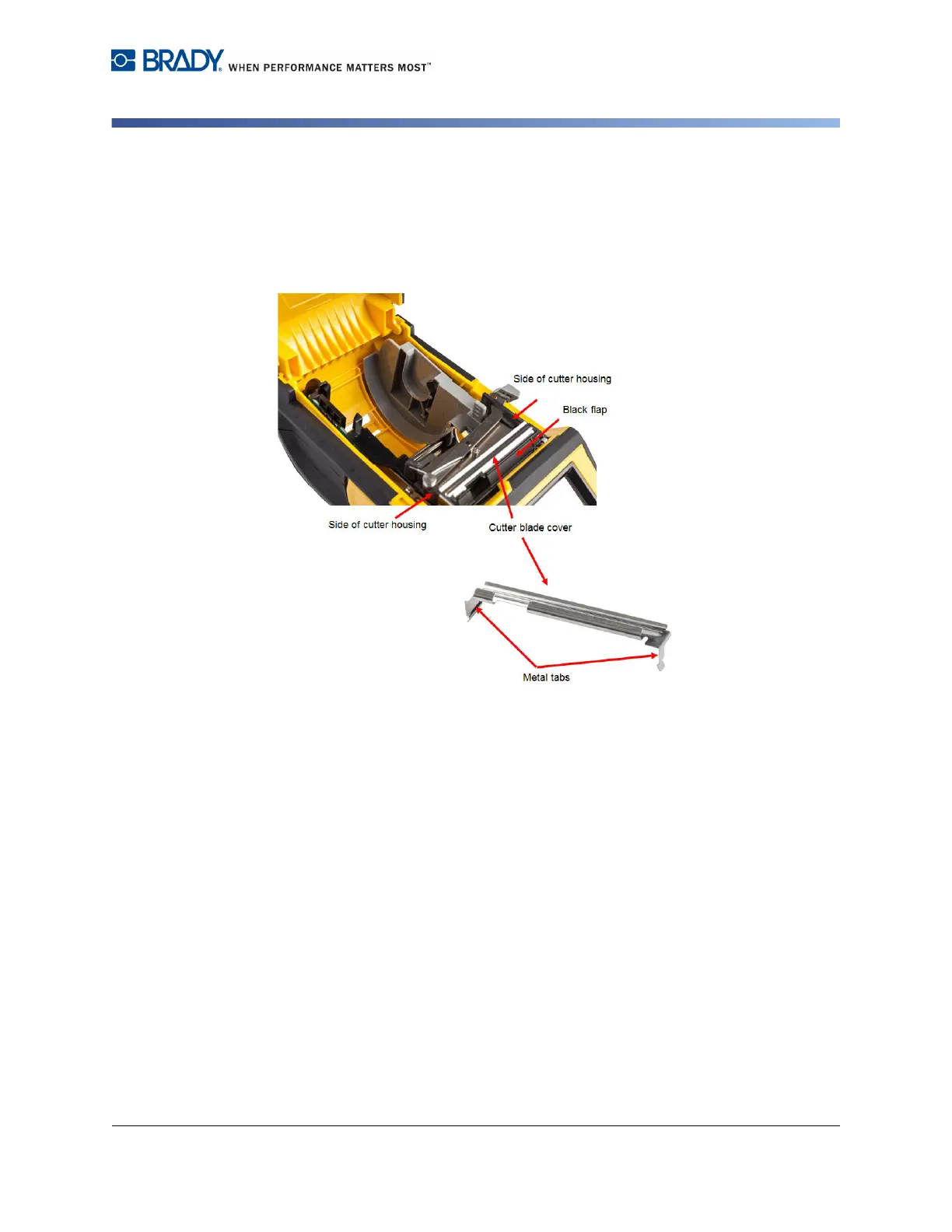
To re-insert the cutter blade cover:
1. Grasp the blade cover from the top with the cut-out portion of the blade facing
the display screen (away from the media well).
2. Pull the black flap forward, then insert the blade tight up against the black flap
with the metal tabs fitting over the outside of the cutter housing.



 To Next Page