3-22 BMP
®
61 Label Printer
User’s Manual
Labels and Areas
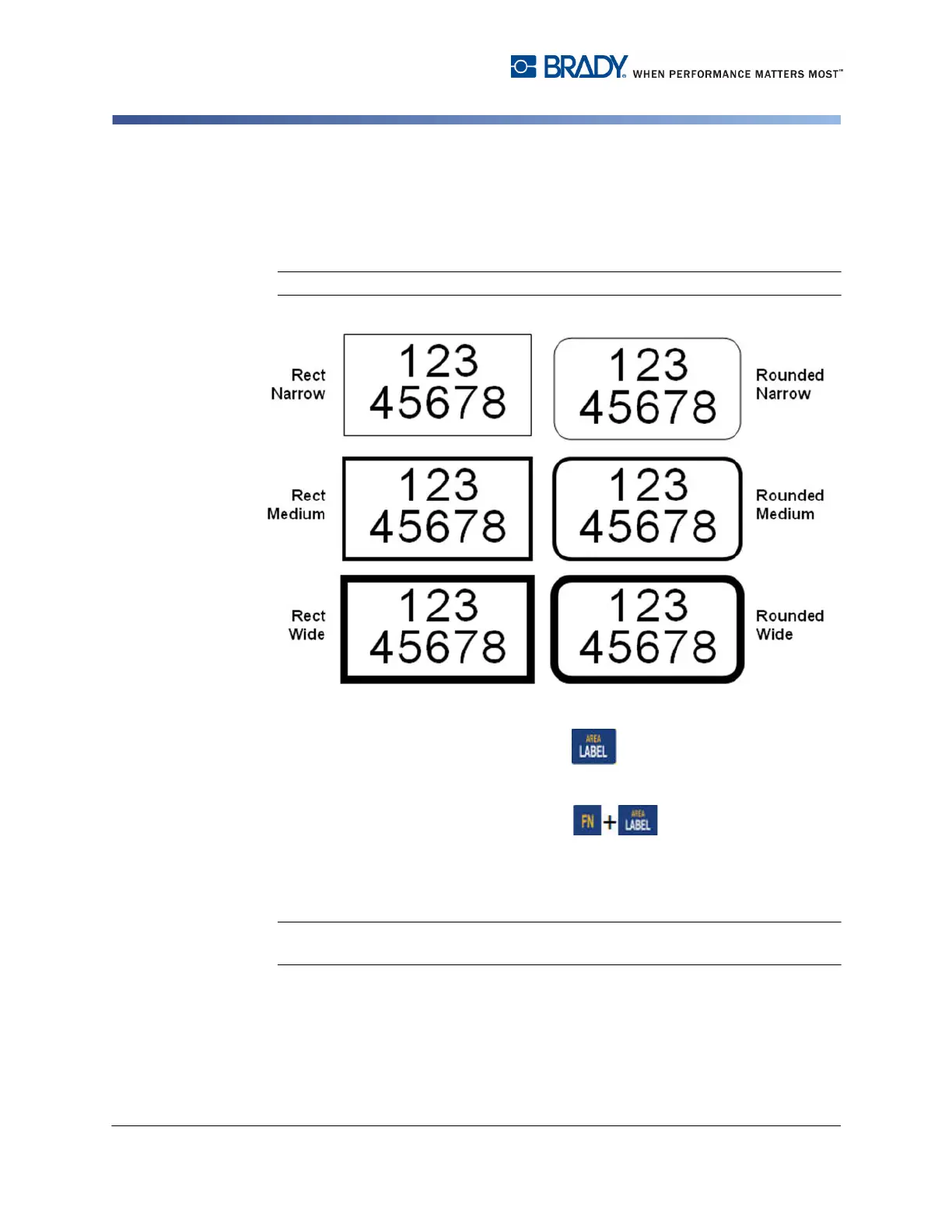
Frame
A frame (border) can be added to an area or a label, but not to a line of text. You
can have a different frame, or no frame, on individual labels in a multi-label file.
You can also place a frame on a label that contains area frames.
Note: Frames can only be placed on continuous labels, not die cut labels.
Figure 3-10. Available frame options
1. To add a frame to a label, press Label .
OR
To add a frame to an area, press Area .
2. Choose Frame>frame type.
Frames do not display on the editing screen. Use Print Preview (see page 5-2) to
view the label or area frames.
Note: Frames do not display edge to edge, but may appear slightly offset from the
very edge of the label.



 To Next Page