BMP
®
61 Label Printer
User’s Manual
1-21
Attaching the Strap
Attaching the Strap
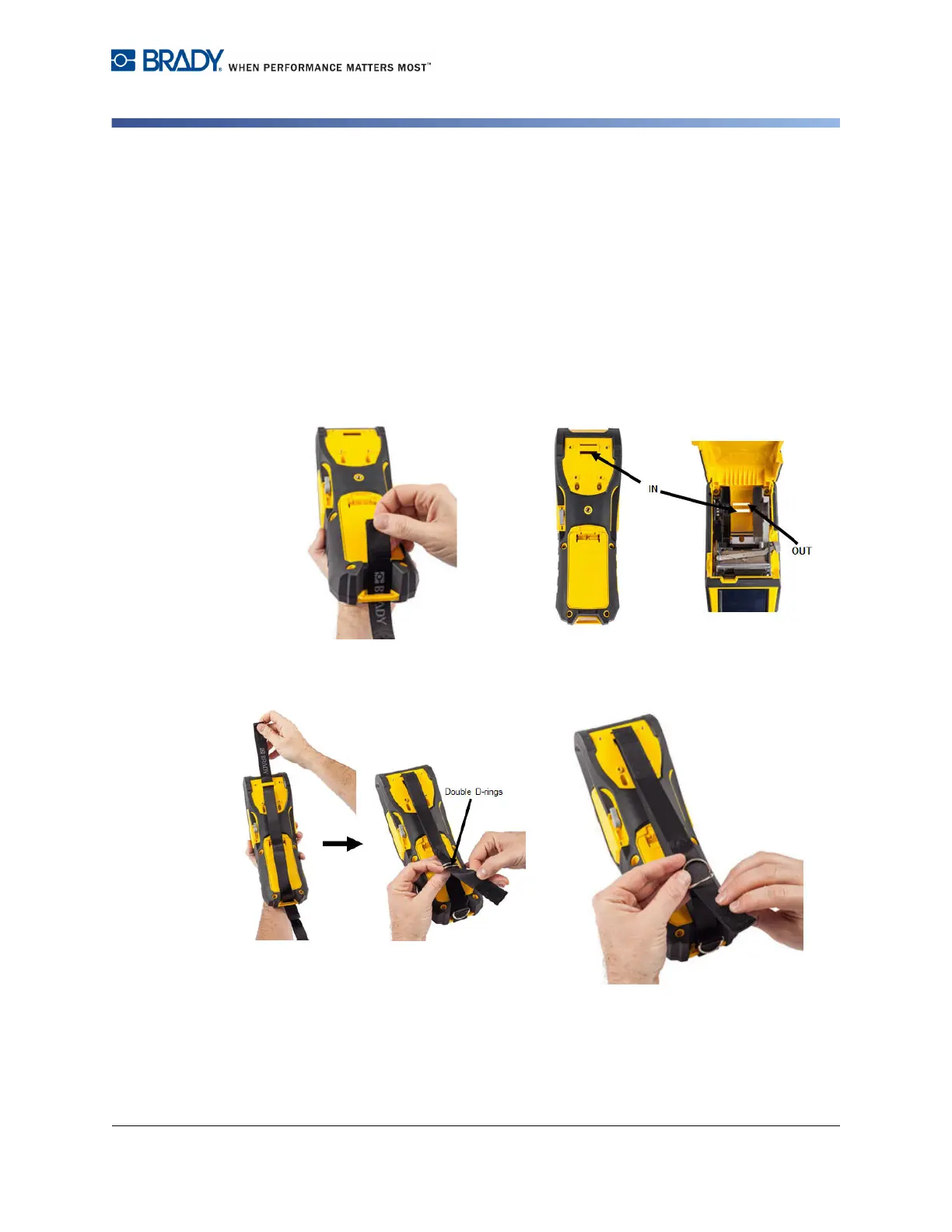
The strap can be attached to the back of the printer to provide a secure grip
when holding the printer in your hand or hanging the printer on a hook.
1. First, remove all labels from the media
well. Then, with the Brady logo facing
up, thread the Double D-ring handstrap
through the loop on the lower portion of
the back of the printer.
2. Still on the back of the printer, feed the
strap under the loop at the top of the
printer, directly into the media well.
Then turn the printer over and from
inside the media well, feed the strap out
through the top of the loop.
3. Pull the loose end of the strap under and
through both D-rings.
4. Separate the two D-rings so there is
enough space for the strap to pass
between them.



 To Next Page