1-42 BMP
®
61 Label Printer
User’s Manual
Dialog Boxes
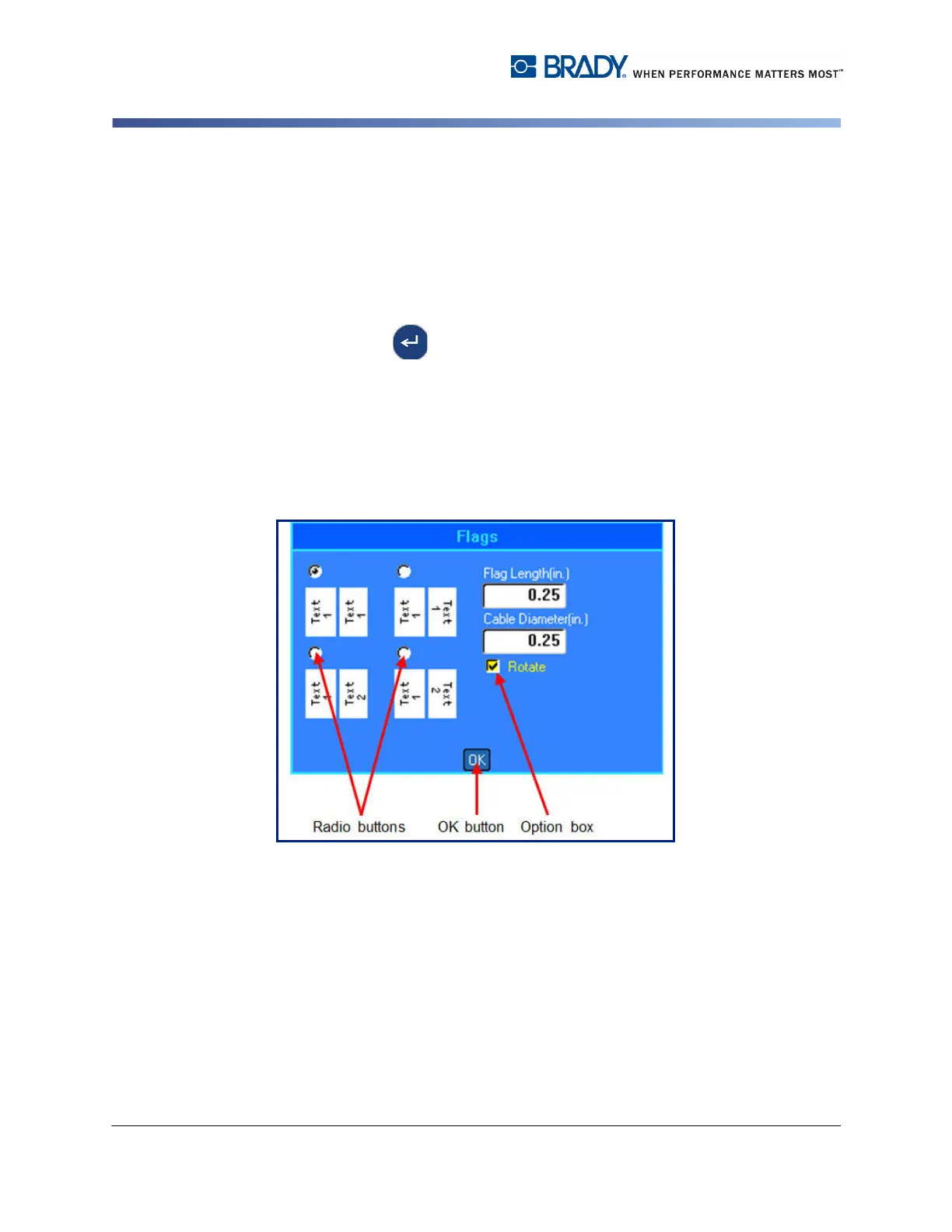
Radio Buttons and Option Boxes
In a series of radio buttons, only one radio button option can be selected at one
time. In a series of option boxes, any number of options can be selected at one
time.
To check or uncheck a radio button or option box, using the keypad:
1. Navigate to the desired option.
2. Press Enter .
The option box will display a checkmark indicating it is active. The radio button will
display a dot inside the button.
3. To deactivate an option box, navigate to the option box and press Enter.
The checkmark is removed.
4. To deactivate a radio button, navigate to another radio button and press Enter.
Figure 1-6. Radio buttons, Option boxes and OK button
To check or uncheck a radio button or option box, using the touch screen:
1. Tap one time on a radio button or option box to activate it.
The option box will display a checkmark indicating it is active. The radio button will
display a dot inside the button.
2. Tap one time to deactivate the option box (remove the checkmark).
3. To deactivate a radio button, simply tap a different radio button.



 To Next Page