1-20 BMP
®
61 Label Printer
User’s Manual
Media
B-593 Raised Panel Labels
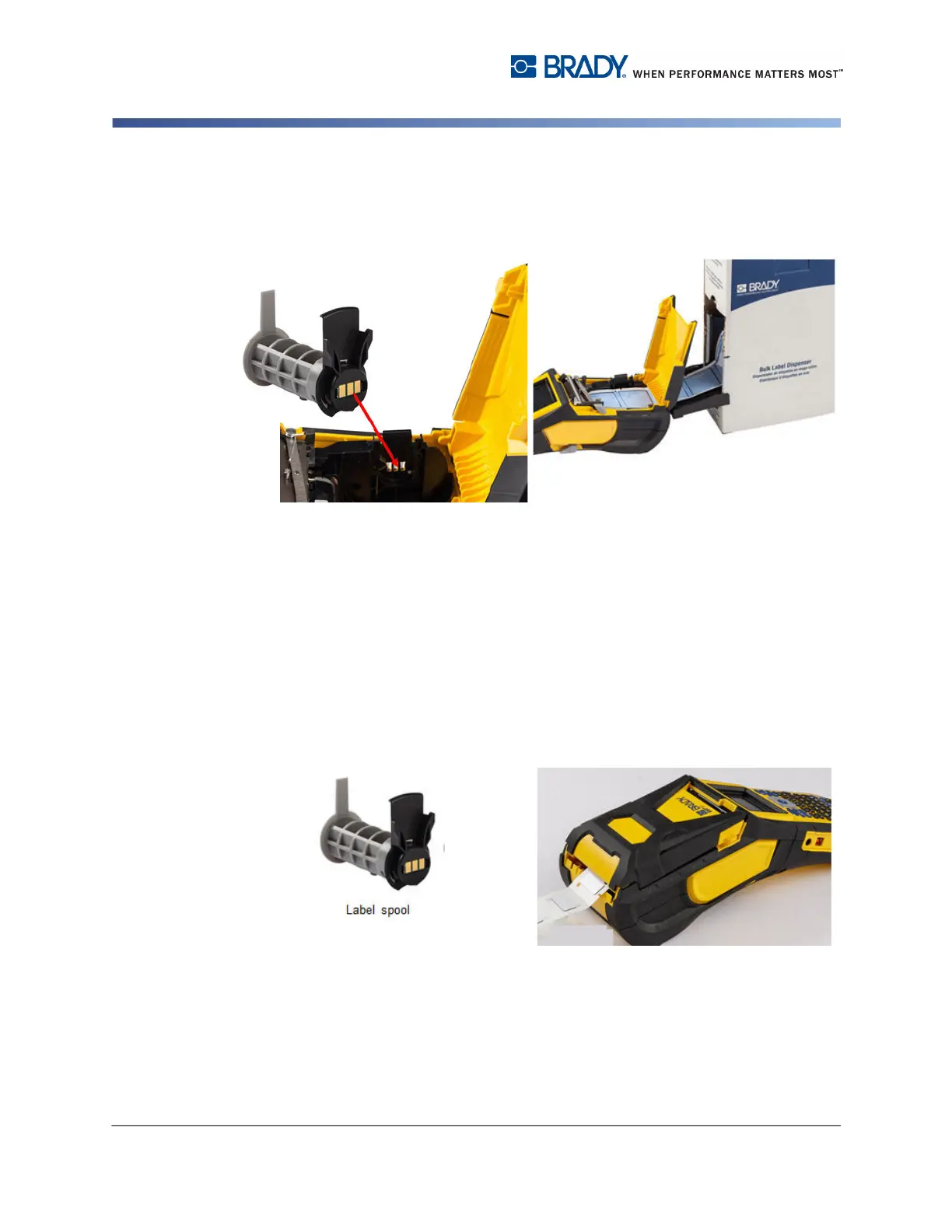
5. Insert the BMP61 label spool (smart
cell facing left) into the printer. Adjust
the media guide as needed.
6. Pull the loose end of the bulk media out
of the box punch-out and thread over
the tray and into the bulk label feed path
on the printer.
7. Continue to feed the leading edge of the media roll over the label spool and through the
guide slots until it catches.
8. Turn the printer on and press [FEED] to feed the media through the printer.
9. Close the printer cover.
1. Open the printer and insert an empty
BMP61 label spool into the printer. (See
instructions on
page 1-16.)
2. Keeping the label media in the box,
place the box behind the printer, then
feed the leading edge of the B-593
media through the external media feed
path, over the label spool and through
the guide slots until it stops.
3. Turn the power on.
4. Press Feed.
5. Leave roll door open during printing.



 To Next Page