1-36 BMP
®
61 Label Printer
User’s Manual
Menus
Menus
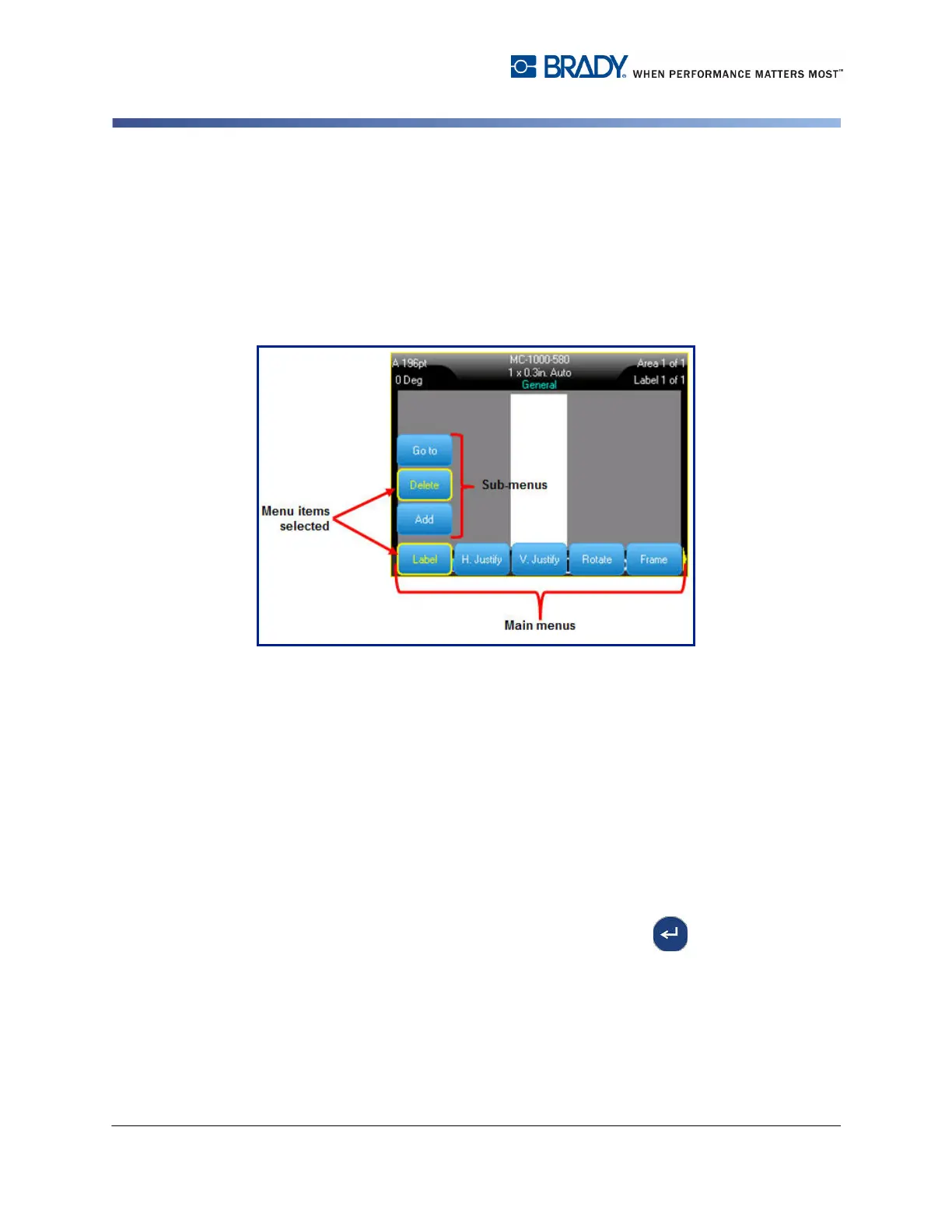
Menus display at the bottom of the screen and are activated by the function keys.
Use navigation keys or the Touch screen to access the different menu items.
Continue to press the navigation keys to access the overflow menus or, using your
finger, scroll through the menus. When you have reached the last menu item
displayed, the menus cycle back to the first menu item.
Figure 1-1. Menus
To access menus using the keypad:
1. Press the Function key for the menus you want to access.
The menu choices for that particular function display.
2. Press the left/right navigation keys to access the main menu items.
When you access a menu item, if a sub-menu is available, it immediately pops-up.
To access a sub-menu:
1. Press the up/down navigation keys
An accessed menu displays with a yellow bar around it.
2. To activate the highlighted sub-menu, press Enter or touch screen.
A menu option remains in effect until a different menu option is activated.



 To Next Page