BMP
®
61 Label Printer
User’s Manual
6-11
110-Block, Bix Block Label Type
110-Block, Bix Block Label Type
The 110-Block and Bix Block use only the following dedicated label parts.
• 110-Block: M71C-475-412 or M71C-412-422
• Bix Block: M71C-625-412 or M71C-625-422
The 110-Block label type is based on user-selected pair configurations, with the
length of the label determined by the pair type selected. The label height uses a
dedicated 110-Block part height of 0.475 inch. The length of a 110-Block label is
7.5 inches, with a total strip length of 7.9 inches. The number and formatting of
areas is based on pair configuration and serialization selected.
Bix Block template information is similar to the 110-block, with some variations on
height and length of strip. The label height uses a dedicated Bix Block part height
of 0.625 inch. The length of a Bix Block label is 6.2 inches with a total strip length
of 6.6 inches.
To use the 110- or Bix Block application:
1. Press Label Type .
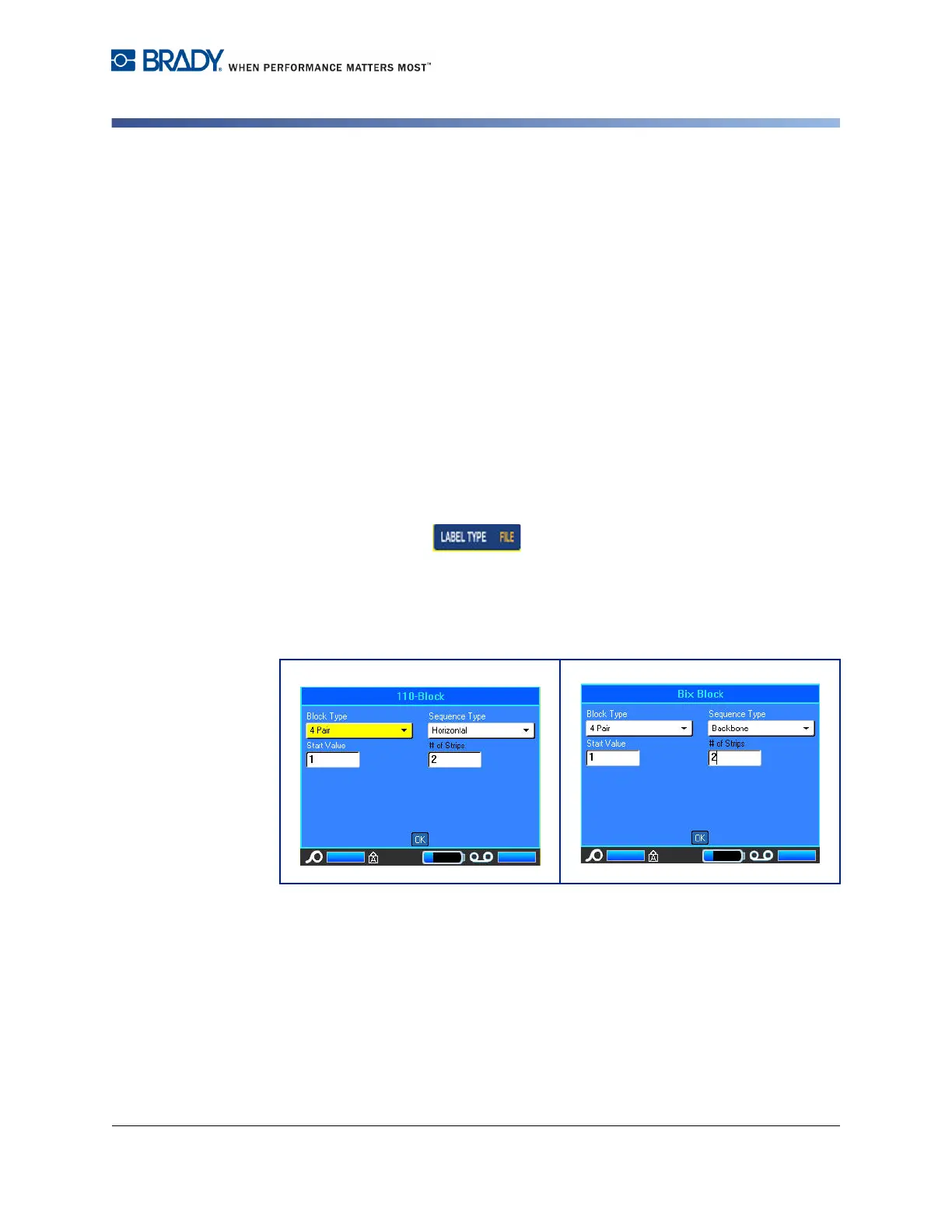
2. Select 110-Block or BIX Block.
A dialog box displays requesting further information. (For a review of dialog box
navigation, see page 1-37.)
In the 110- and Bix Block applications, the number of areas created is based on
the pair configuration selected. Vertical and horizontal separator lines are
automatically added.
The following example displays the areas based on the Block Type selected (i.e.,
2-pair, 3-pair, 4-pair, 5-pair, or blank). The “Blank” strip is formatted as two areas
covering the full printable length of the strip.



 To Next Page