BMP
®
61 Label Printer
User’s Manual
3-25
Labels and Areas
Vertical Text
In Vertical text, each character drops down a line below the preceding character.
Example:
The word “WIRE” as vertical text displays as such:
W
I
R
E
Vertical text can only be applied to an area or a label. It cannot be applied line-by-
line.
To format text vertically:
1. Navigate to the label or area where you want to display text vertically.
2. Press Label .
OR
Press Area .
3. Choose Vertical>On.
The word(s) display vertically on the label or in the area.
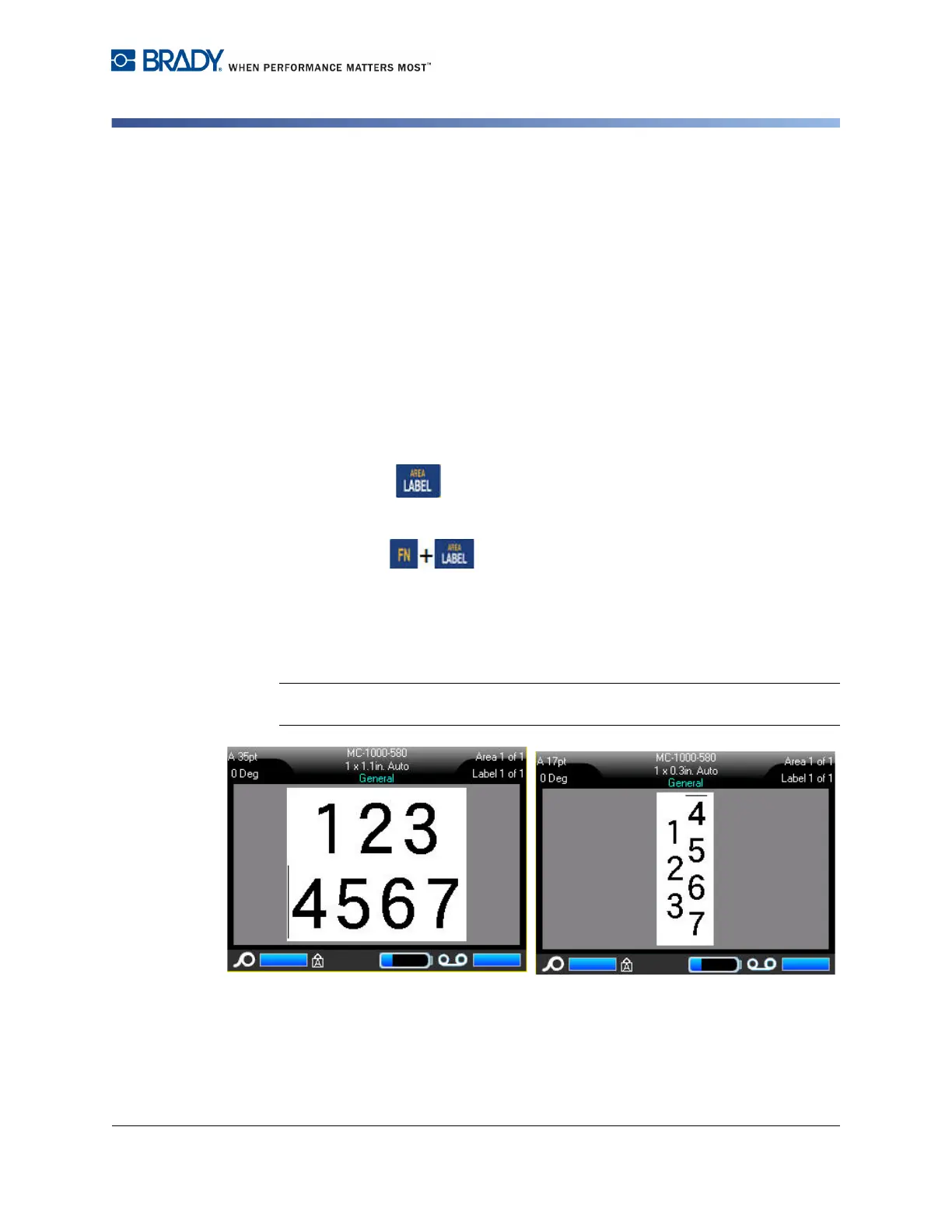
If more than one line of text is present, the second and subsequent lines of text
display vertically to the right of the first line of text.
Note: The horizontal and/or vertical justification set before applying vertical
formatting is carried over to the vertical lines of text.
Figure 3-12. Multi-line vertical alignment
Multiple lines, before applying Vertical
text (autosized)
Multiple lines, after applying Vertical
text (autosized)



 To Next Page