3-8 BMP
®
61 Label Printer
User’s Manual
Symbols
Symbols
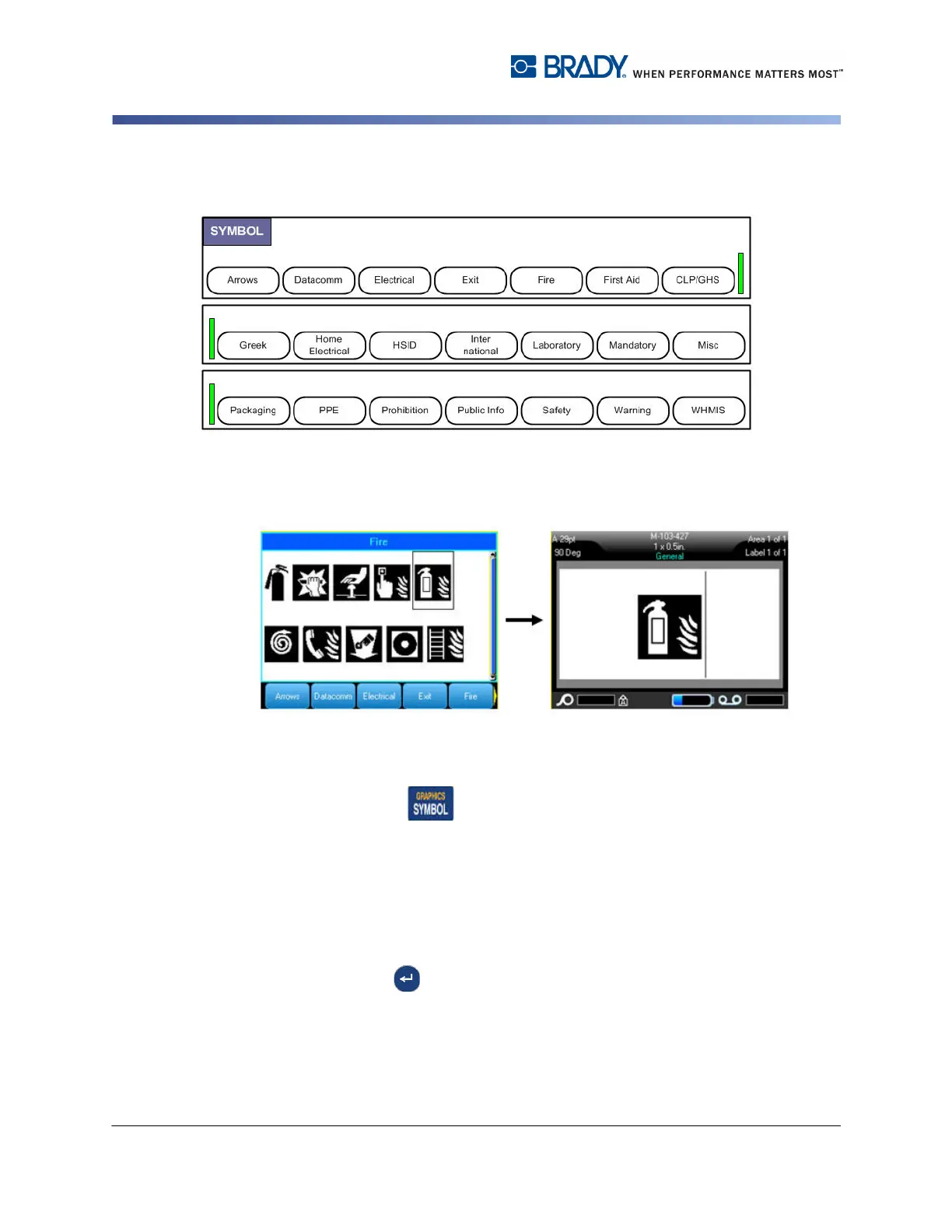
Figure 3-4. Symbol categories
The BMP61 printer contains hundreds of symbols that can be used for a variety of
applications.
To add a symbol to the label:
1. Position the cursor at the point where you want the symbol to display.
2. Press Symbol .
OR
Touch the Header or Status Bar, then touch Symbol.
3. Select the symbol category.
A symbols grid displays. Some of the grids are lengthy and may require scrolling
to view all the symbols.
4. Select the desired symbol.
5. Press Enter .
OR
Double tap the desired symbol.
The symbol displays with the same font size that is currently in use.



 To Next Page