6-8 BMP
®
61 Label Printer
User’s Manual
Terminal Block, 66 Block, Patch Panel
Terminal Block, 66 Block, Patch Panel
Terminal Block, 66-Block, and Patch Panel applications are designed to be used
with continuous media. If no continuous media is installed, these applications do
not display in the menu.
To use a Terminal Block, 66-Block, or Patch Panel label type:
1. Press Label Type .
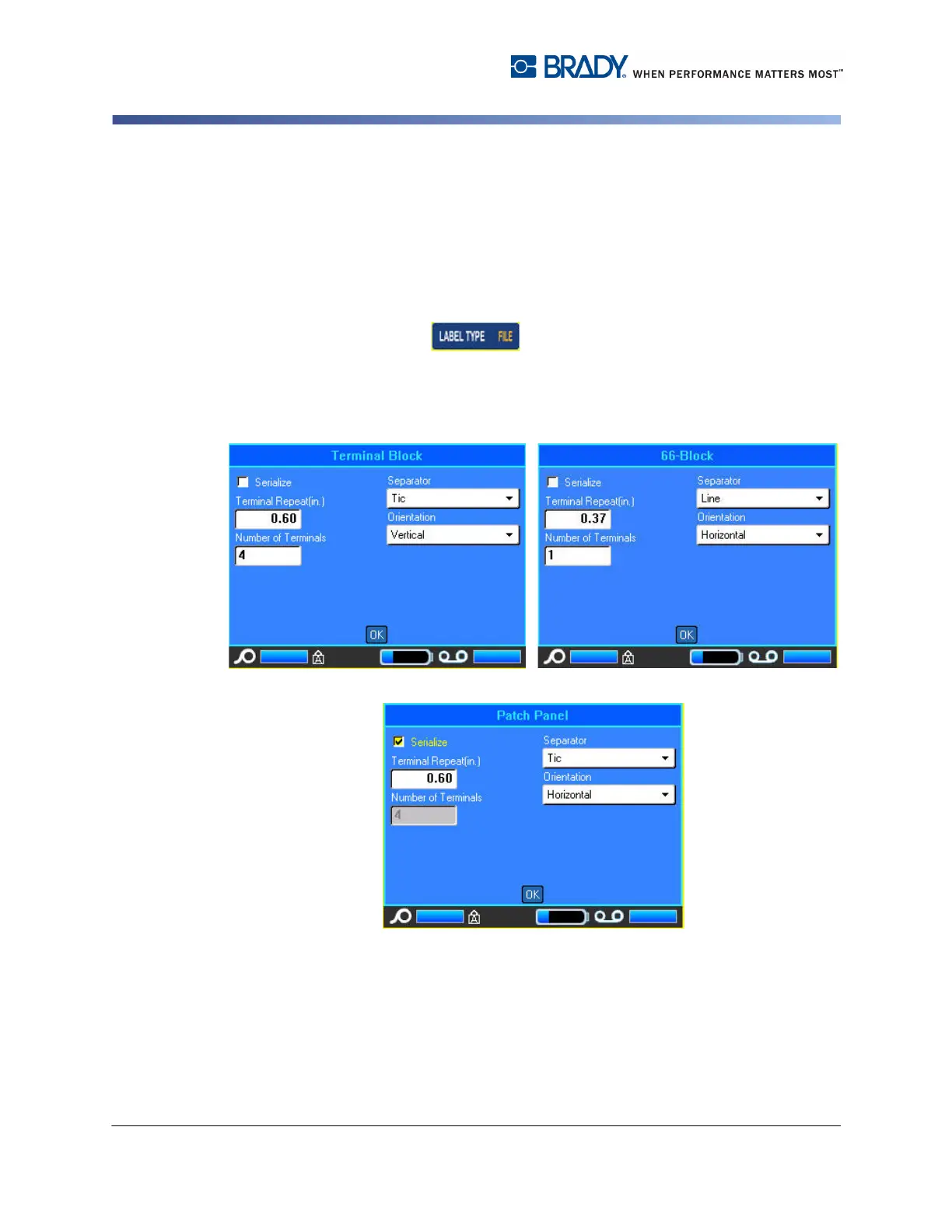
2. Select Terminal Block, 66 Block, or Patch Panel.
A dialog box displays requesting additional information. (For a review of dialog box
navigation, see "Dialog Boxes” on page 1-37.)
3. In the Terminal Repeat field, indicate the size of the gap between each
terminal (with a minimum of 0.2 inches).
4. In the Number of Terminals field, enter the number of terminals on the block
for which the label is intended.



 To Next Page