BMP
®
61 Label Printer
User’s Manual
3-41
List
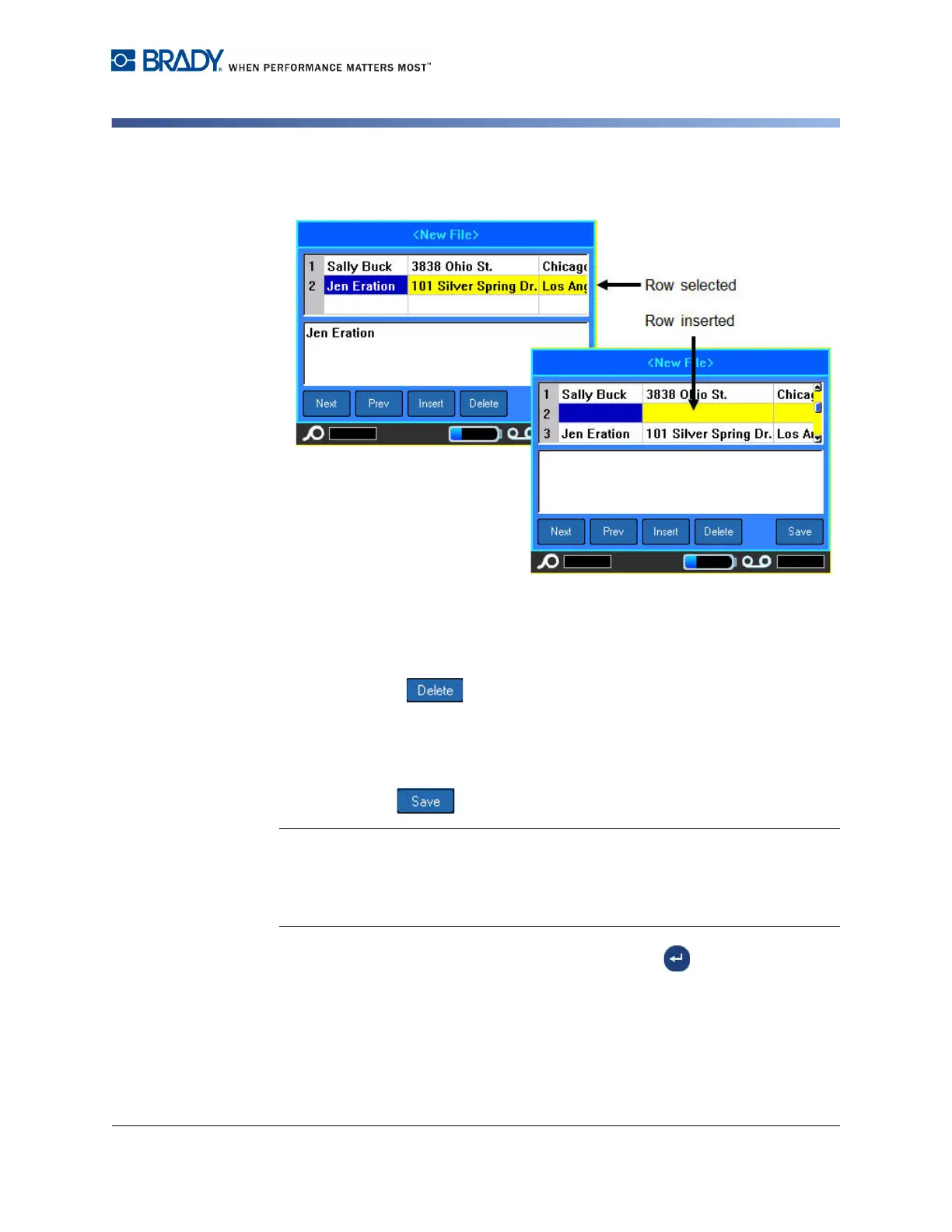
The row selected moves down and a new, blank row is inserted.
Figure 3-16. Inserting a row in the database
To remove a row in the datasource:
1. Select a field in the row you want to delete.
2. Select Delete .
Save the Data Source
To save the data source:
1. Select Save .
Note: The data source created on the BMP61 printer is stored in a specific folder
on the printer. You cannot place the data source in a different, user defined folder.
However, you can export the data source to an external source, at which time you
could put it any user defined folder. Refer to "Export a File” on page 4-13 for more
information.
2. Enter a name for the data source, then press Enter .



 To Next Page