1-24 BMP
®
61 Label Printer
User’s Manual
Recycling the Label and Ribbon Cartridge
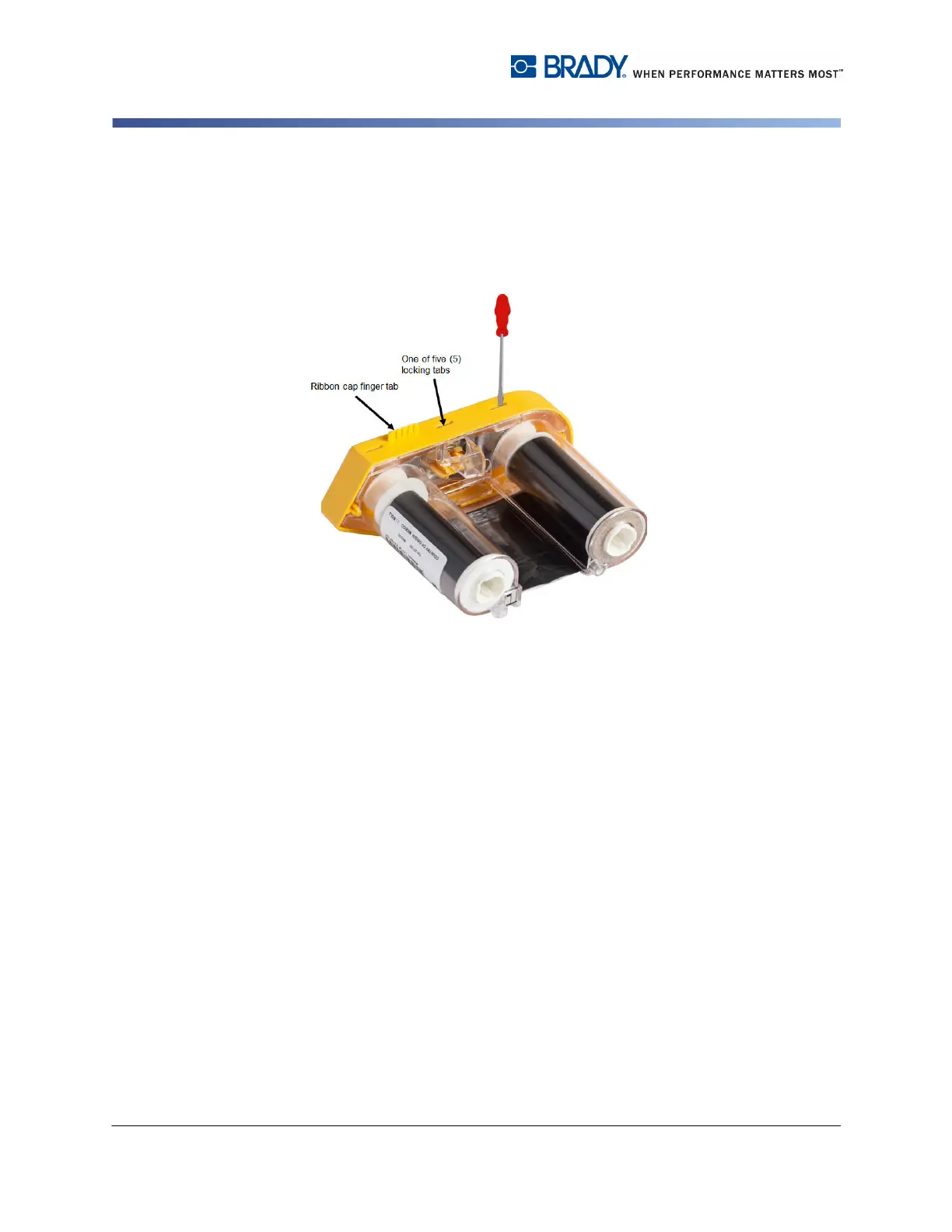
2. With the yellow ribbon cover facing up, insert the blade of the screwdriver, one
at a time, in through the five locking tab holes to depress the locking tabs.
While depressing each tab with the screwdriver, use your thumb or finger to
apply upward pressure on the ribbon cap finger tab. The ribbon cover releases
and separates from the rest of the assembly.
3. Using the screwdriver, pry out the metal ribbon spring from the inside of the
yellow ribbon cap.
4. Once the spring is removed, turn the ribbon cartridge on its side and allow the
ribbon and white spools to fall out.
5. Unwind the ribbon from the spools, then gently peel the ribbon end from the
weak adhesive that affixes the ribbon to the spool.



 To Next Page