3-28 BMP
®
61 Label Printer
User’s Manual
Barcode
Field To Use
Barcode
Symbology
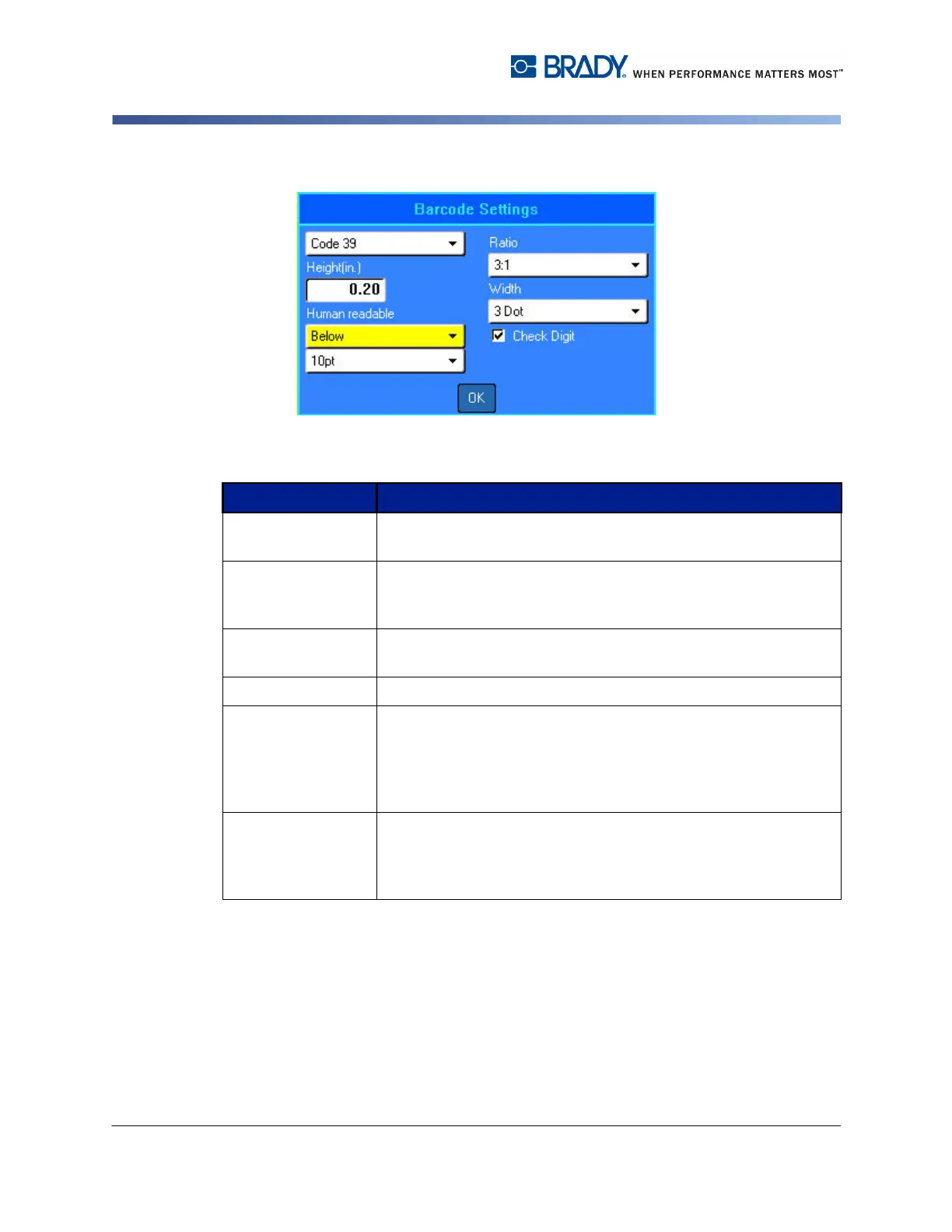
The BMP61 Label Printer supports Code 128 and Code 139
barcode symbology.
Ratio The ratio of a barcode is the relationship of narrow elements
to wide elements, where elements are the bars and spaces.
The ratios available are 2:1 and 3:1.
Height The height of the bars in a barcode can vary, with a minimum
of 0.1 inch (2.54 mm).
Width The width of the narrow bar of a barcode is 1, 2, or 3 dots.
Human Readable Human readable text is the data entered that makes up the
barcode. Because you cannot read bars and spaces, you can
display the actual text that makes up the barcode. Human
Readable text can be placed above or below the barcode
symbology, or you can choose to not display it.
Check Digit A check digit is used for error detection in a barcode. It
consists of a single digit computed from the other digits in the
barcode. A checkmark in the Check Digit option box turns the
function on.



 To Next Page