MIDSECTION
SIDE
COVER
SIDE COVER
Removal and Installation
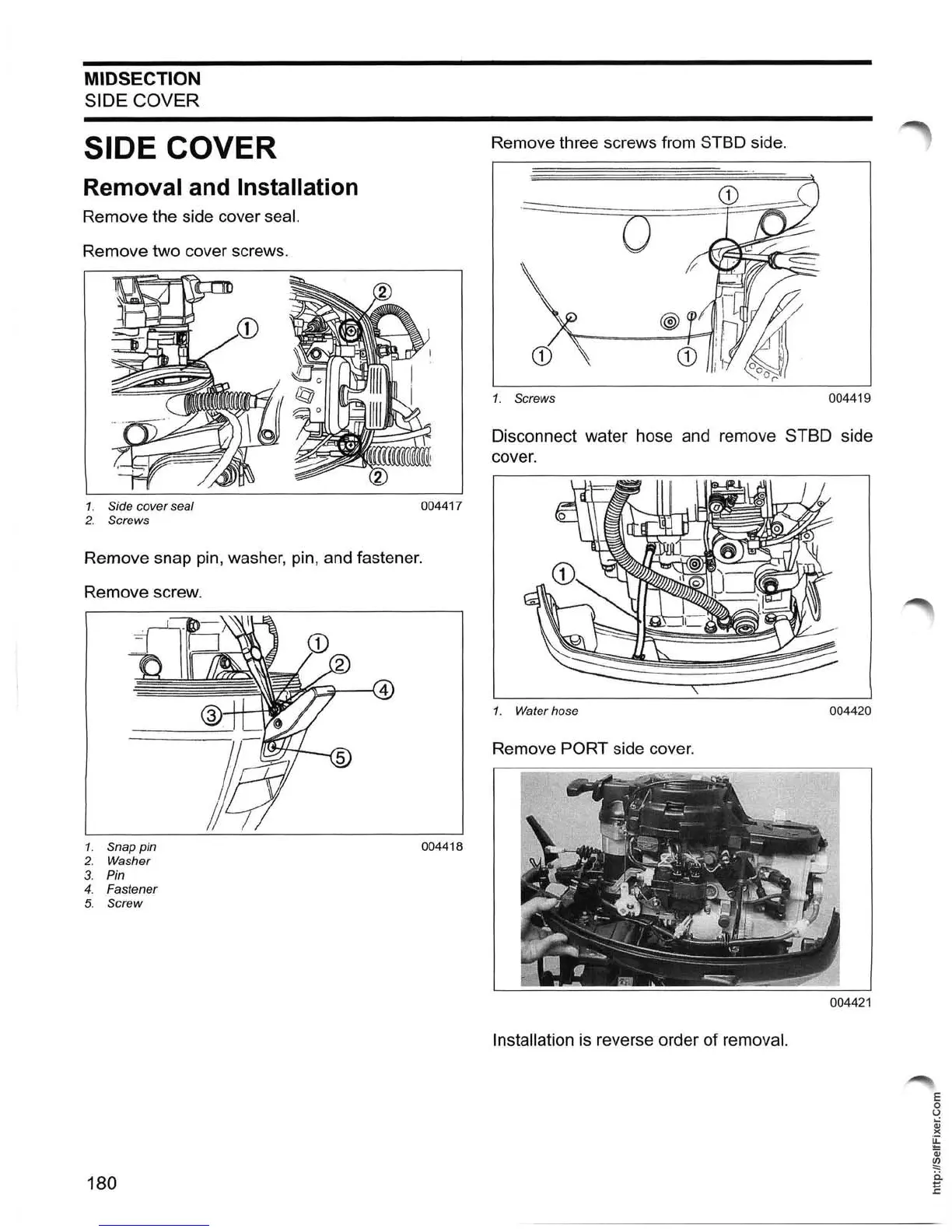
Remove the side cover seal.
Remove two cover screws.
1. Side cover seal
2.
Screws
004417
Remove snap pin, washer, pin, and fastener.
Remove screw.
1. Snap pin
004418
2.
Washer
3. Pin
4. Fastener
5. Screw
180
Remove three screws from STSD side.
---:::::::::::::::~~===~~~~
'- .-
..
o
1.
Screws
004419
Disconnect water hose and remove STSD side
cover.
1.
Water hose 004420
Remove PORT side cover.
004421
Installation
is
reverse order of removal.
E
o
U
Qj
)(
~
Qj
~
ii
E





 To Next Page