MAX Operation & Service Manual 77MAX Operation & Service Manual Section4:UnderstandingTheTabletInterface77
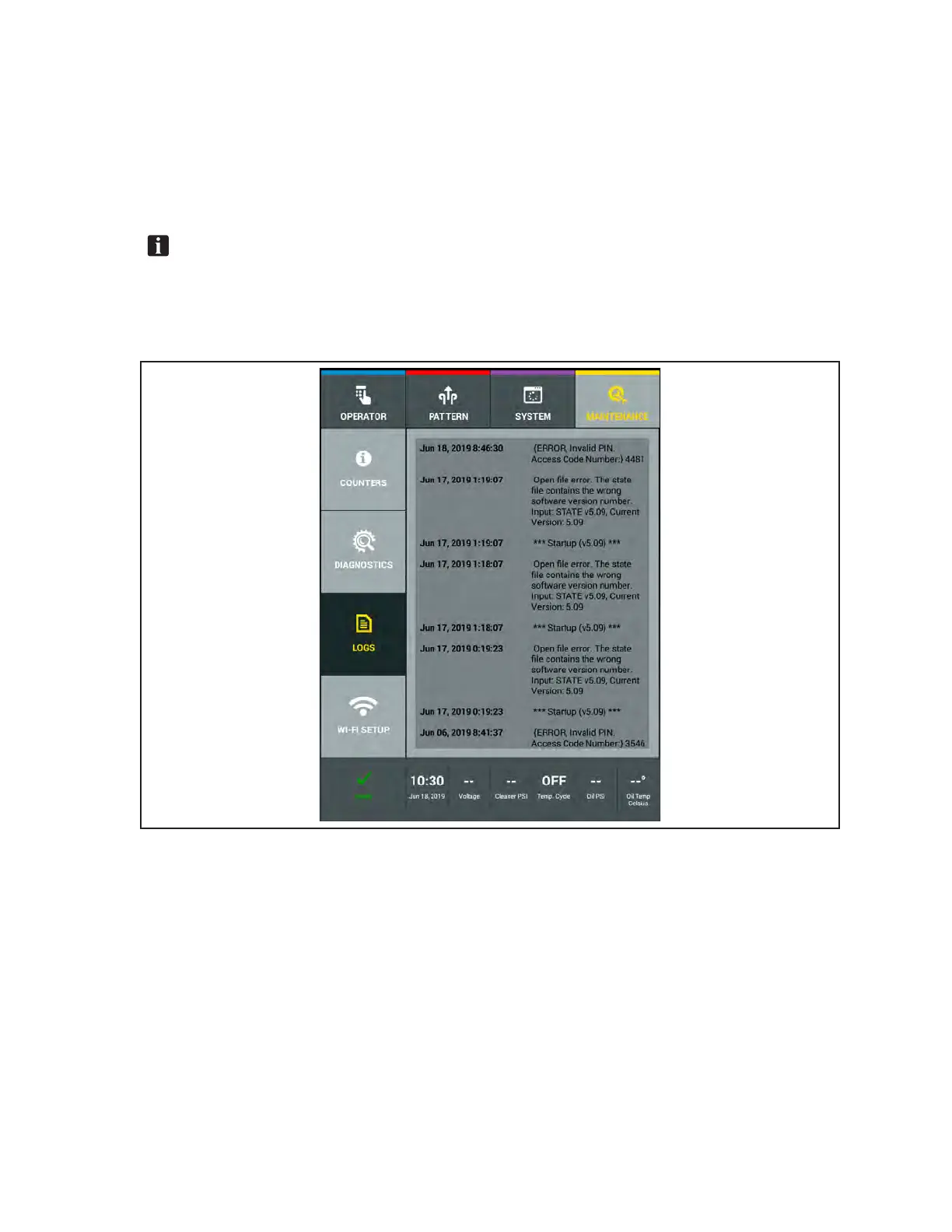
Message Log
This log tracks all errors and warning messages and provides a date and time stamp to verify when
those messages were displayed. Refer to
Figure4-45.
1. Go to the Maintenance screen and select Logs, then select the Messages Log.
2. Swipe your nger up or down on the screen to view log le.
NOTE:MaintenancelogscanbebackeduptoaUSBashdriveasexplainedearlierinSection
4,“BackingUpandImportingData”.Theselogsmaycontaininformationthatishelpfulto
BrunswickTechnicalSupportwhentroubleshootingissues.Theycanexplainhowtoattach
backuplestoane-mailorshiptheUSBashdrivewithyourcentermaintenancelogs.The
maintenancelogs,countersandcriticalcenterdatacannotbeimportedbacktoyourTablet.
Figure4-45.MessageLogs



 To Next Page