78 MAX Operation & Service Manual78 Section4:UnderstandingTheTabletInterface MAX Operation & Service Manual
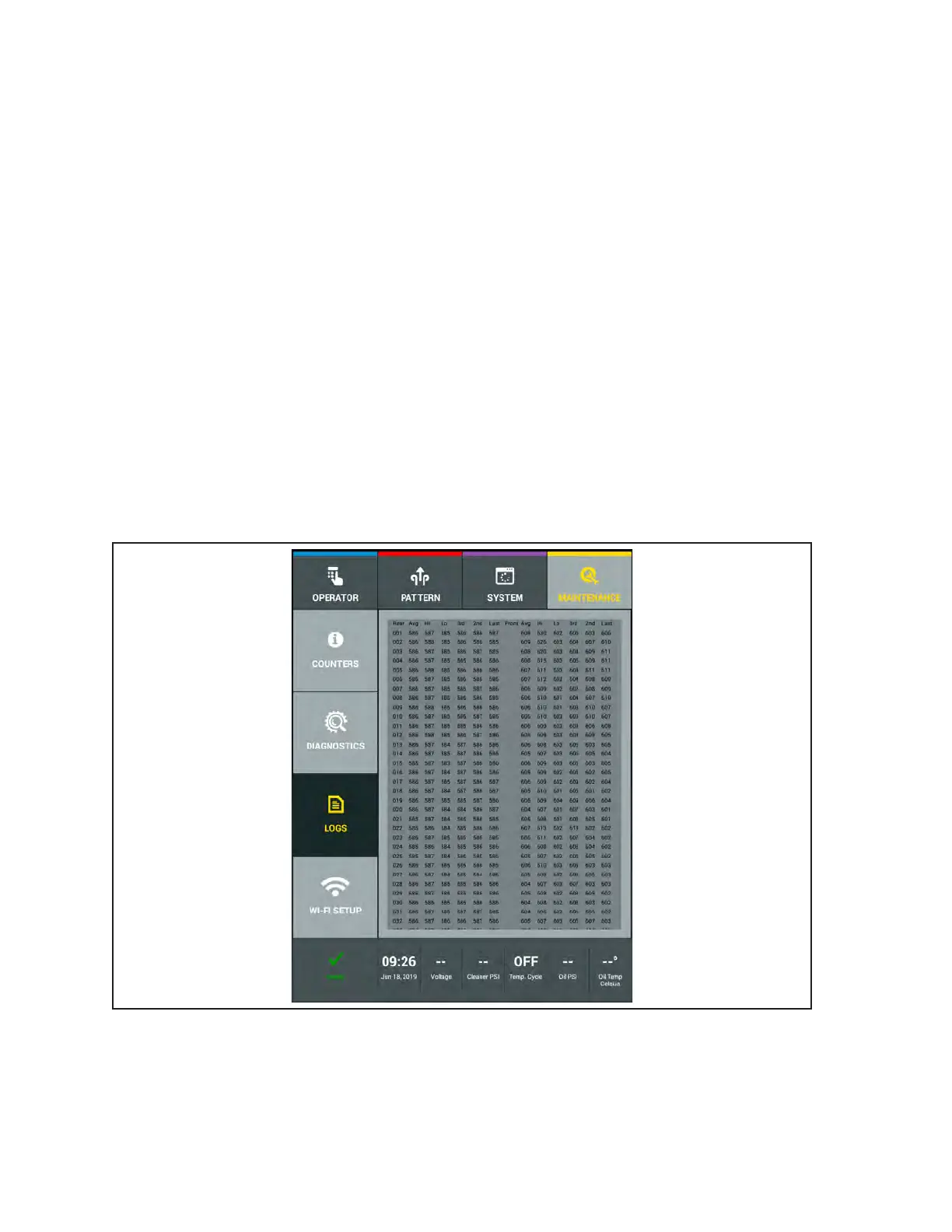
Lane Length Log
This log displays the lane length for each lane number in the bowling center. Two sensors monitor the
distance on the traction drive shaft and the read distance shaft. The data is recorded in “tick counts”,
which indicates the length that the end of lane senors is triggered for each lane. Refer to
Figure4-46.
The average, highest and lowest tick counts are displayed for each lane along with the actual value for
the last three runs on that lane.
This information can show how consistent the recorded tick count is for each lane to indicate possible
distance encoder or end of lane sensor maintenance. It can also identify wheel slippage caused by too
much pressure on the squeegee assembly or potential issues with the lane surface topography. This
information is only accurate if the operator veries that they only run the same lane that is displayed on
the current lane number on the center of the tablet.
The lane lengths will not be recorded in this log if the lane machine displays an error relating to the
“tick count” or end-of-lane sensor. The most common cause for this type of error is a short (low) tick
count caused by an operator pushing the lane machine beyond the foul line before pressing the start
button. The lane length may need to be reset in the counter option of the maintenance screen to correct.
1. Go to the Maintenance screen and select Logs, then select the Lane Length Log.
2. Swipe your nger up or down on the screen to view log le.
Figure4-46.LaneLengthLogs



 To Next Page