MAX Operation & Service Manual 79MAX Operation & Service Manual Section4:UnderstandingTheTabletInterface79
Run Time Log
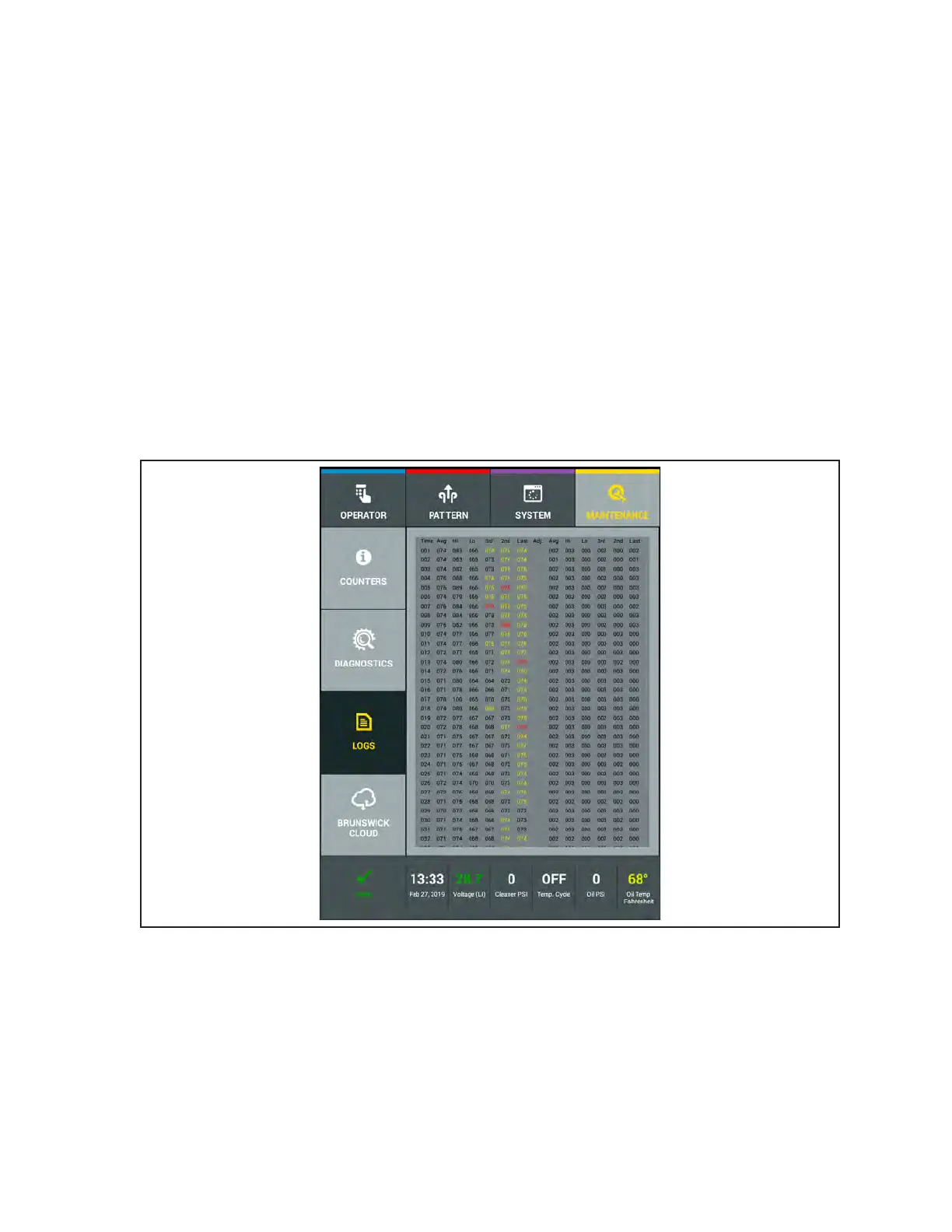
This log displays the amount of time that it is required to complete a lane at each of the 3 forward travel
speeds. Like the Lane Length Log, the Run Time Log will also record any speed adjustments it will
make to maintain the correct run time for each speed. Refer to
Figure4-47.
The speed “feedback” loop monitors the rate of travel and will adjust itself to either decelerate or
accelerate as needed. Expected run times for Fast, Medium, and Slow are listed as follows.
Fast: ~65 seconds Medium: ~69 seconds Slow: ~73 seconds
Run times in yellow values means that the machine is running slightly slower or faster than expected.
These messages are “Alert” messages.
Run times with red values indicates that the run time is far out of range and it is strongly recommended
to make adjustments. These messages a “Warning” messages.
1. Go to the Maintenance screen and select Logs, then select the Run Time Log.
2. Swipe your nger up or down on the screen to view log le.
Figure4-47RunTimeLogs



 To Next Page