MVX250i E, MVX200i E, MVX200 E
DISASSEMBLING
35
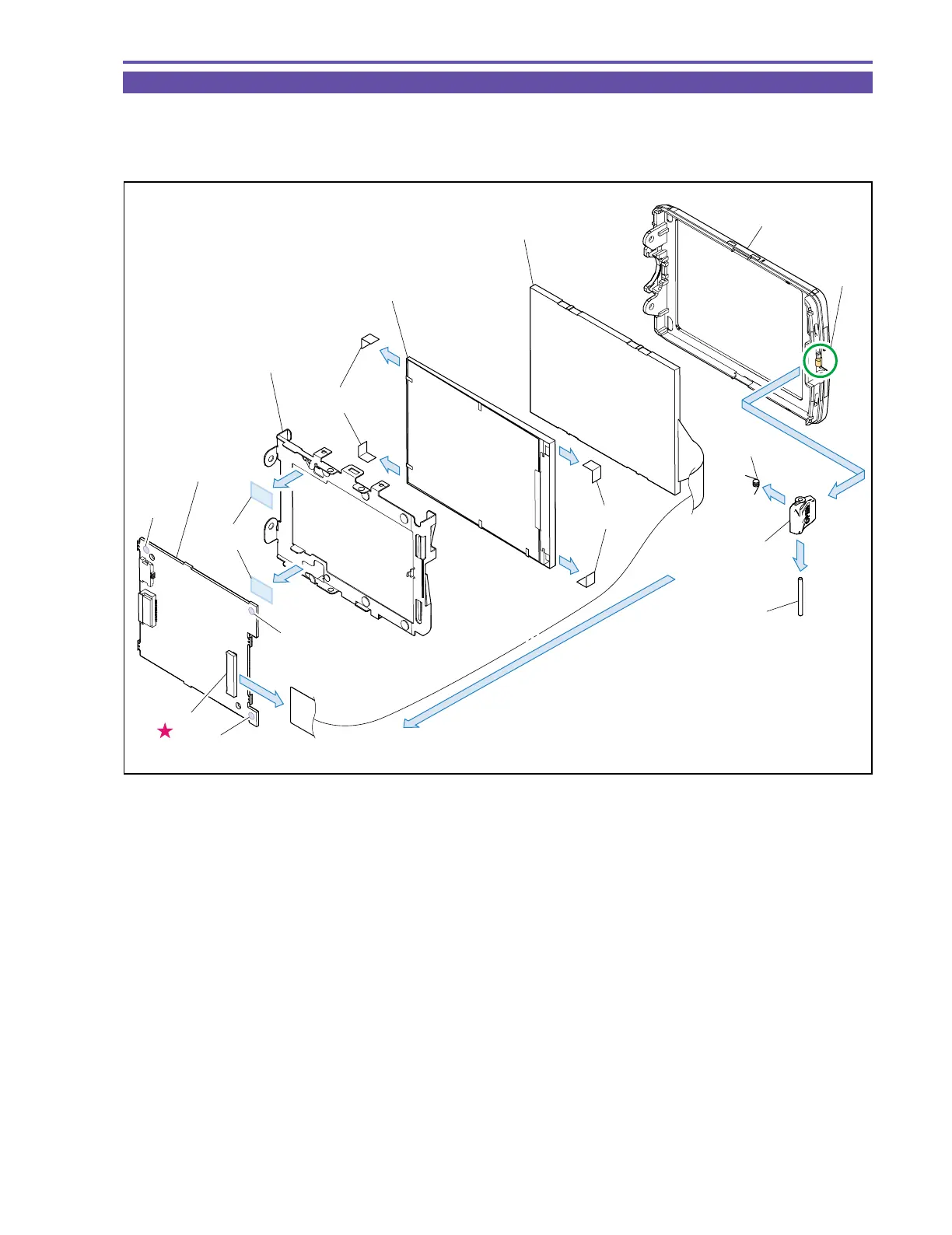
1-26 Disassembly of LCD Unit - 2
(1) Remove solder (α) (three points), disconnect the LCD Sheet, UL Tape, CN902. Then, detach the LCD P.C.B., the LCD Holder, the
Back Light Ass’y, and the LCD Ass’y.
(2) Disengage the claw A, and detach the LCD Open Knob, the Shaft, and the Spring.
Fig. 32
(1)
(1)
(1)
(1)
(1)
(1)
(1)
(2)
LCD P.C.B.
LCD Holder
Back Light Ass'y
LCD Ass'y
LCD Sheet
LCD Sheet
LCD Bottom Cover
CN902
Spring
LCD Open Knob
Shaft
(1) - α
(1) - α
(1) - α
Claw A
UL Tape



 To Next Page