MVX250i E, MVX200i E, MVX200 E
DISASSEMBLING
41
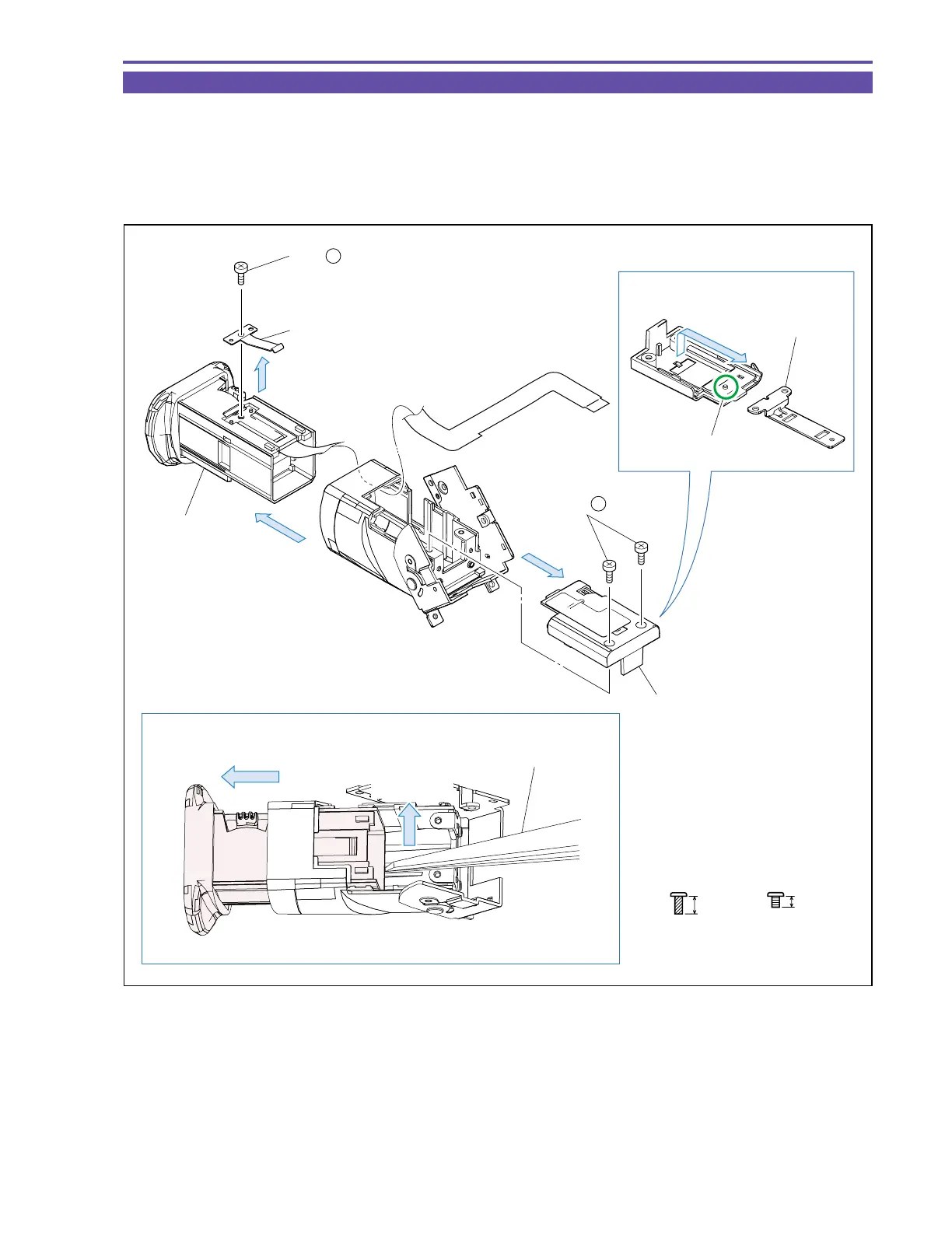
1-31 Disassembly of CVF Unit - 2
(1) Remove two screws (k × 2), and detach the CVF Bottom Cover and the CVF Click Plate.
Note : Disengage the dowel A, and detach the CVF Click Plate while sliding it.
(2) Remove one screw (e × 1), and detach the CVF Click Spring.
(3) Detach the CVF Inner part.
Note : Using tweezers or the like, detach the CVF Inner part while pushing it upward as illustrated below.
Fig. 38
ke
2.5mm
Metal
M1.7
4mm
Metal
M1.7
(self tap)
Note
Note
CVF Click Plate
CVF Bottom Cover
CVF Click Spring
(3)
(1)
(2)
(2) - e
(1) - k
Dowel A
CVF Inner Part
Pull out
Push UP
Tweezers



 To Next Page