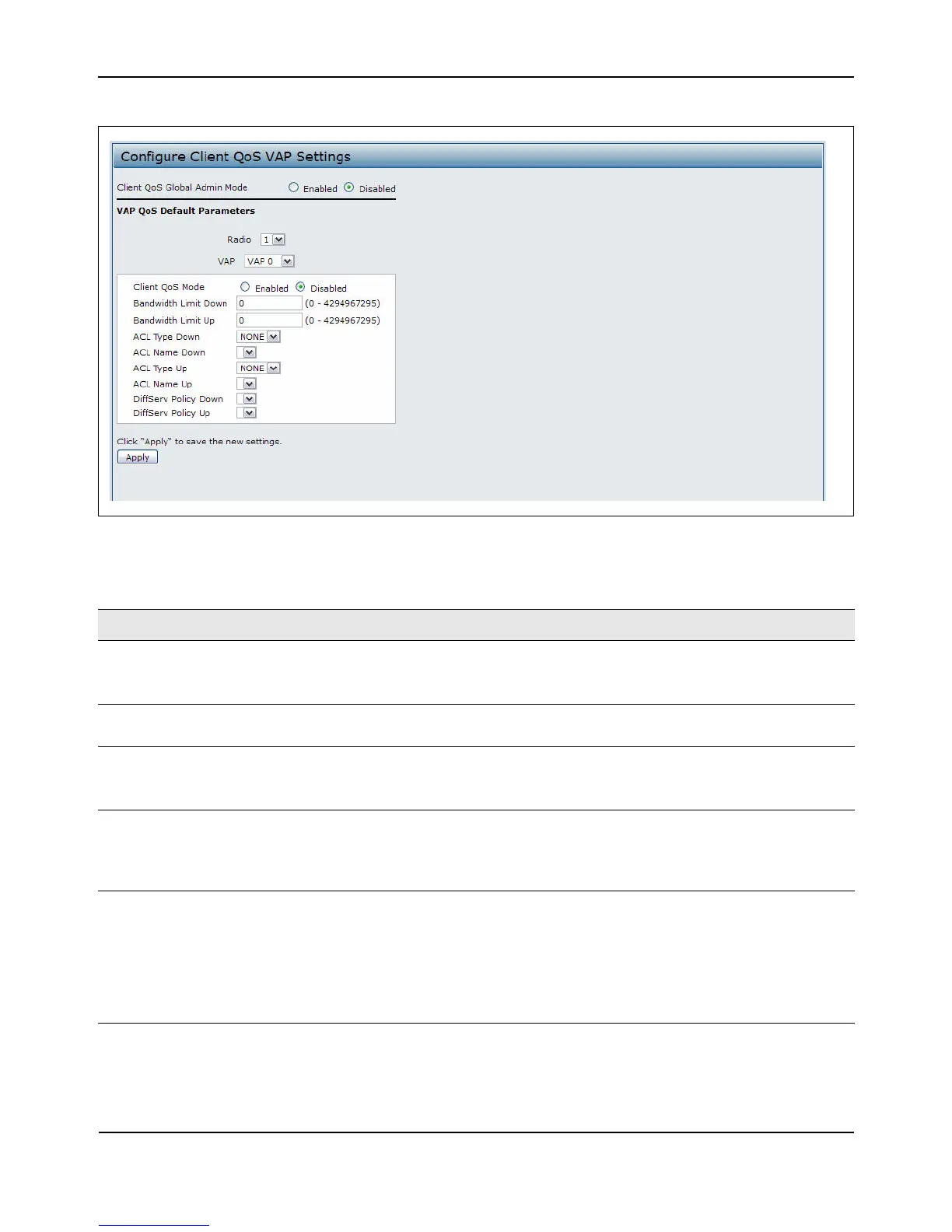
ConfiguringVAPQoSParameters
D-Link UnifiedAccessPointAdministrator’sGuide
November2011 Page129
UnifiedAccessPointAdministrator’sGuide
Figure40:VAPQoSParameters
Table52:VAPQoSParameters
Field Description
ClientQoSGlobalAdmin
Mode
EnableordisableClientQoSoperationontheAP.
ChangingthissettingwillnotaffecttheWMMsettingsyouconfigureonthe
QoSpage.
Radio Fordual‐radioAPs,selectRadio1orRadio2tospecifywhichradioto
configure.
VAP SpecifytheVAPthatwill
havetheClientQoSsettingsthatyouconfigure.
TheQoSsettingsyouconfigurefortheselectedVAPwillnotaffectclientsthat
accessthenetworkthroughotherVAPs.
ClientQoSMode EnableordisableQoSoperationontheVAPselectedintheVAPmenu.
QoSmustbeenabledglobally(fromtheClient
QoSGlobalAdminModefield)
andontheVAP(QoSModefield)fortheClientQoSsettingstobeappliedto
wirelessclients.
BandwidthLimitDown EnterthemaximumallowedtransmissionratefromtheAPtothewireless
clientinbitspersecond.Thevalidrangeis0–429496000bits/sec.
Thevalueyouentermustbeamultipleof8000bits/s ec,inotherwords,the
valuemustben×8000bits/sec,wheren=0,1,2,3...Ifyouattempttosetthe
limittoavaluethatisnotamultipleof8000bits/sec,theconfigurationwillbe
rejected.Avalueof0meansthatthebandwidthmaximumlimitisnotenforced
inthisdirection.














 To Next Page